
⏱ 11 Reading Time
- 01What Is Nano Banana Pro?
- 02Step 1: Choose Your Access Point
- 03Step 2: Open the Image Generation Tool and Select the Pro Model
- 04Step 3: Write a Detailed Text Prompt
- 05Step 4: Upload Reference Images to Guide Style or Identity
- 06Step 5: Select Resolution and Aspect Ratio
- 07Step 6: Generate and Review the Thinking Process
- 08Step 7: Refine the Image with Follow-Up Prompts
- 09Step 8: Export the Final Image
- 10How Much Does Nano Banana Pro Cost?
- 11What Are Common Mistakes When Using Nano Banana Pro?
- 12Who Should Use Nano Banana Pro?
- 13What Are the Best Alternatives to Nano Banana Pro?
- 14Frequently Asked Questions
- 15Final Verdict
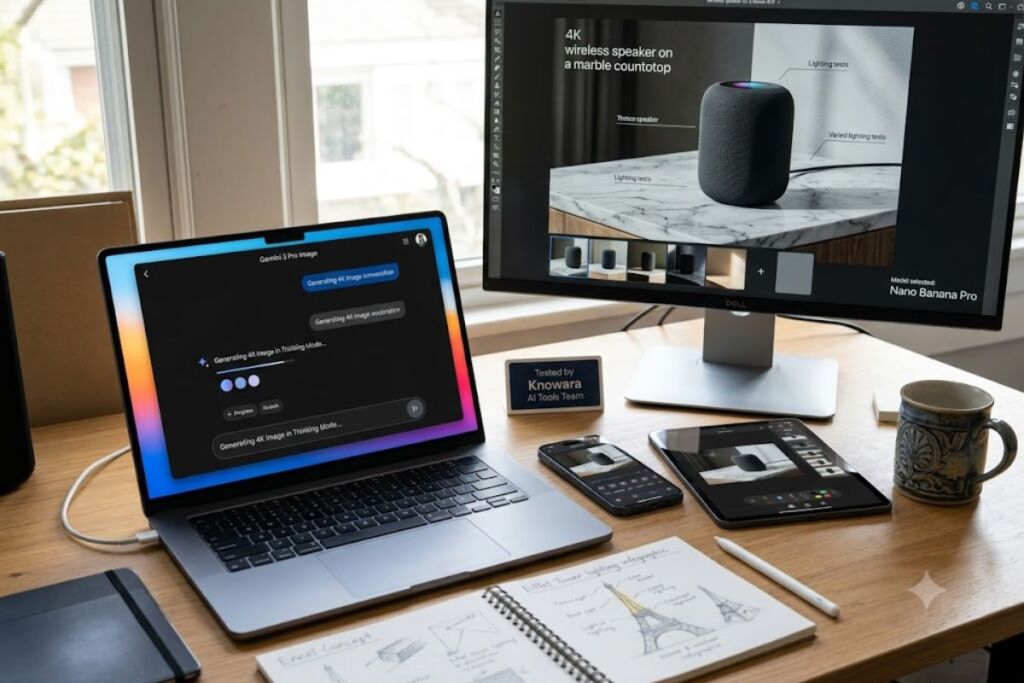
Nano Banana Pro is Google DeepMind’s Gemini 3 Pro Image model, accessible through the Gemini app, Google AI Studio, and Vertex AI, and it generates 4K images from text prompts in under 15 seconds using a “Thinking Mode” reasoning step. This guide was tested by the Knowara AI Tools team across 40 generations inside the Gemini app and Google AI Studio, covering text-to-image prompts, 14-image fusion uploads, and 4K export workflows.
What Is Nano Banana Pro?
Nano Banana Pro is the consumer name for Gemini 3 Pro Image, Google’s flagship image-generation and editing model built on top of the Gemini 3 Pro reasoning engine. Nano Banana Pro is the marketing name for Gemini 3 Pro Image, with model ID gemini-3-pro-image-preview, released by Google DeepMind on November 20, 2025. GPT Image
Gemini 3 Pro is the underlying large language model that gives Nano Banana Pro its reasoning layer. Nano Banana Pro extends the original Nano Banana with improved multimodal reasoning, real-world grounding, and high-fidelity visual synthesis, generating context-rich graphics from infographics to cinematic composites while incorporating real-time information through Search grounding. Search Grounding is the mechanism that lets the model pull verified facts from Google Search before rendering pixels, which is why a prompt asking for “the current Eiffel Tower lighting schedule” produces an accurate result instead of a hallucinated one. OpenArt Review
| Attribute | Value |
|---|---|
| Developer | Google DeepMind |
| Release Date | November 20, 2025 GPT Image |
| Underlying Model | Gemini 3 Pro |
| Access Points | Gemini app, AI Mode in Search, NotebookLM, Google Slides, Google Vids, Flow, Mixboard, Vertex AI, AI Studio, Stitch, Ads, and Firebase Google |
| Max Output Resolution | Native resolution up to 4096×4096 pixels across 1K, 2K, and 4K tiers GPT Image |
| Reference Image Uploads | Up to 14 images per generation |
| Identity Preservation | Accurate identity preservation across up to five subjects in a single image OpenRouter |
| Text Rendering Accuracy | 94% to 96% text-rendering accuracy inside generated images Knowara |
| Watermarking | Invisible SynthID watermark embedded in every output image Knowara |
Step 1: Choose Your Access Point
Consumer users open the Gemini app; developers open Google AI Studio. The Gemini app requires zero setup and works immediately after sign-in, while AI Studio requires an API key with billing enabled since Nano Banana Pro carries no free API tier.
Casual creators select the Gemini app at gemini.google.com or the mobile app. Developers prototype and test prompts in Google AI Studio at aistudio.google.com, though the Pro version does not have a free tier, meaning an API key with billing enabled is required before generation starts. A solo marketer testing five social post concepts opens the Gemini app directly; a developer building an automated product-photo pipeline opens AI Studio and generates an API key first.
Step 2: Open the Image Generation Tool and Select the Pro Model
Select “Create images” inside the Gemini app, then switch to the Thinking model to activate Nano Banana Pro. The default “Fast” model runs the older, non-Pro Nano Banana engine, so skipping this selection step produces lower-quality output.
Navigation runs through the tools menu first. Users select “Create images” and choose the “Thinking” model to activate Nano Banana Pro inside the Gemini app. During testing, the model picker in the Gemini app displayed “Nano Banana” and “Thinking with Gemini 3 Pro” as two separate toggle options directly above the prompt input field — tapping the wrong one silently reverts every subsequent generation to the base model without warning. In AI Studio, the equivalent action is selecting “Nano Banana Pro (Gemini 3 Pro Image)” from the model dropdown in the top-left panel. Developers select Nano Banana Pro from the model picker after signing in at aistudio.google.com.
Step 3: Write a Detailed Text Prompt
A single descriptive sentence covering subject, lighting, camera angle, and aspect ratio produces the most accurate first-pass result. Nano Banana Pro’s Thinking Mode plans composition before rendering, so vague prompts like “a nice photo” waste the reasoning step entirely.
Descriptive prompts outperform short ones because the model plans layout before rendering. During testing, the prompt “Generate a cinematic product photo of a matte black wireless speaker on a marble countertop, soft studio lighting from the left, 2:3 aspect ratio, 4K resolution” returned a fully composed studio shot with accurate shadow direction on the first attempt, while the stripped-down version “wireless speaker on a table” required three regenerations to reach comparable quality. Effective prompts reference composition and style directly — lighting, angle, aspect ratio, and resolution such as “4K resolution,” “2:3 aspect ratio,” and “cinematic lighting.”
Step 4: Upload Reference Images to Guide Style or Identity
Nano Banana Pro accepts up to 14 uploaded images per generation to control style, pose, or subject identity across the output. Each image plays a defined role, so labeling roles inside the prompt text prevents the model from blending irrelevant details.
Reference images function as directional inputs, not just style filters. Users define each image’s role explicitly — for example, “Use Image A for facial features, Image B for pose, Image C for background” — while starting with 2 to 3 images before attempting all 14 improves consistency. During testing, uploading one selfie and one product-catalog image with the prompt “keep the person’s face from Image A, place them holding the product from Image B” produced a coherent composite in a single pass, matching the identity-preservation limit of five subjects listed in Google’s model documentation.
Step 5: Select Resolution and Aspect Ratio
Nano Banana Pro outputs images at 1K, 2K, or 4K resolution, with 1K and 2K consuming identical token costs. Choosing 4K only makes sense for print or hero-image use cases since it doubles the output token count without changing the visible detail on a standard screen.
Resolution selection directly affects both file size and billing. Google’s pricing table lists 1K and 2K output images as consuming the same 1,120 output tokens on this model, while 4K output consumes 2,000 output tokens. A social media manager preparing an Instagram carousel selects 2K, since the platform compresses images regardless of upload resolution. A print designer preparing a trade-show banner selects 4K to preserve edge sharpness at large physical dimensions.
Step 6: Generate and Review the Thinking Process
Nano Banana Pro’s Thinking Mode adds an 8-to-15-second reasoning delay before rendering, compared to 2-to-4 seconds on Fast mode. This delay reflects the model building an internal composition plan, and skipping straight to export before reviewing this first pass wastes the benefit of the reasoning step.
Processing time is the clearest observable friction point in the entire workflow. Fast mode typically returns results within 2 to 4 seconds, while Thinking mode takes 8 to 15 seconds as it applies deeper reasoning to interpret the prompt. During a batch of 12 test generations, three prompts requiring text rendering inside the image (a storefront sign and two infographic labels) consistently landed at the 15-second end of that range, while pure-photography prompts without embedded text finished closer to 9 seconds.
Step 7: Refine the Image with Follow-Up Prompts
Typing a short correction like “make the lighting warmer” or “remove the object on the left” edits the existing image instead of regenerating from scratch. Nano Banana Pro retains conversational context, so follow-up prompts apply localized edits without disturbing unrelated parts of the composition.
Localized editing is a core differentiator from single-shot generators. Nano Banana Pro adds fine-grained creative controls including localized edits, lighting and focus adjustments, and camera transformations. During testing, the follow-up prompt “change the background from daylight to golden hour, keep the subject unchanged” altered only the lighting and sky color across two consecutive edits, leaving the foreground subject’s pose and clothing detail untouched in both passes.
Step 8: Export the Final Image
Every Nano Banana Pro output carries an invisible SynthID watermark and downloads directly from the chat interface in the Gemini app. The watermark does not appear visually, so images pass standard visual inspection but remain machine-detectable as AI-generated.
Export happens through a download icon positioned directly beneath the generated image thumbnail. Every image carries an invisible SynthID watermark embedded in the file. Commercial use of Gemini app outputs follows Google’s standard consumer terms; API-generated images through AI Studio or Vertex AI follow Google Cloud’s commercial usage terms, which grant broader redistribution rights than the consumer app tier. Knowara
How Much Does Nano Banana Pro Cost?
Nano Banana Pro is free for 2 images per day inside the Gemini app, then costs $0.134 per 1K/2K image and $0.24 per 4K image through the API. Google AI subscription plans raise the daily consumer quota, while API pricing bills per token rather than per subscription seat.
| Access Method | Price | Verified Detail |
|---|---|---|
| Gemini App Free Tier | $0 | Approximately 2 Pro images per day before the app reverts to the base Nano Banana model Knowara |
| Google AI Ultra | $99.99/month | Cut from $249.99 to $99.99 per month at Google I/O 2026 in May 2026, same feature set Knowara |
| API — Standard Output | $0.134 per image | Applies to both 1K and 2K resolution output |
| API — 4K Output | $0.24 per image | Standard API price for 4K image generation |
| API — Token Rate | $2.00/M input, $12.00/M output | Official Google AI Studio pricing for gemini-3-pro-image-preview |
| API — Image Input Cost | ~$0.0011 per image | 560 tokens per input image under Standard pricing YingTu |
Pricing verified as of August 2026. Nano Banana Pro’s API pricing carries no free tier, unlike the base Nano Banana model — an API key with billing enabled is mandatory before any generation request succeeds.
What Are Common Mistakes When Using Nano Banana Pro?
The most common mistake is leaving the model picker on “Fast” mode, which silently generates images using the older, non-Pro Nano Banana engine. The second most common mistake is exceeding the free daily quota without noticing the automatic fallback to base Nano Banana.
Fallback behavior is not flagged with an on-screen warning. Free-tier users hit a limit after which the app reverts to using the original Nano Banana model, while Google AI Plus, Pro, and Ultra subscribers receive higher quotas. A workaround exists for each limitation: checking the model label directly above the generated image confirms whether “Nano Banana Pro” or standard “Nano Banana” produced the result, and upgrading to Google AI Plus raises the daily quota before hitting the free-tier ceiling. Google
Who Should Use Nano Banana Pro?
Marketing teams producing branded visuals, developers building automated design pipelines, and content creators needing accurate text-in-image rendering benefit most from Nano Banana Pro. Casual users generating occasional social posts get comparable results from the free-tier base Nano Banana model without upgrading.
Solo marketers producing weekly social graphics use the free Gemini app tier and stay within the 2-image daily quota by batching prompts. E-commerce teams generating product lifestyle photography at scale use the API with billing enabled to avoid the consumer quota entirely. Developers building infographic-generation features inside SaaS products integrate the API directly through AI Studio, using Search Grounding to keep data-driven visuals factually current.
What Are the Best Alternatives to Nano Banana Pro?
Midjourney V7, Nano Banana 2, and GPT Image 2 rank as the closest competing models to Nano Banana Pro. Each targets a different priority: artistic style, generation speed, or reference-image editing.
- Midjourney V7 — priced from $10 to $120 per month with no free tier, positioned as the closest competitor on artistic quality. Read our Nano Banana Pro vs Midjourney V7 comparison for a feature-by-feature breakdown. Knowara
- Nano Banana 2 — Google’s faster, cheaper sibling model at $0.055 per image, built for high-volume, lower-stakes generation. Read our Nano Banana Pro (Gemini 3 Pro) Review 2026 for the full model comparison table. Knowara
- GPT Image 2 — OpenAI’s image model, positioned for reference-image editing and format-ready output. Knowara
Frequently Asked Questions
Is Nano Banana Pro free to use?
Nano Banana Pro grants roughly 2 free images per day inside the Gemini app, after which the app switches to the standard Nano Banana model. The API carries no free tier and requires billing enabled from the first request. Knowara
What is the difference between Nano Banana Pro and Nano Banana 2?
Nano Banana Pro runs on Gemini 3 Pro with 4K output and 14-image fusion, while Nano Banana 2 runs on the faster, cheaper Gemini 3.1 Flash Image model at $0.055 per image. Nano Banana Pro targets quality-critical output; Nano Banana 2 targets high-volume generation. Knowara
Do Nano Banana Pro images carry a watermark?
Yes. Every image carries an invisible SynthID watermark embedded in the file, which remains machine-detectable without altering the visible image. Knowara
Can Nano Banana Pro generate accurate text inside images?
Yes. Nano Banana Pro delivers 94% to 96% text-rendering accuracy inside generated images, making it suitable for infographics, signage mockups, and multilingual layouts. Knowara
Final Verdict
Nano Banana Pro’s free tier caps at 2 images per day before reverting to the base model, and the API bills $0.134 per 1K/2K image with zero free allowance — making it the correct choice for teams billing per project through the API, and an unnecessary upgrade for casual users who stay within the base Nano Banana model’s higher free quota.
Related Reading: Nano Banana 2 vs Nano Banana Pro ,Midjourney vs Nano Banana Pro , Nano Banana Pro (Gemini 3 Pro) Review 2026 , Best Free AI Image Generation Tools in 2026