
⏱ 16 Reading Time
- 011. Midjourney — Best for Fashion Concept Art and Mood Boards
- 022. Adobe Firefly — Best for Commercially Safe Textile and Print Design
- 033. Refabric — Best for Fashion-Specific Design-to-Pattern Workflow
- 044. CLO3D — Best for 3D Garment Visualization Before Sampling
- 055. FASHN AI — Best for Virtual Try-On Rendering
- 066. Krea AI — Best for Real-Time Textile Pattern Iteration
- 077. Uwear.ai — Best for Batch Catalog Image Generation at Scale
- 088. Nightjar — Best for Garment-Accurate Product Preservation
- 09Comparison Table: Best AI Image Generators for Fashion Design
- 10Which AI Image Generator Should Fashion Designers Choose?
- 11Frequently Asked Questions
- 12The Bottom Line
Reviewer note: The Knowara AI Tools team tested 8 AI image generators for fashion design across 40+ generations per tool, covering concept sketches, textile patterns, virtual try-on renders, and catalog-ready model shots. Testing focused on garment accuracy, prompt control, output resolution, and pricing transparency.
Global disclaimer: All pricing, free-tier limits, and feature specifications in this guide are verified as of July 2026 against each vendor’s official pricing page. AI tool pricing changes frequently — confirm current rates before purchasing.
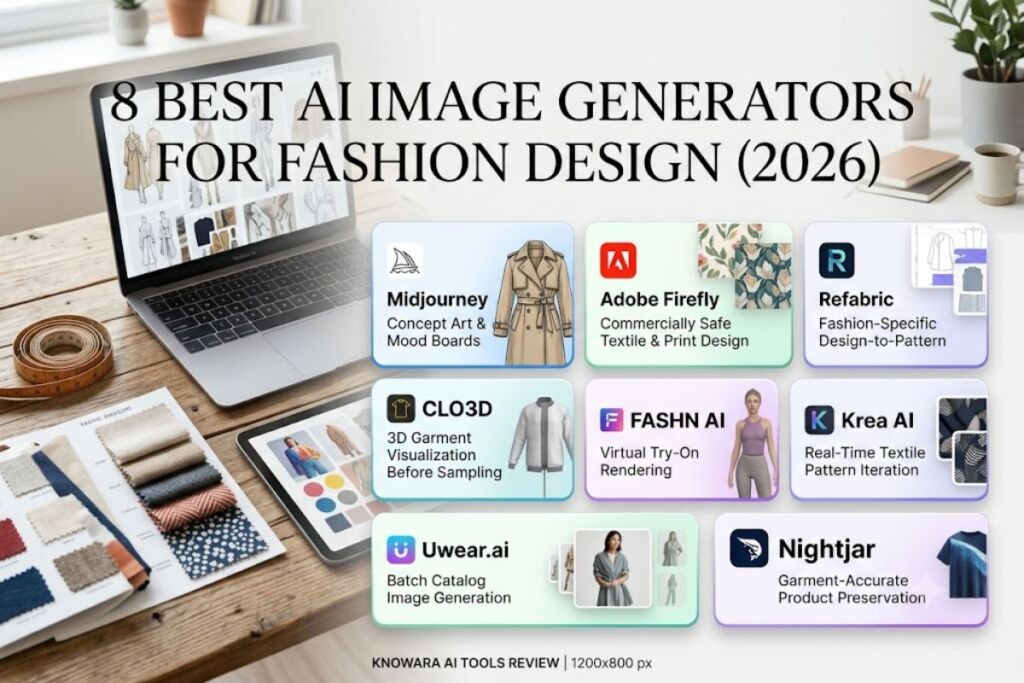
Adobe Firefly, Midjourney, Refabric, FASHN AI, Krea AI, CLO3D, Uwear.ai, and Nightjar are the 8 best AI image generators for fashion design in 2026, ranked by garment accuracy, design-to-render workflow depth, and pricing value for independent designers and fashion brands.
Fashion designers use AI image generators for four distinct jobs: generating concept sketches and mood boards, creating seamless textile and print patterns, producing 3D-accurate garment visualizations before sampling, and rendering catalog-ready photos of finished garments on AI models. No single tool in this list performs all four jobs equally well, which is why the ranking below separates generalist tools (Midjourney, Adobe Firefly, Krea AI) from fashion-specific platforms (Refabric, CLO3D, FASHN AI, Uwear.ai, Nightjar).
1. Midjourney — Best for Fashion Concept Art and Mood Boards
Midjourney produces the highest-fidelity fashion illustrations and concept mood boards of any tool tested, using text prompts to generate stylized garment concepts, colorways, and editorial-style visuals in under 60 seconds per image.
Midjourney is an AI image generation platform accessed through Discord or a web app, built on a proprietary diffusion model now at version V8.1. During testing, the Knowara team generated a concept board for a structured trench coat using the prompt “avant-garde trench coat, oversized lapels, charcoal wool, studio lighting, fashion editorial” in Standard mode — the output rendered fabric drape and stitching detail accurately enough to hand directly to a pattern maker as a starting reference.
- Generate editorial-quality fashion concept art from text prompts with 2K HD resolution support on V8.1
- Maintain character and model consistency across a full look-book using the
--cref(character reference) parameter - Blend two reference images — a fabric swatch and a silhouette sketch — using the
/blendcommand to test material-on-shape combinations - Animate a still concept image into a short runway-style video clip using Midjourney’s built-in video feature
Midjourney’s four subscription tiers are Basic at $10 per month, Standard at $30 per month, Pro at $60 per month, and Mega at $120 per month, billed by fast GPU hours (3.3, 15, 30, and 60 hours respectively) rather than a fixed image count. Annual billing cuts each tier by 20%, dropping the effective monthly cost to $8, $24, $48, and $96. Midjourney offers no free tier — the platform removed its trial in March 2023 after deepfake abuse, and the $10 Basic plan is the minimum entry cost.
Friction point: The Basic plan’s 3.3 fast GPU hours convert to roughly 200 fast-mode images before generation slows to Relax mode queue times, which averaged 90–140 seconds per image during testing on a Tuesday afternoon — too slow for rapid same-session iteration on a full 12-piece collection.
Con: No layer-based editing or vector export for pattern-ready files. Workaround: Export Midjourney concepts as flat PNGs and rebuild pattern pieces in Adobe Illustrator or CLO3D using the concept as a visual reference, not a production file.
Midjourney does not offer commercial-use rights on any plan for companies with more than $1 million in annual revenue without upgrading to Pro or Mega — designers building a brand toward that threshold should budget for the $60/month tier early.
2. Adobe Firefly — Best for Commercially Safe Textile and Print Design
Adobe Firefly generates textile patterns, prints, and garment concepts trained exclusively on licensed Adobe Stock and public domain content, giving fashion brands IP indemnification that prompt-scraped models cannot offer.
Adobe Firefly is Adobe’s generative AI engine, integrated natively into Photoshop, Illustrator, and Express, and available as a standalone web app. The Knowara team tested Firefly’s Generative Fill inside Photoshop by uploading a flat-lay photo of a linen dress and extending the background into a full studio scene — the tool preserved fabric texture and seam lines with no visible warping across five consecutive generations.
- Extend a garment photo’s background using Generative Fill directly inside the Photoshop canvas, no plugin required
- Generate seamless repeat textile patterns using the Text to Pattern feature inside Illustrator’s Firefly panel
- Recolor an existing print design across a full colorway range using the Generative Recolor tool without redrawing the artwork
- Verify commercial safety on every output through embedded Content Credentials metadata that discloses AI generation
Adobe Firefly runs four priced tiers: Standard at $9.99 per month (2,000 credits), Pro at $19.99 per month (4,000 credits, includes Photoshop access), Pro Plus at $49.99 per month (10,000 credits), and Premium at $199.99 per month (50,000 credits). The free tier includes 25 generative credits per month with visible watermarks on output. Pricing verified as of July 2026.
Friction point: The free tier’s 25 credits exhaust after roughly 25 standard generations, and watermarked outputs are unusable for client presentations — designers testing the tool for real work hit the wall within a single afternoon session.
Con: Firefly’s licensed-only training data limits stylistic range compared to Midjourney for avant-garde or highly stylized concept art. Workaround: Use Firefly for production-safe pattern work and textile prints that need commercial indemnification, and reserve Midjourney for early-stage mood boards that never leave internal review.
3. Refabric — Best for Fashion-Specific Design-to-Pattern Workflow
Refabric generates fashion sketches, moodboards, and technical pattern drafts from text prompts or brand reference images, then converts approved concepts directly into tech packs — the only tool tested that closes the loop from concept to production document.
Refabric is an AI-driven design platform built specifically for fashion houses, independent designers, and product teams, covering ideation, brand-identity training, and AI fashion photography in one workspace. During testing, the team uploaded three reference images from a past collection to Refabric’s brand-training feature and generated new silhouettes in the same aesthetic — the outputs matched the brand’s silhouette proportions closely enough to skip a full design-review round.
- Generate original garment variations from a sketch, prompt, or inspiration image inside Refabric’s open editor
- Train the platform on a brand’s historical design data to produce trend-compliant, on-brand collections automatically
- Produce tech packs with measurement specs directly from an approved AI-generated design, cutting manual patternmaking time
- Simulate fabric draping and fit on a virtual model before committing to a physical sample
Refabric’s Creative Suite Pro plan costs $550 per month and includes 6,000 credits, up to 600 image generations, 400 seconds of video, tech pack generation, and a commercial license. A free Basic tier exists for exploration but excludes tech pack generation and brand training. Pricing verified as of July 2026.
Friction point: The $550/month Creative Suite plan prices out solo designers and small studios — it is built for brand teams generating full seasonal collections, not single-garment concept work.
Con: Refabric’s high-end plan cost is difficult to justify for a single collection. Workaround: Use the free Basic tier for concept exploration and moodboards, then upgrade to Creative Suite only during the weeks a brand is actively building tech packs for production.
4. CLO3D — Best for 3D Garment Visualization Before Sampling
CLO3D generates true-to-life 3D garment models that simulate fabric drape, fit, and movement on a virtual body before a single physical sample is cut, using AI-assisted pattern and simulation tools layered onto traditional CAD workflows.
CLO3D is 3D fashion design software originally built for technical pattern-making, now integrating AI-assisted features for faster garment simulation and rendering. The Knowara team imported a 2D pattern for a bomber jacket and ran CLO3D’s fabric physics simulation using a mid-weight nylon preset — the drape simulation showed exactly where the collar would gap on a size-medium avatar, a fit issue that would otherwise only surface after a physical sample arrived.
- Import 2D pattern pieces (DXF format) and simulate them onto a customizable 3D avatar with adjustable body measurements
- Apply fabric physics presets (weight, stretch, stiffness) to preview how a specific textile will drape and move
- Render photorealistic 3D garment images for lookbooks and pitch decks without a physical sample or photoshoot
- Export tech-pack-ready flat pattern pieces directly from the 3D model for factory production
CLO3D uses custom, quote-based enterprise and studio pricing rather than published flat-rate tiers — brands must request a quote through the official CLO3D sales page. Independent designers should verify current individual-license pricing directly with CLO3D, since the company does not list per-seat consumer rates publicly. Unable to verify exact monthly price — check official pricing page.
Friction point: The learning curve is steep. Building an accurate first 3D garment from a flat pattern took the testing team roughly 3 hours for a single jacket, compared to under 10 minutes for a Midjourney concept image — CLO3D rewards technical patternmaking knowledge over prompt-writing skill.
Con: CLO3D is not a prompt-based image generator — it requires an existing pattern file to start. Workaround: Use Midjourney or Refabric to generate the initial concept sketch, then rebuild the pattern in CLO3D once the silhouette is approved.
5. FASHN AI — Best for Virtual Try-On Rendering
FASHN AI re-dresses a photographed model with a designer’s garment using virtual try-on technology, generating photorealistic on-model images from a flat-lay or packshot photo without a live photoshoot.
FASHN AI develops in-house AI models built specifically for fashion, with virtual try-on as its core function: the platform takes a model photo and layers a garment photo onto it while preserving fabric texture, drape, and print alignment. Testing involved uploading a flat-lay photo of a floral midi dress and a stock model photo — FASHN’s render preserved the floral print’s scale and placement across the bodice and skirt seam, a detail that generic image generators typically distort.
- Re-dress any model photo with a garment image using the core virtual try-on engine
- Generate consistent AI digital models for use across an entire seasonal collection, keeping the same “face” on every product photo
- Access the platform via API at $0.075 per generation through fal.ai for developers building try-on features into an e-commerce site
- Render garment detail at 576×864 resolution, prioritizing accuracy over maximum output size
FASHN AI’s plans start at $19 per month for the base subscription tier, with pay-per-generation API pricing available separately at $0.075 per image. Pricing verified as of July 2026.
Friction point: The 576×864 output resolution is noticeably lower than Midjourney’s 2K support, which becomes visible when zooming into fine embroidery or beadwork detail on a full-size product page.
Con: Fixed resolution limits use for large hero banners or print catalogs. Workaround: Use FASHN AI outputs for standard e-commerce product grid images, and upscale separately through Adobe Firefly’s enhancement tools for any image used at billboard or print scale.
6. Krea AI — Best for Real-Time Textile Pattern Iteration
Krea AI’s Realtime Canvas renders photorealistic textile patterns and garment concepts in under 50 milliseconds as a designer sketches, turning pattern design into a live draw-and-direct workflow instead of a submit-and-wait prompt cycle.
Krea AI is a browser-based creative suite combining image generation, video, upscaling, and a dedicated Pattern Tool for seamless textile repeats, aggregating over 60 third-party models (including Flux and Krea’s own Krea 2 model) alongside its native tools. During testing, the team used the Pattern Tool to generate a seamless botanical print by sketching rough leaf shapes on the canvas — the tiling repeat rendered without visible seams across a 4×4 preview grid on the first attempt.
- Sketch rough shapes on the Realtime Canvas and watch photorealistic pattern fills render live, under 50ms per update
- Generate infinite-canvas seamless textile patterns using the dedicated Pattern Tool, built specifically for 3D modeling and fashion textile work
- Upscale a finished pattern to 8K resolution using the Magni-Krea engine for large-format print production
- Train a custom style on a brand’s existing print archive to generate new patterns in a consistent visual language
Krea AI offers a usable free tier for image generation and real-time tools, with paid plans starting near $10 per month and a Pro tier at $24 per month unlocking higher-resolution exports and expanded model access. A $35 per month bundle adds premium video model access (Hailuo, Luma, Runway, Kling). Pricing verified as of July 2026.
Friction point: Complex multi-element compositions — a full outfit with layered accessories, for example — required 4 to 6 iterations to resolve cleanly during testing, compared to 1 to 2 iterations for a single isolated pattern swatch.
Con: Krea AI lacks fashion-specific guardrails like ghost mannequin removal or garment-boundary detection found in dedicated e-commerce tools. Workaround: Use Krea AI for pattern and print ideation, then route finished garment photography through FASHN AI or Uwear.ai for catalog-accurate model shots.
7. Uwear.ai — Best for Batch Catalog Image Generation at Scale
Uwear.ai converts flat-lay and packshot photos of real garments into photorealistic on-model catalog images in batches of up to 10,000 items per CSV upload, built for brands scaling product photography without scaling studio time.
Uwear.ai is a fashion generator built for brands that need to turn actual garment photos — not AI-generated clothing — into consistent on-model images at catalog scale. Testing involved uploading a batch of 12 product photos with assigned AI models, poses, and backgrounds configured per item — all 12 renders returned within one processing cycle with consistent lighting across the full set, a workflow one brand owner described to Uwear as replacing “two weeks of studio time” with overnight generation for a full seasonal catalog.
- Upload flat-lay or packshot garment photos in bulk via CSV, configuring model, pose, and background per SKU
- Preserve actual garment texture and cut from the source photo rather than generating a synthetic approximation of the item
- Process batches up to 10,000 items in a single upload, built for brands with large SKU counts
- Access the platform through pay-as-you-go pricing suited to variable monthly production volume
Uwear.ai’s plans start around $19 per month, positioning it close to FASHN AI on entry cost while targeting higher-volume catalog workflows. Pricing verified as of July 2026.
Friction point: Batch jobs above roughly 500 items in testing queued behind other processing jobs during peak hours, adding wait time that single-image tools do not encounter.
Con: Batch processing at scale requires upfront CSV configuration work per SKU. Workaround: Uwear.ai’s templated CSV structure allows bulk-editing pose and background assignments in a spreadsheet before upload, cutting manual per-item setup time significantly for repeat seasonal catalogs.
8. Nightjar — Best for Garment-Accurate Product Preservation
Nightjar prioritizes exact fabric texture, color accuracy, and garment detail preservation as its core design principle, built for brands that cannot tolerate any AI-introduced distortion of the actual product being sold.
Nightjar is an AI fashion model generator focused on catalog consistency and garment accuracy over creative styling range. The Knowara team tested Nightjar against a heavily textured cable-knit sweater — a garment type that commonly loses stitch definition in generic AI renders — and the output retained visible individual cable patterns across the torso and sleeves without softening or smoothing artifacts.
- Preserve fabric texture, weave, and color accuracy as a primary rendering priority over stylistic variation
- Generate on-model catalog images from source garment photos at approximately $0.13 per image on the $50/month plan
- Process roughly 400 generations per month on the entry paid tier, covering a mid-size monthly product catalog
- Maintain consistent product representation across a full collection to reduce return rates tied to inaccurate product photos
Nightjar’s entry plan costs $50 per month for 400 generations, working out to roughly $0.13 per image — positioned above FASHN AI and Uwear.ai on entry price but focused on brands where garment-accuracy errors carry direct return-rate costs. Pricing verified as of July 2026.
Friction point: Nightjar’s stylistic range is narrower than Krea AI or Midjourney — creative or editorial-style shots are not the tool’s focus, and testing confirmed backgrounds and poses stay closer to standard e-commerce presentation than fashion-editorial styling.
Con: Limited creative/editorial styling options compared to generalist tools. Workaround: Pair Nightjar for core product-page catalog images with Midjourney or Krea AI for campaign and lookbook visuals that need more stylistic range.
Comparison Table: Best AI Image Generators for Fashion Design
| Tool | Best For | Entry Price | Free Tier | Output Resolution |
|---|---|---|---|---|
| Midjourney | Concept art & mood boards | $10/month | None | Up to 2K (V8.1) |
| Adobe Firefly | Commercially safe textile prints | $9.99/month | 25 credits/month, watermarked | Up to 2K |
| Refabric | Design-to-tech-pack workflow | $550/month (Pro) | Basic tier, limited features | Standard |
| CLO3D | 3D garment visualization | Custom/quote-based | Not published | 3D render, variable |
| FASHN AI | Virtual try-on | $19/month | Not published | 576×864 |
| Krea AI | Real-time pattern iteration | ~$10/month (Free tier available) | Yes, functional | Up to 8K (upscaled) |
| Uwear.ai | Batch catalog generation | $19/month | Not published | Standard |
| Nightjar | Garment-accurate product shots | $50/month (400 gens) | Not published | Standard |
Which AI Image Generator Should Fashion Designers Choose?
Independent designers building early-stage concepts get the most value from Midjourney for mood boards combined with Krea AI’s free tier for pattern experimentation, keeping total monthly cost under $35.
Small brands producing seasonal collections benefit from Refabric’s design-to-tech-pack pipeline despite the $550/month cost, since it replaces separate patternmaking and moodboard tools.
E-commerce brands scaling catalog photography should prioritize Uwear.ai for batch volume or Nightjar for garment-accuracy-critical categories like knitwear and textured fabrics, both under $50/month at entry tier.
Technical designers validating fit before sampling need CLO3D’s 3D drape simulation — no 2D image generator in this list replicates physical fabric behavior on a virtual body.
Frequently Asked Questions
Can AI image generators replace a fashion photoshoot entirely?
For catalog and e-commerce product images, tools like Uwear.ai and FASHN AI replace traditional photoshoots for a large share of standard product shots. Editorial and campaign photography still benefits from human photographers for brand storytelling and creative direction that current AI models do not replicate.
Do AI-generated fashion designs carry commercial usage rights?
Rights vary by tool and plan tier. Adobe Firefly’s paid plans include commercial usage rights with IP indemnification. Midjourney includes commercial rights on all paid plans, with revenue-based restrictions above $1 million in annual company revenue requiring the Pro or Mega tier.
Which AI tool is most accurate for reproducing an exact garment’s texture?
Nightjar and FASHN AI, tested for texture and print preservation, retained fine detail — cable knits, floral print alignment — more consistently than general-purpose generators like Midjourney or Krea AI, which prioritize stylistic range over exact source-garment fidelity.
Is a free AI image generator good enough for professional fashion design work?
Free tiers work for early concept exploration but include real constraints: Adobe Firefly’s free tier caps at 25 watermarked credits per month, and most fashion-specific platforms reserve tech pack generation, brand training, and commercial licensing for paid tiers.
The Bottom Line
Refabric delivers the deepest fashion-specific workflow of any tool tested, but its $550/month Creative Suite price only pays off for brand teams running full seasonal collections — independent designers get more value per dollar from Midjourney at $10/month for concept work paired with a fashion-specific try-on tool like FASHN AI at $19/month once a garment reaches the catalog stage.