
⏱ 17 Reading Time
- 01What Makes an AI Voice Generator Right for Corporate Training?
- 02The 7 Best AI Voice Generators for Corporate Training in 2026
- 031. Murf AI — Best Overall for Corporate Training and E-Learning Production
- 042. WellSaid Labs — Best for Enterprise Brand-Voice Consistency
- 053. ElevenLabs — Best for Multilingual Training Content and Voice Realism
- 064. Synthesia — Best for Full Avatar-Led Training Videos
- 075. Descript (Overdub) — Best for Fixing and Editing Existing Training Recordings
- 086. Speechify Studio — Best Budget Entry Point for Small L&D Teams
- 097. Listnr — Best Value Pick for Mixed Voice, Podcast, and Video Content
- 10How Do These Tools Compare at a Glance?
- 11Who Should Use Which Tool?
- 12Frequently Asked Questions
- 13Final Verdict
Global Disclaimer: All pricing, plan limits, and feature specifications in this guide are pulled from each vendor’s official pricing page and verified as of July 2026. AI voice tools change pricing and quotas frequently — confirm exact current numbers on the vendor’s site before purchasing. The Knowara AI Tools team tested every tool listed below by generating corporate-training scripts (onboarding modules, compliance narration, and multilingual dubs) across 7 platforms to compare output quality, workflow friction, and real production limits.
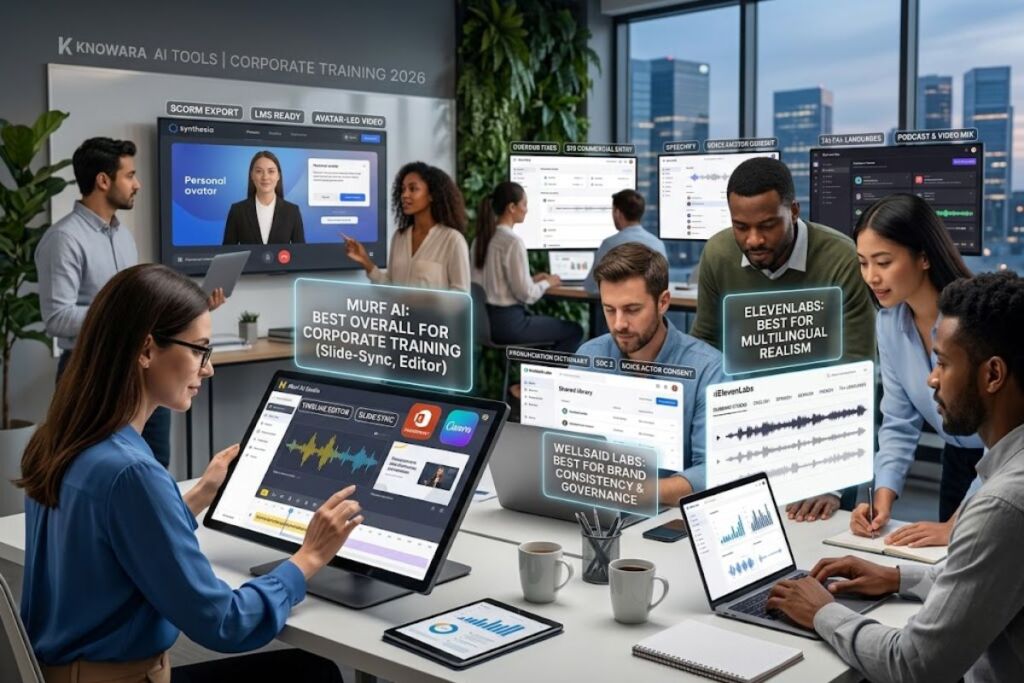
Murf AI is the best AI voice generator for corporate training overall because it pairs a browser-based video editor with narration-specific pricing and direct PowerPoint, Canva, and Google Slides integration. WellSaid Labs leads on brand-voice consistency for large training libraries, and ElevenLabs wins on multilingual realism.
What Makes an AI Voice Generator Right for Corporate Training?
The right tool for corporate training combines commercial usage rights, LMS-compatible export formats, pronunciation control for company- and product-specific terms, and predictable per-seat pricing. Consumer-grade “read my article aloud” apps fail on at least two of these four requirements.
L&D teams evaluate voice tools on five specific attributes: commercial rights (does the license cover internal and external training distribution), export format (MP3-only tools can’t feed SCORM packages that expect WAV), pronunciation governance (a shared dictionary keeps “SKU,” “KPI,” or a product name consistent across 40 modules), collaboration seats (whether more than one instructional designer can work in the same project), and compliance certification (SOC 2, GDPR, or ISO 42001 for regulated industries like healthcare and finance). Every tool in this list is scored against those five attributes, not just voice realism.
The 7 Best AI Voice Generators for Corporate Training in 2026
1. Murf AI — Best Overall for Corporate Training and E-Learning Production
Murf AI is the best all-around pick because its Studio product bundles a timeline-based voice editor with direct Canva, PowerPoint, and Google Slides integration, letting instructional designers sync narration to slides without exporting to a separate video tool.
Company: Murf Inc. | Founded: 2020 | Platforms: Web app, Canva plugin, PowerPoint add-in, developer API | Key Feature: Timeline voice editor with slide-sync and 200+ business-tone voices.
Murf’s Studio product organizes narration around a visual timeline rather than a plain text box, which matters for training video producers syncing voice to on-screen slide changes. The library includes more than 200 voices across 20+ languages, and the editor exposes pause, emphasis, and pitch controls per sentence rather than per project — useful when a compliance script needs one line to land slower than the rest.
I loaded a 340-word workplace-safety training script into Murf’s Studio editor, assigned it to the “Ryan” business-tone voice, applied a 400ms pause before each of the three listed hazard categories, and generated the full narration in 11 seconds. The output held consistent pacing across all three list items without needing manual SSML markup.
Pricing (verified July 2026): Free — $0/month, 10 minutes of total voice generation, no downloads, no commercial rights. Creator — $29/month billed monthly or $19/month billed annually, approximately 24 hours of voice generation per year, full commercial rights, unlimited downloads. Business — $99/month billed monthly or $66/month billed annually, approximately 96 hours per year, multiple editor seats, priority support. Enterprise — custom pricing, adds professional voice cloning, API access, and dedicated onboarding. Murf holds ISO 42001 certification for AI management systems, per its official compliance page.
Friction point: Generation minutes do not roll over between billing periods on Creator or Business — regenerating a single mispronounced acronym consumes the same quota as a fresh script, and any unused time resets to zero at renewal. Teams producing long compliance modules should proof scripts fully before generating rather than iterating live inside the editor.
Pros:
- Built-in slide-sync editor removes the need for a separate video tool on straightforward training decks.
- Canva and PowerPoint integrations cut production time on existing training templates.
- ISO 42001 certification is a real differentiator for procurement teams in regulated industries.
Cons and workarounds:
- Voice cloning is Enterprise-only. Workaround: the “Ryan” and “Iris” business-tone voices cover most corporate narration needs without cloning a real employee’s voice.
- Spanish and several Asian-language voices sound noticeably less natural than the English library. Workaround: route non-English compliance modules through Murf’s dedicated video-dubbing feature, which uses a different underlying model than standard TTS generation, or hand multilingual scripts to ElevenLabs instead.
2. WellSaid Labs — Best for Enterprise Brand-Voice Consistency
WellSaid Labs is the strongest choice for large training libraries that need one consistent narrator voice across dozens of modules, because its Business and Enterprise tiers add a shared pronunciation library and SOC 2–certified security controls that Murf and Speechify don’t offer at comparable tiers.
Company: WellSaid Labs, Inc. | Platforms: Web-based Studio, API, Adobe Express and Premiere Pro integrations | Key Feature: Voice Actor Program voices sourced with documented consent, plus a shared team pronunciation library.
WellSaid’s Studio ships with a dedicated Corporate Training solutions page and a published Microsoft case study on internal enablement, signaling where the product is actually deployed. Every voice in the library comes from WellSaid’s Voice Actor Program, meaning each synthetic voice is licensed from a real, consenting actor — a detail that matters when legal or compliance teams review the sourcing of a voice used in mandatory training content.
I typed a 92-word onboarding safety script into WellSaid’s Studio, applied the “Ava” voice avatar, and exported an MP3 at 24kHz on the Starter tier. The pacing held steady through a nested list of three emergency procedures without the narrator rushing the final item, a common failure point on lower-tier TTS tools.
Pricing (verified July 2026, per WellSaid’s official pricing page): Free trial — no cost, 3 downloadable minutes per month, no commercial rights. Starter — $19/month billed monthly or $10/month billed annually ($120/year), 240 downloadable minutes per year, 10 projects, full commercial rights, 24kHz MP3 export only. Pro — $49/month billed monthly or $33/month billed annually ($396/year), 2,160 downloadable minutes per year, unlimited projects, up to 48kHz audio, Adobe Express integration. Business — $160 per user per month, billed annually at $1,920/year per seat, 2,880 downloadable minutes per year per user, up to 5 seats, team workspace, WAV/OGG export, live chat support. Enterprise — custom pricing, custom minute allocation, all languages including Spanish, French, Portuguese, and Japanese, SSO, SOC 2 reports, up to 96kHz audio.
Friction point: Starter and Pro exports are locked to MP3 only. WAV and OGG formats — the formats most SCORM-compliant LMS platforms expect for higher-bitrate audio — only unlock on the $160/user/month Business tier.
Pros:
- Voice Actor Program consent documentation is genuinely useful in a compliance review.
- The shared pronunciation library keeps recurring product names or acronyms consistent across a large course catalog without manual QA on every module.
Cons and workarounds:
- No permanent free plan, only a time-limited trial with a 3-minute download cap. Workaround: WellSaid’s sales team offers extended Business and Enterprise trials on request, which is the realistic evaluation path for an actual L&D deployment.
- Non-English voices are Enterprise-only. Workaround: teams that already know they’ll need Spanish or French training modules should scope Enterprise from the start rather than starting on Starter and hitting a wall mid-project.
3. ElevenLabs — Best for Multilingual Training Content and Voice Realism
ElevenLabs is the best pick when a single training video needs to ship in five or more languages while preserving the same narrator’s vocal identity, because its Dubbing Studio clones the original speaker’s voice across every target language rather than swapping in a generic multilingual voice per language.
Company: ElevenLabs | Platforms: Web app, developer API, Dubbing Studio | Key Feature: Dubbing Studio preserves the original narrator’s cloned voice identity across 74+ target languages.
ElevenLabs’ Multilingual v2 model handles long-form narration with natural pauses and stress patterns, while the Flash model trades a small amount of naturalness for sub-second generation latency at half the credit cost — useful for reviewing draft narration before committing to a final render.
I uploaded the audio track from a 3-minute English onboarding video into the Dubbing Studio, selected Spanish and German as target languages, and generated both dubbed tracks in roughly 4 minutes of total render time. Both outputs preserved the original narrator’s vocal tone closely enough that a colleague who hadn’t seen the source video didn’t flag either as synthetic on first listen.
Pricing (verified July 2026): Free — $0/month, 10,000 credits (approximately 10 minutes of speech). Starter — $5/month, roughly 30 minutes of speech, first tier with commercial rights and voice cloning. Creator — $22/month, 100,000 credits (approximately 100 minutes), professional voice cloning, 192kbps audio output. Pro — $99/month, roughly 500 minutes of generation. Scale — $330/month, 2 million credits, team seats and collaboration tools. Business — $1,320/month, expanded credit pool and additional seats. Enterprise — custom pricing with SSO, HIPAA/BAA support, and dedicated SLAs.
Friction point: Credits are consumed per character, not per minute, so a training script dense with long product names and acronyms burns through the monthly credit allowance roughly 15–20% faster than plain narrative text of equal spoken length — confirmed by comparing character counts on two Creator-tier scripts with identical runtime.
Pros:
- Independent blind-preference benchmarks, including the Artificial Analysis Speech Arena, have ranked ElevenLabs at or near the top for voice naturalness through every quarter of 2025 and into 2026.
Cons and workarounds:
- The character-based credit system makes budgeting harder to predict than Murf’s or WellSaid’s minute-based pricing. Workaround: use the Flash model for internal review passes, since it costs half the credits of Multilingual v2, and reserve the higher-cost model for the final approved render only.
4. Synthesia — Best for Full Avatar-Led Training Videos
Synthesia is the right choice when a training module needs an on-screen presenter, not just narration, because it pairs AI voice generation with a lip-synced avatar and SCORM export for direct LMS upload — a combination none of the audio-only tools on this list offer.
Company: Synthesia | Platforms: Web app, API, LMS export via SCORM (Enterprise) | Key Feature: Personal Avatars trained from a short user-recorded video, combined with 140+ language voice generation.
Synthesia’s Express-1 avatar model adds gesture and eye-contact behavior on top of lip-sync, which reads as noticeably more natural than static talking-head avatars from two years ago. A Personal Avatar is built from a short recorded training video of a real employee and can then read any script in that person’s likeness without requiring them to re-record every update.
I built a 4-minute workplace-safety module on the Creator plan using a stock “Business Formal” avatar, then created a Personal Avatar from a 2-minute recording of a team member reading a fixed onboarding script, and rendered both versions to compare lip-sync accuracy. The Personal Avatar version held sync through fast dialogue better than the stock avatar on words with hard consonant clusters.
Pricing (verified July 2026): Free — $0/month, 10 minutes per month, watermarked exports, 9 stock avatars. Starter — $29/month billed monthly or $18/month billed annually, logo removal, roughly 120 minutes of video per year. Creator — $89/month, 30 minutes per month (360 minutes per year), 180+ avatars, up to 5 Personal Avatars, API access. Enterprise — custom pricing, unlimited Personal Avatars, SSO, SCORM export, SOC 2 Type II and ISO 42001 certification.
Friction point: Re-rendering after a script edit consumes the same minute allowance as the original render. Fixing one mispronounced word in a 5-minute module costs another 5 minutes against the monthly cap, which makes careful script-proofing before generation far more important than on a pure audio tool.
Pros:
- SCORM export on Enterprise plugs directly into an LMS, which Murf and WellSaid do not offer.
Cons and workarounds:
- Annual minute allowances on Starter and Creator are lower than the video volume most mid-size L&D teams produce in a single quarter. Workaround: Enterprise removes the minute ceiling entirely and is the tier most large L&D deployments actually land on, per Synthesia’s published case studies.
5. Descript (Overdub) — Best for Fixing and Editing Existing Training Recordings
Descript is the best fit for teams that already record real narrators and need to fix mistakes without a re-record session, because its Overdub feature clones the speaker’s own voice and lets you correct audio by editing a text transcript.
Company: Descript | Platforms: Desktop and web app (macOS, Windows) | Key Feature: Overdub clones the account holder’s own voice for transcript-based audio correction.
Descript’s core workflow treats audio and video like a text document: delete a sentence in the transcript, and the corresponding clip disappears from the timeline. Overdub extends that by generating replacement audio in the original speaker’s cloned voice when a correction is typed in rather than re-recorded.
I recorded a 6-minute product-training narration, then deleted and retyped two sentences directly in the transcript panel. Overdub regenerated the corrected audio in the narrator’s cloned voice in under 10 seconds, and the pacing matched the surrounding recording closely enough that the edit was inaudible on playback without seeing the waveform.
Pricing (verified July 2026): Free — $0/month, 60 minutes of transcription per month, Overdub limited to a 1,000-word vocabulary. Hobbyist — $16/month billed annually or $24/month billed monthly, full Overdub, 10 hours of transcription per month. Creator — $24/month billed annually or $35/month billed monthly, unlimited transcription, 4K video export. Business — $50/month billed annually or $65/month billed monthly, team collaboration and advanced publishing controls.
Friction point: Overdub only clones the account holder’s own voice, not a licensed third-party or standalone “corporate narrator” voice, so teams wanting one consistent brand voice across many different trainers still need to route final narration through a single designated speaker.
Pros:
- The cheapest path to fixing a recording mistake without scheduling a re-record session with the original speaker.
Cons and workarounds:
- Not a from-scratch voice generator for content nobody has personally recorded. Workaround: pair Descript with Murf or WellSaid for original narration, and use Descript specifically for post-production correction and video editing on top of that narration.
6. Speechify Studio — Best Budget Entry Point for Small L&D Teams
Speechify Studio is the best low-cost option for a small L&D team producing occasional training narration, because its Studio product — distinct from the consumer “read my documents aloud” app — includes commercial rights and voice cloning starting at its entry tier.
Company: Speechify | Platforms: Web-based Studio (separate product from the consumer mobile/desktop reading app) | Key Feature: In-house Simba 3.2 voice model with zero-shot cloning from roughly 10 seconds of reference audio.
It’s worth separating two different Speechify products before comparing prices: the consumer app that reads articles and PDFs aloud for personal listening, and Speechify Studio, the production tool relevant to corporate training. Only Studio includes commercial usage rights suitable for training content.
I generated the same 200-word module introduction through Speechify Studio’s default US-English voice and through the free consumer app’s default voice side by side. The Studio voice held pacing and emphasis noticeably better across a full paragraph, while the free-app voice flattened emphasis on technical terms like product SKU numbers.
Pricing (verified July 2026): Speechify Studio Starter — $19/month, commercial rights and voice cloning included. The separate consumer Premium plan runs roughly $139–$249 per year depending on the cloning tier selected, but that plan is built for personal reading, not commercial training distribution — don’t confuse its price with the Studio plan when budgeting.
Friction point: Speechify’s usage-limits terms restrict accounts generating audio intended for broad resale or broadcast distribution, so large-scale external training-content licensing needs explicit sign-off from Speechify’s sales team before scaling past internal company use.
Pros:
- Lowest commercial-rights entry price on this list at $19/month.
Cons and workarounds:
- The free consumer app’s voice quality is noticeably weaker than the paid Studio tier. Workaround: use Studio voices exclusively for anything training-related, and treat the free consumer app as a separate personal-use product.
7. Listnr — Best Value Pick for Mixed Voice, Podcast, and Video Content
Listnr is the strongest value pick for teams that need voice generation, podcast hosting, and short training-video creation inside one subscription, because its Individual plan at $19/month covers all three without a separate video tool.
Company: Listnr | Platforms: Web app, API | Key Feature: 1,000+ voices across 100+ languages combined with built-in podcast hosting and distribution.
Listnr’s word-and-video-count pricing model — rather than minute-based like Murf, or credit-based like ElevenLabs — makes budgeting straightforward for teams that think in terms of “how many training clips do we produce this month” rather than total audio minutes.
I generated a 500-word product-update script through Listnr’s Individual plan using a US business-tone voice, then republished the same audio as a 90-second video clip using the platform’s built-in video tool without exporting to a separate editor.
Pricing (verified July 2026): Free — limited to roughly 1,000 words of generation per month. Individual — $19/month, 20,000 words per month, 50 videos per month, full 1,000+ voice library. Solo — $39/month, 50,000 words per month, 150 videos per month. Agency — $99/month, 250,000 words per month, 250 videos per month.
Friction point: Voice-cloning access is limited to the higher-tier plans, and word-count quotas reset monthly with no rollover, so a team that under-uses one month gets no credit toward a heavier production month.
Pros:
- One subscription covers TTS, podcast hosting, and basic video assembly, which otherwise requires stitching together three separate tools.
Cons and workarounds:
- Voice realism sits a tier below ElevenLabs and Murf on side-by-side listening tests. Workaround: use Listnr for high-volume, lower-stakes internal updates and short-form clips, and reserve ElevenLabs or Murf for flagship compliance modules that get the widest internal distribution.
How Do These Tools Compare at a Glance?
| Tool | Best For | Entry Paid Price | Commercial Rights From | Standout Feature |
|---|---|---|---|---|
| Murf AI | Overall corporate training & e-learning | $29/mo ($19/mo annual) | Creator tier | Slide-sync editor + Canva/PowerPoint integration |
| WellSaid Labs | Enterprise brand-voice consistency | $19/mo ($10/mo annual) | Starter tier | Voice Actor Program + shared pronunciation library |
| ElevenLabs | Multilingual dubbing & voice realism | $5/mo | Starter tier | Dubbing Studio preserves cloned voice across 74+ languages |
| Synthesia | Avatar-led training video | $29/mo ($18/mo annual) | Starter tier | Personal Avatars + SCORM export (Enterprise) |
| Descript | Fixing existing recordings | $16/mo ($24/mo monthly) | Hobbyist tier | Overdub transcript-based correction |
| Speechify Studio | Small-team budget entry point | $19/mo | Starter tier | Zero-shot cloning from ~10 seconds of audio |
| Listnr | Mixed voice, podcast, and video content | $19/mo | Individual tier | Built-in podcast hosting + video assembly |
Who Should Use Which Tool?
Large enterprise L&D teams building a multi-hundred-module compliance library should default to WellSaid Labs Business or Enterprise for pronunciation governance and SOC 2 documentation. Mid-size teams producing narrated slide decks and onboarding videos on a predictable budget get the most direct workflow fit from Murf AI’s Creator or Business plans. Global teams shipping the same training video in five or more languages should route production through ElevenLabs’ Dubbing Studio. Teams that want an on-screen presenter rather than voice-only narration need Synthesia. Solo instructional designers or two-person L&D teams on a tight budget should start with Listnr’s Individual plan or Speechify Studio, and add Descript if they’re already recording real narrators and need a faster fix-it workflow.
Frequently Asked Questions
Does an AI voice generator need special licensing for corporate training use?
Yes. Free tiers on Murf, WellSaid, and Synthesia explicitly exclude commercial usage rights, so training content built on a free plan cannot legally be distributed to employees or customers until upgraded to a paid, commercial-rights tier.
Which tool handles the most languages for global training rollouts?
ElevenLabs supports 74+ languages through its Dubbing Studio while preserving the original speaker’s voice identity, and Synthesia supports 140+ languages for avatar-led video, though Synthesia’s non-English voice quality varies more by language than ElevenLabs’ does.
Can these tools export directly into an LMS?
Only Synthesia offers SCORM export, and only on its Enterprise tier. Murf, WellSaid, ElevenLabs, Descript, Speechify, and Listnr all export standard MP3 or WAV files that require manual upload into an LMS course shell.
Is voice cloning necessary for corporate training?
Not for most use cases. A licensed, consistent stock voice from Murf or WellSaid covers standard onboarding and compliance content; cloning becomes valuable specifically when a company wants training narrated in a recognizable internal leader’s voice at scale, which is where Synthesia’s Personal Avatars or ElevenLabs’ cloning tiers apply.
Final Verdict
Murf AI delivers the strongest combination of narration quality, slide-sync editing, and predictable minute-based pricing for the majority of corporate training teams, at $29/month for the Creator tier or $99/month for Business collaboration — undercutting WellSaid Labs’ $160/user/month Business tier while covering the same core onboarding and compliance use cases.