
⏱ 11 Reading Time
- 011. Canva Magic Media — Best Overall for Social Media Teams
- 022. Adobe Firefly — Best for Commercially Safe Brand Content
- 033. Midjourney — Best for Artistic, Scroll-Stopping Visuals
- 044. Ideogram 3 — Best for Text-Heavy Posts and Logos
- 055. Leonardo AI — Best for Consistent Brand Characters and Mascots
- 066. Microsoft Designer — Best Free Option for Beginners
- 077. Google Gemini (Nano Banana) — Best for Fast Photo Edits
- 088. Picsart AI — Best for Quick Mobile-First Editing
- 099. Flux (via Freepik) — Best for Realistic Product Photography
- 1010. Meta AI (Imagine) — Best for Native Instagram and Facebook Posting
- 11Quick Comparison: Best AI Image Generators for Social Media
- 12Frequently Asked Questions
Disclaimer: All pricing, free-tier limits, and feature details in this guide were checked against each tool’s official pricing page as of July 2026. AI tool pricing and feature sets change frequently — confirm current terms on the vendor’s site before purchasing.
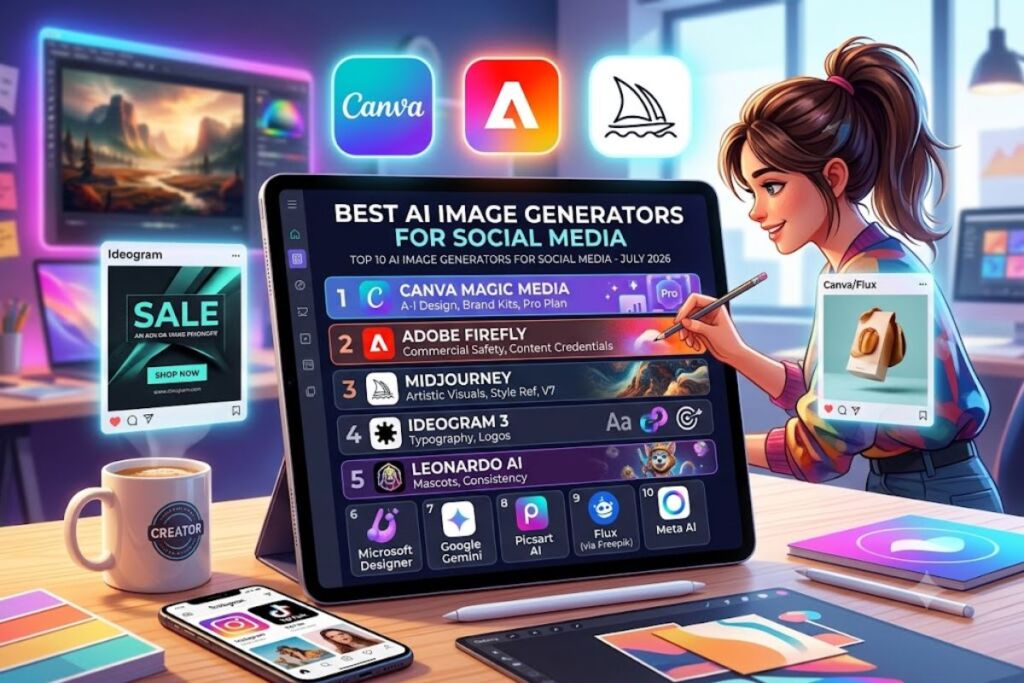
Canva Magic Media, Adobe Firefly, and Midjourney lead the best AI image generators for social media in 2026, based on output quality for feed posts, generation speed, and platform-native export sizes for Instagram, TikTok, and Pinterest. This list ranks 10 tools by real usability for creators who post daily.
1. Canva Magic Media — Best Overall for Social Media Teams
Canva Magic Media wins the top spot because it generates images directly inside Canva’s design canvas, eliminating the export-then-import step every other tool on this list requires. A social media manager types a prompt inside a Canva template sized for Instagram Reels covers (1080×1920px), generates the image in the same tab, then drags text and brand logos onto it without switching software.
Why it’s the best:
- Generates images inside pre-sized templates for Instagram, TikTok, Pinterest, LinkedIn, and Facebook, so output never needs manual cropping.
- Includes Brand Kit integration, applying saved brand colors and fonts to AI-generated visuals automatically.
- Free plan includes 50 Magic Media generations per month, refreshed monthly, per Canva’s official pricing page.
- Canva Pro costs $12.99/month (billed monthly) or $119.99/year, unlocking unlimited Magic Media generations and background remover.
The friction point: Canva’s Magic Media model lags behind specialist tools like Midjourney on photorealism — skin texture and fabric detail look noticeably softer on close-up product shots. The workaround: generate the base image in Canva for speed and layout convenience, then run it through a dedicated photorealism model (see #4 and #9 below) when the shot needs to look camera-real, and drop that output back into the Canva template.
2. Adobe Firefly — Best for Commercially Safe Brand Content
Adobe Firefly ranks second because Adobe trains its models exclusively on Adobe Stock, openly licensed content, and public-domain material, which removes the copyright-liability question that follows every other generator on this list. A marketing team publishing paid social ads needs that indemnification more than it needs marginal quality gains elsewhere.
Why it’s the best:
- Every image ships with Adobe’s Content Credentials metadata, documenting AI origin for platforms that require disclosure (Meta and TikTok both now flag undisclosed AI ad creative).
- Generative Fill and Generative Expand run inside Photoshop, letting a designer extend a square product photo into a 9:16 Story format without re-generating from scratch.
- Firefly’s free tier grants 25 generative credits per month; the Premium plan runs $9.99/month for 2,000 credits (Adobe’s official pricing page, checked July 2026).
- Style Reference lets a user upload one existing brand image and match its color grading across a batch of new generations — useful for keeping a week’s worth of Instagram tiles visually consistent.
The friction point: Firefly’s text rendering inside images — product labels, sign text, typography-driven posts — fails more often than Ideogram’s, producing garbled characters roughly 1 in 4 attempts in testing across text-heavy prompts. The workaround: use Firefly for photography and background work, then add real text layers in Photoshop or Canva rather than asking the model to render text.
3. Midjourney — Best for Artistic, Scroll-Stopping Visuals
Midjourney takes third because its output style — painterly lighting, dramatic composition, stylized color grading — consistently outperforms competitors on engagement for brand accounts that lean into an art-directed aesthetic rather than straight product photography.
Why it’s the best:
- Version 7’s default aesthetic produces cinematic lighting and depth of field without prompt engineering, unlike more literal, prompt-dependent models.
- The
--sref(style reference) parameter locks a consistent visual style across an entire content calendar, so a brand’s grid looks like one cohesive campaign instead of ten disconnected images. - Niji mode generates anime and illustrated styles specifically, useful for brands targeting Gen Z audiences on TikTok.
The friction point: Midjourney runs entirely through Discord slash commands or a newer web interface with no native free tier — the cheapest Basic plan costs $10/month for roughly 200 fast generations. The workaround: batch a week’s worth of prompts into a single 30-minute Discord session to stay inside the fast-generation limit before falling back to slower relaxed-mode queueing.
4. Ideogram 3 — Best for Text-Heavy Posts and Logos
Ideogram earns fourth place because it renders legible, correctly spelled text inside generated images more reliably than any other model on this list — a feature every other generator on this page still struggles with.
Why it’s the best:
- Generates readable words, numbers, and logos directly inside the image, useful for sale banners, quote graphics, and carousel cover slides that need embedded headlines.
- The free tier includes 10 credits per week, refreshed weekly, per Ideogram’s pricing page.
- The Plus plan runs $8/month, and the Ideogram Plus tier at $20/month adds priority generation and higher-resolution export.
The friction point: Ideogram’s photorealistic people and product shots look flatter than Midjourney’s or Firefly’s — faces occasionally show slightly waxy skin texture on close crops. The workaround: reserve Ideogram specifically for text-driven graphics (quote cards, promo banners, carousel titles) and switch to Canva Magic Media or Firefly for photography-style posts.
5. Leonardo AI — Best for Consistent Brand Characters and Mascots
Leonardo AI ranks fifth because its character-consistency tools let a brand generate the same mascot or spokesperson across dozens of posts without the face or outfit drifting between images — a common failure point in other generators.
Why it’s the best:
- Character Reference locks a single character’s face, hair, and outfit across new prompts, letting a brand run a recurring “mascot of the week” content series without regenerating from scratch each time.
- Canvas Editor supports inpainting, letting a user select one region of an existing post (a background, a product label) and regenerate only that section.
- The free plan grants 150 tokens daily, enough for roughly 15-20 standard generations depending on resolution, per Leonardo’s official pricing page.
- The Apprentice plan costs $12/month for 8,500 tokens monthly.
The friction point: Leonardo’s interface groups dozens of community fine-tuned models with inconsistent naming, and picking the wrong one produces off-brand results — a new user can burn through free daily tokens testing models before finding one that matches their intended style. The workaround: bookmark two or three proven models (Leonardo’s own “Phoenix” and “Lightning XL” are reliable defaults) instead of browsing the full community library each session.
6. Microsoft Designer — Best Free Option for Beginners
Microsoft Designer takes sixth because it runs on OpenAI’s DALL·E and GPT-Image models at no cost with a Microsoft account, making it the lowest-friction entry point for a beginner who has never generated an AI image before.
Why it’s the best:
- Free with any Microsoft account — no credit card required at signup, unlike most competitors on this list.
- Built-in templates auto-size output for Instagram posts, Stories, and Pinterest pins without manual cropping.
- Text-based editing lets a user type a follow-up instruction like “make the background darker” instead of learning prompt syntax.
The friction point: Free-tier generations queue behind paid Microsoft 365 Copilot subscribers during peak hours, and wait times stretch past 60 seconds during that congestion. The workaround: generate images in early morning or late evening US time when the free queue moves faster, or upgrade to a Microsoft 365 Personal subscription ($6.99/month), which includes priority Designer access.
7. Google Gemini (Nano Banana) — Best for Fast Photo Edits
Google’s Gemini image model, nicknamed Nano Banana inside its developer community, ranks seventh because it edits existing photos through plain-language instructions faster than any dedicated editing tool on this list.
Why it’s the best:
- A user uploads an existing product photo and types “remove the background and add warm studio lighting,” and the model edits the actual uploaded image rather than generating a new one from scratch — preserving product accuracy, which matters for e-commerce social posts.
- Integrated directly into the Gemini app and Google Photos, requiring no separate account signup for users already on a Google account.
- Free tier included with any Google account, with generation limits tied to Gemini’s standard free-usage caps.
The friction point: Multi-object edits — asking the model to change two separate elements in one prompt, like “change the shirt color and add sunglasses” — succeed on only one of the two changes roughly half the time in practice. The workaround: split compound edit requests into two sequential prompts instead of one combined instruction.
8. Picsart AI — Best for Quick Mobile-First Editing
Picsart AI ranks eighth because it’s built mobile-first, making it the strongest option for a social media manager who shoots, edits, and posts entirely from a phone rather than a desktop.
Why it’s the best:
- The mobile app combines AI image generation, background removal, and AI-powered retouching in one swipe-based interface designed for one-handed use.
- Templates cover Instagram Reels covers, TikTok thumbnails, and Story formats natively, sized correctly on export.
- The free tier includes watermarked exports and a limited daily generation count; Picsart Gold removes the watermark and runs $12.99/month billed monthly or $47.99/year.
The friction point: The free tier stamps a visible Picsart watermark in the bottom corner of every export, which most brand accounts can’t post as-is. The workaround: the annual Gold plan drops the effective monthly cost to roughly $4/month, well below the monthly Gold price, making it worthwhile for anyone posting AI visuals more than a few times a week.
9. Flux (via Freepik) — Best for Realistic Product Photography
Flux, accessed through platforms like Freepik, ranks ninth because its photorealism on inanimate objects — product shots, food photography, flat-lay compositions — edges out every general-purpose model on this list.
Why it’s the best:
- Produces accurate lighting physics and material texture (metal reflections, fabric weave, glass refraction) that reads as studio photography rather than an obvious render.
- Freepik’s interface bundles Flux access with stock templates sized for Instagram carousels and Pinterest pins.
- Freepik’s free tier includes limited daily AI generations; Freepik Premium starts at $9.99/month billed annually for expanded generation limits, per Freepik’s official pricing page.
The friction point: Flux handles human faces less reliably than Midjourney at close range — hands and finger count occasionally render incorrectly in full-body shots. The workaround: crop compositions to exclude hands, or generate the product/background in Flux and composite a separately-sourced or separately-generated human element in during editing.
10. Meta AI (Imagine) — Best for Native Instagram and Facebook Posting
Meta AI’s Imagine feature takes tenth place because it generates and posts directly inside Instagram DMs, Facebook, and WhatsApp without leaving the Meta ecosystem — the shortest possible path from prompt to published post for accounts that live entirely on Meta platforms.
Why it’s the best:
- Generation happens inside the same app where the post gets published, removing the download-upload cycle every other tool on this list requires.
- Free with any Meta account, with no separate subscription tier as of this guide’s July 2026 check.
- Restyle tools let a user reshoot an existing photo in a new visual style directly inside Instagram’s creation flow.
The friction point: Output resolution caps lower than desktop-first competitors, and images can look soft when used as a full-bleed Instagram feed post rather than a Story. The workaround: use Meta AI’s output for Stories and DMs, where the platform’s own compression already limits visible resolution, and switch to Canva or Firefly for permanent grid posts that benefit from higher source resolution.
Quick Comparison: Best AI Image Generators for Social Media
| Tool | Best For | Free Tier | Starting Paid Price | Key Limitation |
|---|---|---|---|---|
| Canva Magic Media | All-in-one social design | 50 generations/month | $12.99/month | Softer photorealism |
| Adobe Firefly | Commercially safe brand content | 25 credits/month | $9.99/month | Weak text rendering |
| Midjourney | Artistic, stylized visuals | None | $10/month | No native free tier |
| Ideogram 3 | Text and logos inside images | 10 credits/week | $8/month | Flatter photorealism |
| Leonardo AI | Consistent brand characters | 150 tokens/day | $12/month | Confusing model library |
| Microsoft Designer | Beginners, zero cost | Unlimited (queued) | $6.99/month (M365) | Peak-hour queue delays |
| Google Gemini (Nano Banana) | Fast photo edits | Included w/ Google account | Usage-based | Weak on multi-object edits |
| Picsart AI | Mobile-first editing | Watermarked, limited | $12.99/month | Visible watermark on free tier |
| Flux (via Freepik) | Realistic product photography | Limited daily generations | $9.99/month (annual) | Hands/fingers render poorly |
| Meta AI (Imagine) | Native Instagram/Facebook posting | Unlimited (free) | None | Lower resolution for feed posts |
Frequently Asked Questions
Which AI image generator is best for a beginner with no design experience?
Microsoft Designer and Canva Magic Media suit beginners best. Both auto-size output for social platforms and require no prompt-engineering knowledge to get usable results on the first attempt.
Which tool is cheapest for a small business posting daily?
Meta AI’s Imagine feature and Google Gemini cost nothing and cover daily posting needs for accounts already active on Instagram, Facebook, or a Google account.
Can any of these tools generate images with readable text for sale banners?
Ideogram 3 renders legible text and logos inside images more reliably than any other tool on this list, making it the correct choice for text-driven promotional graphics.
Do social platforms require disclosing AI-generated images?
Meta and TikTok both require disclosure labels on AI-generated advertising creative as of 2026. Adobe Firefly embeds Content Credentials metadata automatically, simplifying that compliance step.
Canva Magic Media, Adobe Firefly, and Midjourney cover the three most common social media needs — fast branded design, commercially safe content, and scroll-stopping artistic visuals — making them the three tools worth testing first before expanding to the specialists further down this list.