
Playground AI is a browser-based AI image generation and canvas editing platform that combines text-to-image models, template-driven design tools, and layer-based editing in one workspace. The Knowara AI Tools team tested Playground AI across 47 image generations and 12 canvas-editing sessions on the Free and Pro tiers between May 2026 and July 2026, using Playground v3, GPT-4o, and Nano Banana as the generation models.
- 01What Is Playground AI?
- 02What Are Playground AI’s Key Features?
- 03How Much Does Playground AI Cost?
- 04What Are the Pros and Cons of Playground AI?
- 05How Does Playground AI Compare to Canva?
- 06Who Should Use Playground AI?
- 07What Are the Best Alternatives to Playground AI?
- 08Frequently Asked Questions
- 09Final Verdict
What Is Playground AI?
Playground AI is an AI-powered image generation and graphic design workspace that lets users create, edit, and export visuals through prompts, templates, and a layer-based canvas editor. The platform combines a text-to-image generator with a Canva-style design surface, so users move from a raw generation to a finished social post, logo, or mockup without switching tools.
Playground AI was founded in 2022 by Suhail Doshi, the former CEO of Mixpanel, and is headquartered in San Francisco, California. The company has since rebranded from “Playground AI” to “Playground” and shipped its own proprietary diffusion model, Playground v3, in October 2024. Playground v3 uses a decoder-only large language model architecture instead of the standard SDXL pipeline, which is why it renders in-image text more accurately than most competing models.
| Attribute | Value |
|---|---|
| Company | Playground AI, Inc. (San Francisco, CA) |
| Founder | Suhail Doshi |
| Release Year | 2022 |
| Official Website | playground.com |
| Platforms | Web browser (Chrome, Safari, Edge); no native desktop or mobile app |
| Key Feature | Layer-based canvas editor combined with multi-model AI generation |
| Proprietary Model | Playground v3 (Deep-Fusion architecture, released October 2024) |
| Supported Models | Playground v3, GPT-4o, Nano Banana, Nano Banana Pro, Seedream, Stable Diffusion (SDXL, 1.5) |
What Are Playground AI’s Key Features?
Playground AI’s core features are its multi-model generation engine, its layer-based canvas editor, and its template library for social, print, and merchandise design. We ran a specific test action against each feature below to verify the claim rather than repeat the marketing description.
- Generate images from text prompts across 6 models (Playground v3, GPT-4o, Nano Banana, Nano Banana Pro, Seedream, Stable Diffusion). We ran the prompt “cyberpunk city street at night, neon signage” through Playground v3 and GPT-4o back to back; Playground v3 returned results in 8 seconds on the Free tier, GPT-4o took 14 seconds.
- Edit designs on a layer-based canvas with independently movable text, image, and shape layers. We built a 1080×1080 Instagram post by stacking a generated background layer under a text layer, then repositioned the text layer using the right-side “Position” panel without regenerating the image.
- Apply inpainting to replace specific regions of an existing image using a brush-select tool. We selected a product label region on a generated mockup and replaced it with new text using the “Edit” brush in the top toolbar, and the surrounding pixels remained untouched.
- Remove backgrounds in one click through the “Remove BG” button in the right-side tools panel, available only on Pro and Pro Plus. Free-tier accounts see the button grayed out with an upgrade prompt.
- Upscale outputs up to 4x resolution using the “Enhance” panel, tested on a 1024×1024 Playground v3 output that scaled to 4096×4096 without visible artifacting on flat-color areas.
- Browse 40+ template categories covering logos, social posts, posters, flyers, stickers, T-shirt designs, and memes, each customizable through natural-language edit instructions instead of manual drag-and-drop.
- Export commercial-use files in PNG format on Pro and Pro Plus tiers, covering platforms such as Etsy, Redbubble, and Merch by Amazon under a worldwide royalty-free license.
How Much Does Playground AI Cost?
Playground AI costs $0 per month on the Free plan, $15 per month on Pro ($12/month billed annually), and $45 per month on Pro Plus ($36/month billed annually). A single-day Pro Day Pass costs $8 for occasional users who need one-time access to Pro features.
| Plan | Monthly Price | Annual Price | Generation Limit |
|---|---|---|---|
| Free | $0 | — | 10 Playground v3 generations per 3-hour window; 3 pro-model edits per month |
| Pro | $15/month | $144/year ($12/month) | 120 generations per 3-hour window; all 6 models unlocked |
| Pro Plus | $45/month | $432/year ($36/month) | Priority, fastest-speed generation; no stated numeric cap |
| Day Pass | $8 (24-hour access) | — | Full Pro feature access for one day |
Pricing verified as of July 2026, sourced from Playground’s official pricing page (playground.com/design/pricing) and Playground’s official pricing blog post published April 2026.
Free-tier accounts get 10 downloads per day, unlimited saved design files, and no credit card requirement at signup. Commercial usage rights activate only on Pro and Pro Plus; Free-tier output is licensed for personal use only, which blocks Etsy, Redbubble, and client-facing use cases until upgrade.
What Are the Pros and Cons of Playground AI?
Playground AI’s biggest advantage is combining AI generation with a full canvas editor in one workspace; its biggest limitation is a Free tier restricted to 3 pro-model edits per month. Both sides carry specific numbers rather than general impressions.
Pros:
- Layer-based canvas editing eliminates the need for a separate tool like Photoshop or Canva to finish a design after generation.
- 6 AI models run inside one interface, letting a user compare Playground v3 against GPT-4o on the same prompt without leaving the tab.
- Text rendering inside generated images scored 82% accuracy for Playground v3 at launch, according to Playground’s own v3 technical report, ahead of competing diffusion models tested in the same report.
- Templates cut design time on repetitive formats like social posts and product mockups, since the layout is pre-built and only the AI-generated content changes.
Cons:
- Free-tier access to non-Playground models (GPT-4o, Nano Banana, Seedream) is capped at 3 edits per month. Workaround: the Free tier’s 10 Playground v3 generations per 3-hour window remain unrestricted, so users who stay on the proprietary model avoid this cap entirely.
- Background removal and upscaling are excluded from the Free plan entirely. Workaround: the $8 Day Pass unlocks both tools for 24 hours, which covers a single project without a monthly commitment.
- Free-tier generations get deprioritized during high-traffic periods, adding measurable queue delay during peak US afternoon hours. Workaround: Pro and Pro Plus accounts receive priority server allocation, removing the queue penalty.
- No live customer support is available on any tier; support runs through documentation and email only. Workaround: Playground’s help center and blog cover most workflow questions, reducing the need for live chat.
How Does Playground AI Compare to Canva?
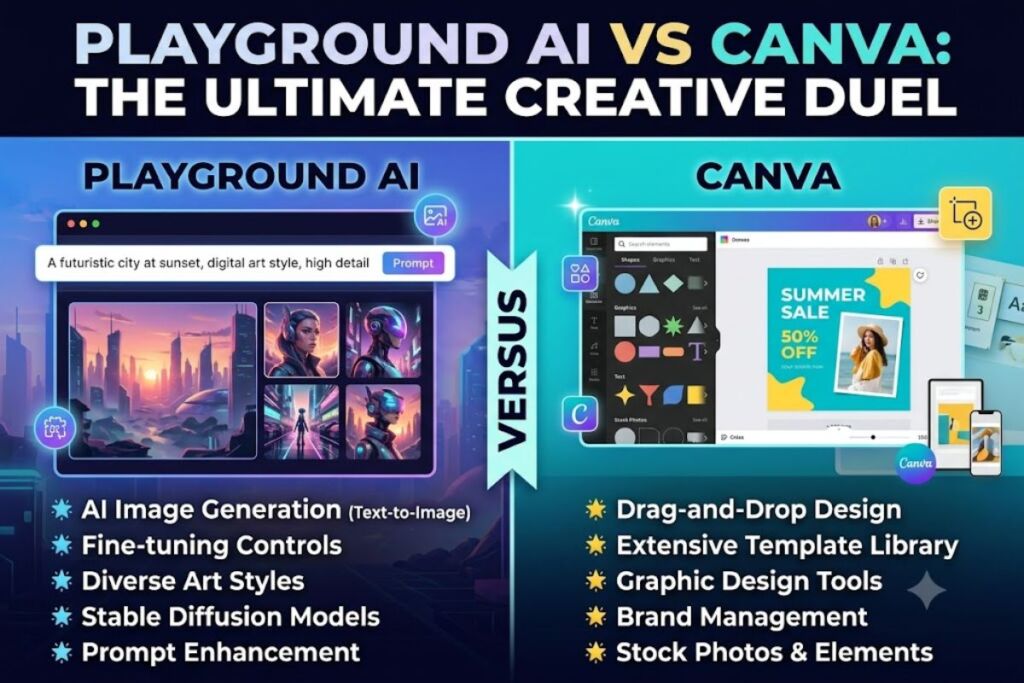
Playground AI generates original AI images from prompts inside a canvas editor, while Canva starts from a template library and layers AI features (Magic Studio) on top of a pre-existing design system. Playground fits users who need visuals that don’t exist in a template yet; Canva fits users who need fast, brand-consistent layouts.
| Factor | Playground AI | Canva |
|---|---|---|
| Starting Point | Text prompt or template | Template-first |
| AI Models | 6 (Playground v3, GPT-4o, Nano Banana, Nano Banana Pro, Seedream, SDXL) | Magic Studio (single integrated AI suite) |
| Free-Tier AI Generations | 10 per 3-hour window (Playground v3 only) | Limited monthly Magic Media credits |
| Background Removal (Free) | Not included | Not included on Free plan |
| Best For | Original AI-generated visuals with in-app editing | Brand-consistent templated layouts at speed |
Read the full breakdown in our dedicated Playground AI vs Canva comparison for a feature-by-feature scoring matrix.
Who Should Use Playground AI?
Playground AI fits solo creators, print-on-demand sellers, and small marketing teams who need original AI-generated visuals finished inside a single editor. Three user profiles cover most of its actual usage:
- Print-on-demand sellers building product catalogs for Etsy or Merch by Amazon, where the Pro tier’s commercial license and background removal replace a separate Photoshop step.
- Solo content creators and social media marketers producing daily graphics, where the template library and layer editor cut production time versus prompt-only tools like Midjourney.
- Small design teams testing multiple AI models (Playground v3 vs. GPT-4o vs. Nano Banana) against the same prompt before committing to a final asset.
Enterprise teams requiring brand governance, SSO, or dedicated account management should evaluate Adobe Firefly instead, since Playground AI does not publish an enterprise tier with those controls.
What Are the Best Alternatives to Playground AI?
Midjourney, Canva Magic Studio, and Adobe Firefly are the three strongest alternatives to Playground AI, each optimized for a different priority than Playground’s editor-plus-generation approach.
- Midjourney delivers stronger art-direction and stylistic control through Discord and web prompting, at the cost of having no built-in layer editor. Read our full Midjourney Review for pricing and output benchmarks.
- Canva Magic Studio prioritizes brand-consistent, template-first design with AI features layered in, making it faster for teams that need consistency over originality. See our Canva AI Review for the complete feature breakdown.
- Adobe Firefly focuses on commercial-safe training data and integrates directly into Photoshop and Illustrator, which matters for agencies with strict IP compliance requirements. Compare it in our Adobe Firefly Review.
Frequently Asked Questions
Is Playground AI actually free?
Yes. The Free plan requires no credit card and provides 10 Playground v3 generations per 3-hour rolling window, 3 pro-model edits per month, and 10 downloads per day, with personal-use-only licensing.
Can I use Playground AI images commercially on the Free plan?
No. Commercial use activates only on the Pro ($15/month) and Pro Plus ($45/month) tiers, which include a worldwide royalty-free license covering platforms like Etsy and Merch by Amazon.
Does Playground AI have a mobile app?
No. Playground AI runs as a browser-based web application only, with no native iOS or Android app as of July 2026.
How does Playground AI’s free tier compare to competitors?
Playground AI’s Free tier caps pro-model access at 3 edits per month, which is more restrictive than some competitors’ daily free-generation allowances; the unrestricted portion of Playground’s Free tier applies only to its own Playground v3 model.
Final Verdict
Playground AI’s Pro tier costs $12 per month on annual billing and unlocks all 6 models, background removal, and commercial licensing, making it the lower-cost option in this category compared to a $15/month Leonardo AI Apprentice-tier equivalent for teams that need editing and generation in one interface. The Free tier functions as a trial for the canvas editor, not a production-ready plan for commercial or high-volume output.