
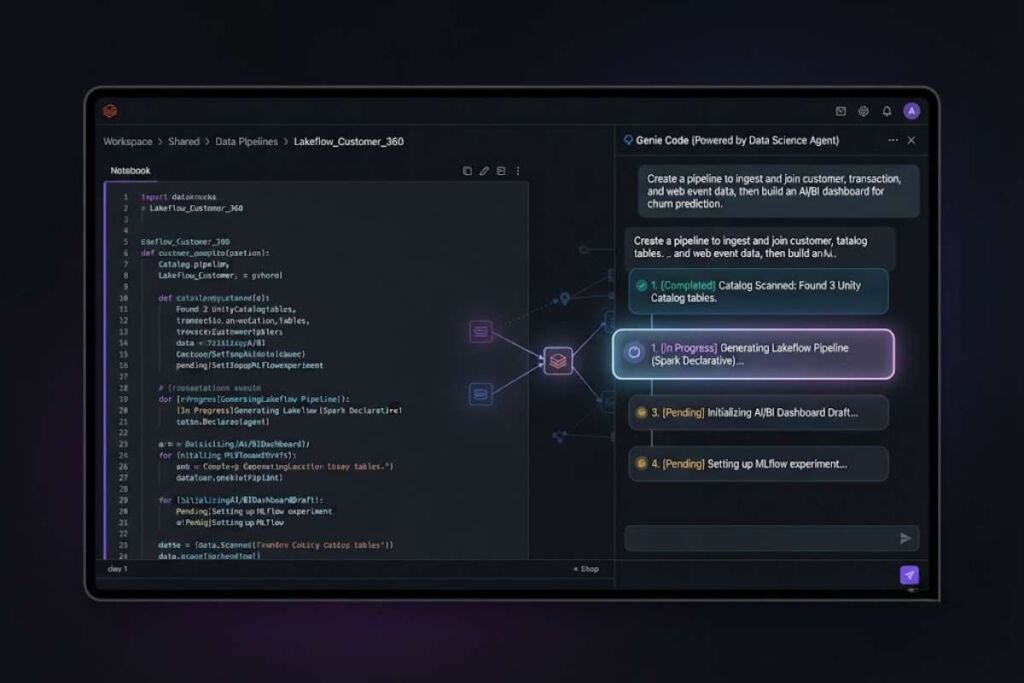
Databricks Assistant is the native AI coding and data assistant built into the Databricks Lakehouse Platform. Databricks replaced it with Genie Code in March 2026, adding autonomous multi-step execution across notebooks, pipelines, dashboards, and MLflow.
- 01What Is Databricks Assistant (Genie Code)?
- 02What Are Genie Code’s Key Features?
- 03How Much Does Genie Code Cost?
- 04What Are the Pros and Cons of Genie Code?
- 05Pros
- 06Cons
- 07How Does Genie Code Compare to GitHub Copilot?
- 08Who Should Use Genie Code?
- 09What Are the Best Alternatives to Genie Code?
- 10Frequently Asked Questions
Databricks Assistant first entered public preview in July 2023 as a context-aware assistant embedded in Databricks Notebooks, the SQL editor, and the file editor. In March 2026, Databricks officially retired the Databricks Assistant name and replaced it with Genie Code, an agentic successor built on the same Unity Catalog foundation. This review covers both the legacy Databricks Assistant feature set and the current Genie Code product, since the two names still appear interchangeably across Databricks documentation, partner blogs, and workspace settings dated before and after the rebrand.
What Is Databricks Assistant (Genie Code)?
Genie Code, formerly Databricks Assistant, is Databricks’ built-in AI coding and data agent. It generates Python and SQL code, debugs errors, builds pipelines and dashboards, and reads Unity Catalog metadata to stay grounded in a company’s actual tables and lineage.
Databricks develops Genie Code as part of the broader Genie family of AI experiences, which also includes Genie One for business-user chat and search and Genie Spaces for domain-specific data configuration. Genie Code targets developers and technical practitioners directly inside notebooks, the SQL editor, the file editor, the Lakeflow Pipelines Editor, AI/BI Dashboards, and MLflow. It indexes Unity Catalog tables, columns, descriptions, and lineage to ground its suggestions in the organization’s real data assets rather than generic training data.
| Attribute | Value |
| Developer | Databricks, Inc. (founded 2013 by the original creators of Apache Spark) |
| Original Product Name | Databricks Assistant |
| Current Product Name | Genie Code (replaced Databricks Assistant in March 2026) |
| Initial Release | Public preview in July 2023 |
| Underlying Models | Azure OpenAI, OpenAI on Databricks, and Anthropic on Databricks (partner-powered); Databricks-hosted models when partner-powered AI is disabled |
| Pricing Model | Usage-based, billed in Databricks Units (DBUs); no per-seat license fee |
| Free Allowance | 150 DBUs per identified user per month, shared across Genie Code, Genie Spaces, and Genie One |
| Integrated Surfaces | Notebooks, SQL editor, file editor, Lakeflow Pipelines Editor, AI/BI Dashboards, MLflow |
| Key Differentiator | Native Unity Catalog awareness for governed, lineage-aware code generation across the full data workflow |
Sources: Databricks product documentation (docs.databricks.com/genie-code), Databricks Assistant launch blog (databricks.com/blog), Databricks Genie pricing page.
What Are Genie Code’s Key Features?
Genie Code combines inline autocomplete, conversational chat, autonomous agent mode, and native Unity Catalog governance in one assistant that spans notebooks, SQL, pipelines, dashboards, and MLflow.
- Generate Python and SQL code from natural-language prompts inside notebook cells, the SQL editor, and the file editor.
- Autocomplete code as you type, with suggestions accepted using the Tab key and manually triggered with Control+Shift+Space on Windows or Option+Shift+Space on Mac.
- Debug errors automatically through Quick Fix, which recommends single-line corrections for basic errors, and Diagnose Error, which analyzes complex and environment-level failures.
- Filter query outputs using natural-language prompts directly in the results table, without writing a WHERE clause manually.
- Execute multi-step workflows autonomously in Agent mode, which is powered by the Data Science Agent and became the default mode for most customers in December 2025.
- Build Lakeflow Spark Declarative Pipelines and AI/BI dashboards from conversational prompts instead of hand-written ETL code.
- Extend functionality with user-defined skills that follow the open Agent Skills standard, automatically loaded when relevant to a task.
- Connect to external systems through Databricks Managed MCP servers, which reached public preview in January 2026.
- Run multiple chat threads in parallel from the full-page Genie Code command center, with notebooks and files surfaced as tabs alongside the active thread.
Sources: Databricks Genie Code documentation, Azure Databricks January 2026 release notes.
How Much Does Genie Code Cost?
Genie Code carries no seat fee. Every identified user receives 150 free DBUs of Genie usage monthly, worth roughly $10.50 in the US East region. Usage beyond that allowance moves to pay-as-you-go DBU billing starting July 6, 2026.
Databricks bundles Genie Code, Genie Spaces, and Genie One under one shared pricing model. Each identified human user draws from a single pool of 150 free DBUs every month, equivalent to approximately $10.50 in the US East region at the Genie tier’s list rate of roughly $0.07 per DBU. Service principals and other automated identities receive zero free allowance and are billed for all Genie LLM usage from the first request. Starting July 6, 2026 on AWS and July 7, 2026 on Azure, usage that exceeds the monthly free allowance converts to pay-as-you-go billing, metered in DBUs against the underlying model consumption. Account admins configure budgets scoped to the Unity AI Gateway resource type with the databricks-product: genie tag to track and cap this spend.
This DBU allowance covers the AI reasoning and code-generation layer only. Any compute that Genie Code triggers, including SQL warehouse execution, cluster runtime, or job runs, bills separately at standard Databricks compute rates, which range from roughly $0.069 to $0.40 per DBU depending on the workload type selected.
Sources: Databricks Genie pricing page (databricks.com/product/pricing/genie), Databricks and Azure Databricks Genie budget documentation.
What Are the Pros and Cons of Genie Code?
Pros
- Unity Catalog grounding gives Genie Code direct visibility into real tables, columns, and lineage, reducing hallucinated joins and incorrect schema assumptions.
- No seat licensing removes per-developer cost; teams pay only for consumed DBUs rather than a flat monthly fee per user.
- Governance inheritance restricts Genie Code to exactly the data and operations a user already has Unity Catalog permission for.
- Cross-surface coverage spans notebooks, SQL, pipelines, dashboards, and MLflow instead of a single coding surface.
Cons
- Platform lock-in ties the assistant to the Databricks Lakehouse; it offers no meaningful value for teams working outside Databricks.
- Compute cost exposure means an inefficient agent-generated query can burn far more in SQL warehouse DBUs than the Genie allowance itself.
- New billing model beginning July 6, 2026 removes the fully-included pricing teams have relied on since the July 2023 launch, adding budget-planning overhead.
- Naming disruption from the March 2026 Databricks Assistant to Genie Code rebrand has left documentation, tutorials, and admin settings referencing both names inconsistently.
Sources: Databricks Genie Code documentation, Databricks Genie budget and cost-control documentation.
How Does Genie Code Compare to GitHub Copilot?
Genie Code wins on native data-catalog governance and Lakehouse-wide coverage; GitHub Copilot wins on general-purpose IDE support and a flat, predictable seat price for standard software development.
| Category | Genie Code (Databricks) | GitHub Copilot Business |
| Pricing Structure | Usage-based; 150 free DBUs per user monthly, then pay-as-you-go DBU billing starting July 6, 2026 | $19 per user monthly, including $19 in monthly GitHub AI Credits |
| Data Governance | Reads Unity Catalog metadata, tables, columns, and lineage directly, and is restricted by the user’s existing Unity Catalog permissions | Reads repository code and, on Enterprise, an indexed codebase; no native data-catalog or lineage awareness |
| Primary Surface | Databricks notebooks, SQL editor, Lakeflow Pipelines Editor, AI/BI Dashboards, MLflow | VS Code, Visual Studio, JetBrains IDEs, Neovim, GitHub.com, GitHub Mobile |
| Agentic Capability | Agent mode, powered by the Data Science Agent, plans and executes multi-step pipeline, dashboard, and ML workflows autonomously | Copilot cloud agent edits files and opens pull requests inside a software repository |
| Best Fit | Data engineers, analysts, and ML practitioners working inside the Databricks Lakehouse | Software engineers writing and reviewing general-purpose application code |
Genie Code is purpose-built for data engineering, analytics, and ML work inside Databricks and cannot be used outside that platform. GitHub Copilot Business, priced at $19 per user per month with $19 in monthly AI Credits, works across general-purpose IDEs and any codebase but has no native awareness of a data catalog, table lineage, or Unity Catalog permissions. Teams doing most of their engineering work in application repositories outside Databricks are better served by Copilot; teams building pipelines, dashboards, and ML workflows on the Lakehouse get more direct value from Genie Code. See the dedicated Genie Code vs. GitHub Copilot comparison in the AI Coding Tools cluster for a feature-by-feature breakdown.
Who Should Use Genie Code?
Genie Code fits data engineers, analytics engineers, and ML practitioners already working inside the Databricks Lakehouse who need governed, catalog-aware code generation across notebooks, pipelines, and dashboards.
- Data engineers building and debugging Lakeflow Spark Declarative Pipelines with natural-language prompts instead of hand-written ETL scripts.
- Analytics engineers who write and troubleshoot SQL queries daily and need automatic error diagnosis inside the Databricks SQL editor.
- ML engineers training and deploying models who need help with feature engineering, endpoint configuration, and performance tuning inside MLflow.
- Enterprise data teams that require Unity Catalog-governed AI assistance and cannot allow a general-purpose assistant to operate outside their data permission boundaries.
Solo developers writing general application code, or teams with no existing Databricks footprint, gain little from Genie Code and should evaluate a general-purpose assistant instead.
What Are the Best Alternatives to Genie Code?
GitHub Copilot, Snowflake Copilot, and Amazon Q Developer are the three most direct alternatives, each targeting a different mix of general software development and cloud-data-platform work.
- GitHub Copilot — a general-purpose AI coding assistant priced from $19 per user monthly for Business, built for teams writing code across any repository and IDE rather than inside a single data platform.
- Snowflake Copilot — Snowflake’s native AI assistant for its Cortex platform, comparable to Genie Code in that it grounds suggestions in a company’s own warehouse tables but is scoped to the Snowflake ecosystem instead of Databricks.
- Amazon Q Developer — AWS’s assistant for code generation, debugging, and AWS-service integration, a stronger fit for teams whose data workloads already run on native AWS services outside Databricks.
Frequently Asked Questions
Is Databricks Assistant still available, or has it been replaced?
Databricks replaced Databricks Assistant with Genie Code in March 2026. Workspaces still show references to the old name in some settings, but new functionality ships under the Genie Code product.
Does Genie Code cost extra on top of a Databricks subscription?
Genie Code itself carries no separate license fee. Each identified user gets 150 free DBUs of Genie usage monthly; usage beyond that allowance bills pay-as-you-go starting July 6, 2026, and any compute Genie Code triggers is billed at standard Databricks rates.
Which AI models power Genie Code?
Genie Code runs on partner-powered models from Azure OpenAI, OpenAI on Databricks, and Anthropic on Databricks by default. Admins can disable partner-powered AI to route requests to Databricks-hosted models instead.
Can Genie Code access data a user isn’t authorized to see?
No. Genie Code is governed by the user’s existing Unity Catalog permissions and can only access data and perform operations that user is already authorized for.
The decision-relevant fact: Genie Code costs nothing per seat and includes 150 free DBUs of AI usage per user every month, but the pay-as-you-go billing that begins July 6, 2026 means the real cost of ownership now depends entirely on how much compute a team’s Genie-generated queries and pipelines consume, not on a flat subscription price.