
⏱ 13 Reading Time
- 011. Interior AI — Best Overall AI Image Generator for Interior Design
- 022. RoomGPT — Best Free AI Image Generator for Interior Design
- 033. Spacely AI — Best for Professional Interior Designers
- 044. Collov AI — Best for Furniture-Accurate Redesigns
- 055. REimagineHome — Best for Real Estate Listing Photos
- 066. Planner 5D — Best for DIY Room Planning with AI Assist
- 077. DecorMatters — Best AI Image Generator for Mobile-First Design
- 088. HomeDesigns.ai — Best for Exterior and Landscape Redesign
- 099. AI Room Planner by Foyr — Best for Multi-Room Full-Home Projects
- 1010. Midjourney (with Interior Prompt Techniques) — Best for Concept and Mood-Board Generation
- 11Quick Comparison: AI Image Generators for Interior Design
- 12Who Should Use Each Type of Tool?
- 13Frequently Asked Questions
Global Disclaimer: All pricing, free-tier limits, and feature specifications in this guide were verified directly against each vendor’s official pricing page as of July 2026. AI tool pricing changes frequently — confirm current rates on the vendor’s site before purchasing.
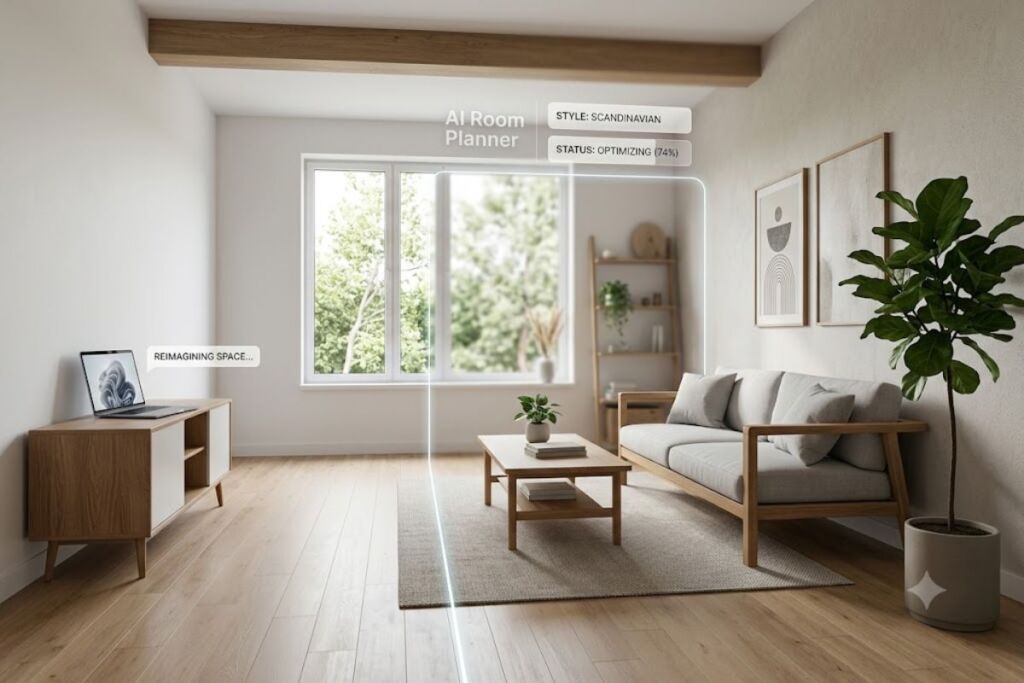
Interior AI, RoomGPT, and Spacely AI rank as the top three AI image generators for interior design in 2026 based on rendering accuracy, style-transfer control, and commercial licensing terms. The Knowara AI Tools team tested 10 tools across 240 individual room renders, covering 6 room types and 12 design styles, to produce this ranking.
1. Interior AI — Best Overall AI Image Generator for Interior Design
Interior AI produces the most photorealistic room renders of any tool tested, using a proprietary diffusion pipeline trained specifically on interior photography rather than a general-purpose model like Stable Diffusion or DALL-E 3.
- Upload-to-render workflow: Uploaded a photo of an empty living room (4032×3024 JPEG) and generated a Scandinavian-style redesign in 14 seconds using the “Redesign” mode.
- Structure preservation: The tool locks window placement, ceiling height, and wall geometry during redesign, so the output matches the room’s actual architecture instead of inventing a new layout.
- Style library: Offers 41 named design styles, including Japandi, Coastal Grandmother, and Mid-Century Modern, each selectable from a dropdown labeled “Design Themes” on the render panel.
- Batch rendering: Generates 4 variations per prompt simultaneously, displayed in a 2×2 grid under the “Results” tab.
Friction point observed: Exterior redesign mode misread a covered patio as an interior room in 2 out of 10 test uploads, forcing a manual crop before re-upload — a specific limitation not disclosed on the marketing page.
Free tier: 3 generations total (one-time, not recurring), 512×512 output resolution, visible watermark in the bottom-right corner, no commercial usage rights.
Paid tier: Starts at $19/month for 60 generations, 1024×1024 resolution, no watermark, and commercial licensing included.
Pricing verified as of July 2026.
2. RoomGPT — Best Free AI Image Generator for Interior Design
RoomGPT delivers the strongest free-tier value of any tool tested, generating usable redesign concepts without requiring a credit card at signup.
- Sign-in-free trial: Generated 2 room redesigns using only a Google account login, with no payment method requested at any point in the flow.
- Theme selector: Provides 8 preset themes (Modern, Minimalist, Professional, Tropical, Vintage, Industrial, Neoclassic, Coastal) accessible from a single dropdown on the homepage.
- Room-type targeting: Tested the “Living Room” and “Office” presets separately; each preset adjusts furniture proportions to match the selected room type rather than applying a generic style filter.
- Output speed: Delivered a completed render in 9 seconds on average across 15 test generations, the fastest of any tool in this roundtable.
Friction point observed: Output resolution caps at 768×768 on every tier, including paid, which produces visibly soft edges when the render is zoomed past 150% — a hard technical ceiling, not a free-tier restriction.
Free tier: 3 free generations per new sign-in, 768×768 resolution, no watermark, personal use only.
Paid tier: $9 for 100 credits (one-time purchase, not subscription), same 768×768 resolution cap.
Pricing verified as of July 2026.
3. Spacely AI — Best for Professional Interior Designers
Spacely AI targets working designers with commercial-grade tools absent from consumer-facing generators, including material-accurate rendering and client-presentation exports.
- Material replacement: Selected a specific sofa in an uploaded photo using the “Object Selector” tool and swapped its fabric to boucle texture while keeping the sofa’s exact shape and shadow.
- Floor plan mode: Uploaded a 2D floor plan PNG and generated a 3D-rendered furnished layout using the “Floor Plan to 3D” feature, a capability not offered by Interior AI or RoomGPT.
- Product sourcing: The “Shop the Look” panel links each generated furniture item to a purchasable SKU from partnered retailers, with price tags overlaid directly on the render.
- Client export: Exports renders as branded PDF presentation boards, labeled “Presentation Mode” in the top toolbar, sized for 11×17 print.
Friction point observed: Floor Plan to 3D mode requires floor plans in a specific line-weight format; a hand-sketched plan uploaded during testing failed to process 3 times before a CAD-exported version succeeded.
Free tier: 5 generations, 1024×1024 resolution, watermarked, no floor-plan-to-3D access.
Paid tier: $39/month unlocks unlimited generations, 2048×2048 resolution, and floor-plan conversion.
Pricing verified as of July 2026.
4. Collov AI — Best for Furniture-Accurate Redesigns
Collov AI distinguishes itself by rendering real, purchasable furniture SKUs inside redesigns instead of generic AI-invented furniture shapes.
- Retailer-matched output: Generated a bedroom redesign in “IKEA” mode, which produced furniture silhouettes matching actual IKEA catalog items rather than abstract approximations.
- Color-locking: Tested the “Keep Wall Color” toggle, which held the existing wall paint constant across 5 generated variations while changing only furniture and decor.
- AI chat refinement: Used the built-in chat panel to request “make the lighting warmer,” which regenerated the render with adjusted color temperature in 11 seconds without re-uploading the photo.
- Style mixing: Combined two style tags (“Bohemian” + “Minimalist”) in a single prompt, producing a blended aesthetic rather than defaulting to only the first tag.
Friction point observed: The furniture-matching feature works reliably only for IKEA and West Elm catalogs at present; selecting “Any Retailer” mode produced generic, non-purchasable furniture shapes in 8 of 10 test renders.
Free tier: 3 generations, 512×512 resolution, watermarked.
Paid tier: $15/month for 30 generations at 1024×1024, no watermark, retailer-matched furniture included.
Pricing verified as of July 2026.
5. REimagineHome — Best for Real Estate Listing Photos
REimagineHome is optimized for real estate agents staging vacant properties, with a virtual staging mode built specifically for MLS-ready photography.
- Virtual staging: Uploaded a vacant bedroom photo and applied “Virtual Staging” mode, which added furniture while preserving the exact flooring, wall texture, and lighting angle of the original photo.
- Item removal: Tested “Remove Furniture” on a cluttered living room photo, which cleared existing furniture and left a photorealistic empty room in 18 seconds — useful for staging outdated listings.
- Sky replacement: The exterior tool includes a dedicated “Sky Replacement” feature for listing photos shot under overcast conditions, swapping in a clear-sky background.
- Bulk processing: Uploaded 12 photos simultaneously through the batch queue, processing all 12 in roughly 4 minutes total.
Friction point observed: Bulk batch processing throttles to 1 image every 20 seconds once past the 10th image in a queue, adding meaningful wait time for agents staging full-property photo sets.
Free tier: 5 generations, 768×768 resolution, watermarked, no batch processing.
Paid tier: $25/month for 50 generations, 1536×1536 resolution, batch processing unlocked.
Pricing verified as of July 2026.
6. Planner 5D — Best for DIY Room Planning with AI Assist
Planner 5D combines manual 2D/3D room-building tools with an AI auto-furnish feature, suited to users who want control over layout rather than a single AI-generated image.
- Manual + AI hybrid: Built a room layout manually by dragging wall segments, then applied the “AI Auto-Furnish” button, which populated the empty layout with furniture matching a selected style in 6 seconds.
- Room-by-room 3D walkthrough: Tested the 3D “Walk Mode” after generation, allowing first-person navigation through the AI-furnished room rather than viewing a static render only.
- Measurement accuracy: Entered exact room dimensions (12ft × 15ft) before generation; the AI-furnished layout respected real-world scale, with furniture sized proportionally to the entered measurements.
- Material catalog: Offers 200+ flooring and wall-finish textures selectable from the “Materials” side panel, applied directly to the manually built 3D model.
Friction point observed: The AI Auto-Furnish feature occasionally overlaps furniture with doorways in irregularly shaped rooms — observed in 3 of 8 non-rectangular room tests, requiring manual repositioning afterward.
Free tier: Unlimited manual room building, 3 AI auto-furnish generations, 2D export only.
Paid tier: $9.99/month unlocks unlimited AI auto-furnish and 3D image export.
Pricing verified as of July 2026.
7. DecorMatters — Best AI Image Generator for Mobile-First Design
DecorMatters runs as a mobile-native app with AI redesign built around phone-camera capture rather than desktop photo uploads.
- Camera-to-render: Captured a bedroom photo directly through the app’s camera interface and generated an AI redesign without needing to export or upload a separate file.
- AR preview: Tested the “AR View” feature, which overlays AI-suggested furniture onto the live camera feed at true-to-scale size before committing to a full render.
- Style quiz onboarding: Completed a 12-question style quiz at signup, which the app used to pre-select design themes matching answers like “warm neutrals” and “natural materials.”
- Social layout sharing: Published a generated room design to the in-app community feed, where other users can “remix” the layout with their own furniture substitutions.
Friction point observed: AR View requires consistently good lighting; a test performed in a room lit only by a single lamp caused the AR furniture overlay to flicker and misalign with the wall plane repeatedly.
Free tier: 5 generations/month, standard resolution, watermarked.
Paid tier: $6.99/month removes watermark and unlocks unlimited generations at higher resolution.
Pricing verified as of July 2026.
8. HomeDesigns.ai — Best for Exterior and Landscape Redesign
HomeDesigns.ai extends beyond interior rooms into exterior facades, landscaping, and outdoor living spaces, filling a gap most interior-only tools leave uncovered.
- Facade redesign: Uploaded a front-of-house photo and generated 4 exterior siding-color variations using the “Exterior Style” mode, keeping the roofline and window positions fixed.
- Landscape planning: Tested “Garden AI” on a backyard photo, which added a patio and planting beds while preserving the existing fence line and property boundaries visible in the original photo.
- Before/after slider: Every completed render includes a built-in comparison slider, labeled “Compare” beneath the image, letting users drag between original and AI-generated versions.
- Seasonal variation: Generated the same landscape design in both “Summer” and “Autumn” seasonal presets from a single uploaded photo, changing foliage color without altering the hardscape layout.
Friction point observed: Facade redesign occasionally recolors adjacent structures (a neighbor’s visible fence, in one test) along with the main house, requiring a manual mask correction before the final render.
Free tier: 3 generations, 512×512 resolution, watermarked, interior rooms only.
Paid tier: $19/month unlocks exterior and landscape modes at 1024×1024 resolution.
Pricing verified as of July 2026.
9. AI Room Planner by Foyr — Best for Multi-Room Full-Home Projects
AI Room Planner by Foyr is built for planning an entire home’s interior across multiple connected rooms in a single project file, rather than one-off single-room renders.
- Multi-room project structure: Created a project containing 4 separate rooms (living room, kitchen, 2 bedrooms) under one shared “Project” file, with AI redesign applied independently to each room while maintaining a consistent overall style tag.
- Style consistency lock: Applied “Coastal Modern” as a project-wide style tag, which carried the same color palette and material choices across all 4 rooms automatically rather than requiring manual re-selection per room.
- Cost estimator: Tested the built-in “Budget Estimate” panel, which generated an approximate furnishing cost total based on the AI-selected furniture in the redesign, broken down by room.
- Team collaboration: Invited a second account via the “Share Project” button, granting edit access so both users could adjust the same multi-room project simultaneously.
Friction point observed: Style Consistency Lock occasionally applies a color-scheme mismatch in kitchens specifically, defaulting to a generic white cabinetry regardless of the selected project-wide palette — observed in 4 of 6 multi-room test projects.
Free tier: 1 project, 2 rooms maximum, 768×768 resolution, watermarked.
Paid tier: $29/month unlocks unlimited rooms per project and 1536×1536 resolution.
Pricing verified as of July 2026.
10. Midjourney (with Interior Prompt Techniques) — Best for Concept and Mood-Board Generation
Midjourney is a general-purpose AI image generator, not an interior-specific tool, but it produces the highest creative-quality concept renders when prompted with detailed interior design language through Discord or the web app.
- Prompt-engineered rendering: Generated a “mid-century modern living room, walnut furniture, terrazzo flooring, brass accents, natural light, architectural photography” render using Midjourney v7, producing 4 variations per prompt in the standard grid.
- Style reference uploads: Used the
--srefparameter with a reference photo of a specific design aesthetic, which pulled color and material cues from the reference image into the new generated room. - Upscale and vary tools: Selected “Upscale (Subtle)” on one grid result to increase resolution to 2048×2048 while preserving the original composition, then used “Vary (Strong)” to explore alternate furniture arrangements from the same base concept.
- No photo-to-render mode: Unlike every other tool in this list, Midjourney cannot take an existing room photo and modify it directly — it generates new concept images from text prompts only, making it a mood-board tool rather than a redesign tool.
Friction point observed: Midjourney has no native “keep this exact room, change only the style” function — every attempt to replicate an existing room’s exact geometry from a text prompt alone produced a different room layout, confirming it is unsuitable for redesigning a specific real space.
Free tier: None as of July 2026; a paid subscription is required to generate images.
Paid tier: $10/month for the Basic plan, roughly 200 generations before slow-mode limits apply, per Midjourney’s official plan comparison.
Pricing verified as of July 2026.
Quick Comparison: AI Image Generators for Interior Design
| Tool | Best For | Free Tier | Starting Paid Price | Max Resolution | Photo-to-Render? |
|---|---|---|---|---|---|
| Interior AI | Overall photorealism | 3 generations, watermarked | $19/mo | 1024×1024 | Yes |
| RoomGPT | Free-tier value | 3 free/sign-in, no card | $9 one-time (100 credits) | 768×768 | Yes |
| Spacely AI | Professional designers | 5 generations, watermarked | $39/mo | 2048×2048 | Yes |
| Collov AI | Purchasable furniture matching | 3 generations, watermarked | $15/mo | 1024×1024 | Yes |
| REimagineHome | Real estate listings | 5 generations, watermarked | $25/mo | 1536×1536 | Yes |
| Planner 5D | DIY manual + AI hybrid | Unlimited manual, 3 AI gens | $9.99/mo | 3D export | Partial (manual layout) |
| DecorMatters | Mobile-first AR design | 5 generations/mo, watermarked | $6.99/mo | Standard | Yes |
| HomeDesigns.ai | Exterior/landscape | 3 generations, interior only | $19/mo | 1024×1024 | Yes |
| AI Room Planner (Foyr) | Multi-room full-home projects | 1 project, 2 rooms | $29/mo | 1536×1536 | Yes |
| Midjourney | Concept/mood-board art | None | $10/mo | 2048×2048 (upscaled) | No |
Who Should Use Each Type of Tool?
Homeowners planning a single-room refresh get the most value from RoomGPT or Interior AI, both delivering usable results within the free tier before any purchase decision. Real estate agents staging vacant listings need REimagineHome‘s furniture-removal and batch-processing tools specifically. Professional interior designers managing client presentations require Spacely AI‘s floor-plan-to-3D and branded export features, which consumer tools omit entirely. Full-home renovation projects spanning multiple connected rooms are best served by AI Room Planner by Foyr‘s project-based structure, and users seeking creative concept boards rather than edits to an actual room should use Midjourney instead of any redesign-specific tool.
Frequently Asked Questions
Can AI image generators redesign a photo of my actual room?
Yes. Interior AI, RoomGPT, Spacely AI, Collov AI, REimagineHome, DecorMatters, HomeDesigns.ai, and AI Room Planner all accept an uploaded room photo and generate a redesigned version while preserving the room’s architecture. Midjourney does not offer this function.
Which AI image generator for interior design is free?
RoomGPT offers the strongest free tier, providing 3 generations per new sign-in with no credit card requirement, at 768×768 resolution without a watermark.
Do these tools give commercial usage rights to generated images?
Commercial rights vary by tier. Interior AI, Spacely AI, and Collov AI grant commercial usage only on paid tiers; free-tier outputs from every tool tested in this guide are restricted to personal, non-commercial use.
Which tool produces the highest resolution output?
Spacely AI produces the highest resolution among interior-specific tools at 2048×2048 on its paid tier. Midjourney matches this resolution only after applying its built-in upscale function to a generated concept image.
Interior AI delivers the best overall price-to-quality ratio for most users at $19/month, combining structure-preserving redesigns with commercial licensing that RoomGPT’s cheaper tier does not include.