
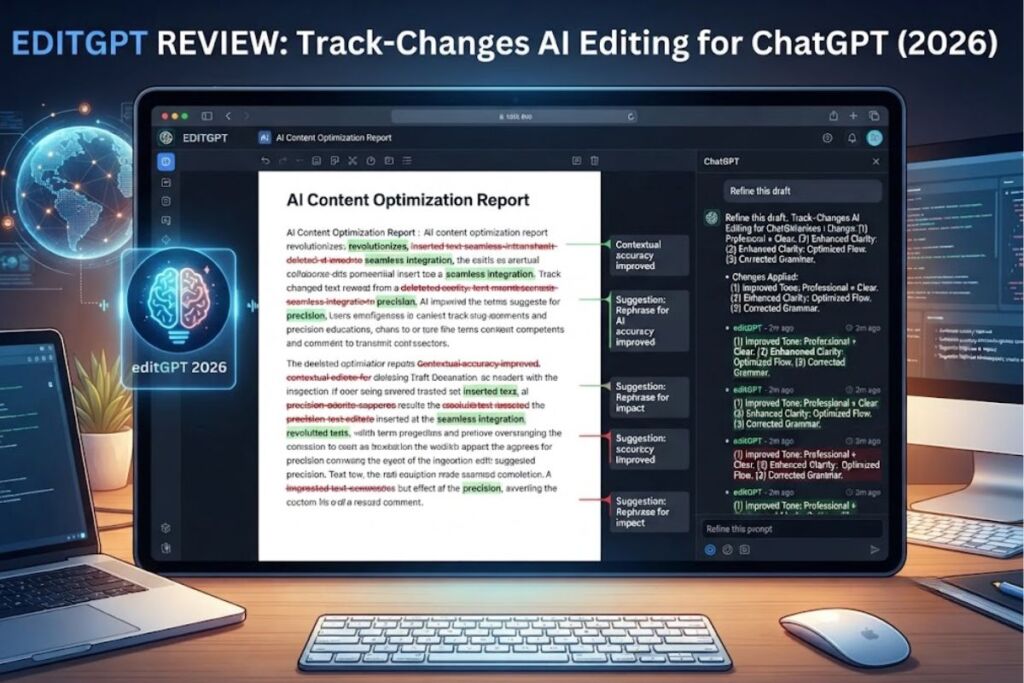
editGPT is a free Chrome extension and web app that adds Word-style track-changes editing to ChatGPT output. It highlights AI-suggested edits inline, lets users accept or reject each change individually, and exports revised text to Microsoft Word while preserving the markup.
What Is editGPT?
editGPT is a browser extension and standalone web app that layers a track-changes interface on top of ChatGPT-generated proofreading and editing suggestions. The tool was built by editgpt.app and works by inserting an “editGPT” button into the ChatGPT interface after a response completes; clicking it converts the AI’s output into an editable markup view instead of a plain block of replacement text.
| Attribute | Value |
|---|---|
| Developer | editgpt.app |
| Platforms | Chrome extension (chat.openai.com only) + standalone web app at editgpt.app |
| Core function | Track-changes markup for AI proofreading and editing |
| Language support | Over 80 languages, with automatic language detection |
| Document support | Microsoft Word (.docx) import and export with track changes preserved |
| Free tier | 10,000 words per month |
| Chrome Web Store rating | 4.1 out of 5 stars |
| Reported user base | Over 200,000 users |
| API access | Not available as of mid-2026 |
The Chrome extension only activates on chat.openai.com. The full feature set, including Word import and export, runs through the separate web app at editgpt.app rather than inside the extension itself.
What Are editGPT’s Key Features?
editGPT’s feature set centers on four capabilities: change tracking, prompt customization, document interoperability, and multilingual editing.
- Track changes visually: Highlights every AI-suggested edit inline, with individual accept, reject, and reset controls per change.
- Toggle markup on or off: Switches between the marked-up version and the clean, fully-edited text with one click.
- Customize editing prompts: Ships with four built-in prompt presets (grammar-only, standard proofread, light clarity and flow edit, and deeper rewrite) and accepts user-written custom prompts.
- Import and export Word documents: Pulls in .docx files, applies AI edits, and exports back to .docx while keeping Word’s native track-changes formatting, including bold and italic styling.
- Detect and edit 80+ languages: Automatically identifies the input language and applies grammar and clarity corrections without requiring a manual language selection.
- Copy edited text to clipboard: Copies the final, accepted version of the text without any markup for direct use elsewhere.
How Much Does editGPT Cost?
editGPT runs on three published tiers, according to multiple third-party pricing trackers that reference the official editGPT pricing page: Free at $0 per month, Pro at $12 per month, and Elite at $25 per month.
| Plan | Monthly Price | Word Allowance | Notable Inclusions |
|---|---|---|---|
| Free | $0 | 10,000 words/month | Basic proofreading, markup toggle, limited prompt presets |
| Pro | $12 | 300,000 words/month | Custom prompts, long-form mode, Word import/export, revision history |
| Elite | $25 | Up to 2,000,000 words/month | All Pro features, bulk/batch editing, priority support |
Annual billing is available at a discount on paid tiers. Team and enterprise pricing is not published; editGPT directs organizations to contact its sales team for a custom quote covering private API access and custom model deployment. editGPT does not currently offer a public API for developers, according to its own FAQ page.
What Are the Pros and Cons of editGPT?
editGPT’s core strength is its markup-based editing workflow; its core limitation is its narrow platform footprint.
Pros:
- Preserves the writer’s original voice by editing in place rather than fully regenerating text.
- Tracks changes at the individual-edit level, matching the reviewability of Microsoft Word’s track changes rather than a single before/after block.
- Supports over 80 languages with automatic detection, avoiding a manual language-selection step.
- Exports directly to .docx with formatting intact, removing a manual reformatting step for Word-based workflows.
- Free tier requires no credit card and gives full access to markup and accept/reject controls, not just a time-limited trial.
Cons:
- The Chrome extension works only on chat.openai.com; it does not extend into Google Docs, Gmail, or other writing surfaces the way Grammarly’s browser extension does.
- No API access, which rules it out for developers who want to build editGPT-style track-changes logic into their own applications.
- The Free plan’s 10,000-word monthly allowance is consumed quickly by anyone editing full-length articles or chapters.
- editGPT does not perform plagiarism detection, a feature competitors like Grammarly Premium include.
How Does editGPT Compare to Grammarly?
editGPT and Grammarly both correct grammar and improve clarity, but they target different editing philosophies: editGPT tracks AI-driven rewrites inside ChatGPT, while Grammarly runs a standalone real-time checker across the entire web.
| Factor | editGPT | Grammarly |
|---|---|---|
| Platform reach | chat.openai.com extension + standalone web app | Browser extension works across most websites, plus desktop and Word add-ins |
| Editing method | AI rewrite with accept/reject track-changes markup | Real-time inline grammar and style flagging |
| Plagiarism detection | Not included | Included on Grammarly Premium |
| Free tier | 10,000 words/month, full markup features | Basic grammar and spelling checks, unlimited word count |
| Entry-level paid price | $12/month (Pro) | Premium plans priced separately by Grammarly |
| Word document support | Native .docx import/export with track changes | Native Word add-in |
Writers who want ChatGPT-specific track-changes control should choose editGPT. Writers who need grammar checking across every site they type on, including email and social platforms, get broader coverage from Grammarly. For a deeper side-by-side breakdown, see our dedicated comparison, editGPT vs. Grammarly: Which AI Proofreader Wins in 2026.
Who Should Use editGPT?
editGPT fits writers who already work inside ChatGPT and want granular control over which AI suggestions they keep.
- Students and researchers editing essays, theses, and research proposals who need to accept or reject specific AI suggestions rather than replace an entire paragraph.
- Content marketers and bloggers who run drafts through ChatGPT and need a faster accept/reject pass before publishing, without leaving the chat interface.
- Authors and creative writers who want AI-assisted line editing that preserves their narrative voice instead of a full AI rewrite.
- Non-native English speakers who write in one of the 80+ supported languages and need automatic language detection paired with grammar correction.
- Solo professionals editing Word documents who need track-changes output compatible with a client’s or employer’s existing Word-based review workflow.
editGPT is a weaker fit for teams needing centralized brand-voice prompt libraries at scale or developers who need editing logic embedded via API, since neither team-tier specifics nor API access are publicly confirmed as of mid-2026.
What Are the Best Alternatives to editGPT?
- Grammarly: A browser-wide grammar and style checker with plagiarism detection, better suited to writers who need coverage beyond ChatGPT. See our full Grammarly review.
- ProWritingAid: A deeper style-analysis tool aimed at long-form authors and editors who want detailed readability reports alongside grammar correction.
- Wordtune: An AI rewriting tool focused on sentence-level rephrasing and tone shifts, better suited to short-form content than document-level track changes.
Frequently Asked Questions
Does editGPT work outside of ChatGPT? The Chrome extension only activates on chat.openai.com. Broader editing, including Word document import and export, runs through the separate editGPT web app at editgpt.app.
Is editGPT free to use? Yes. editGPT offers a Free plan with a 10,000-word monthly allowance and access to core markup, accept/reject, and language-detection features without a credit card.
Does editGPT offer an API? No. As of mid-2026, editGPT does not provide a public API for developers, according to its own FAQ.
How many languages does editGPT support? editGPT supports over 80 languages with automatic language detection, applying grammar and clarity corrections without a manual language-selection step.
editGPT’s 300,000-word Pro tier at $12 per month positions it as a mid-priced option between Grammarly’s broader free coverage and dedicated Word add-ins priced per seat, making the Pro plan the practical starting point for any writer who has outgrown the 10,000-word Free allowance.