
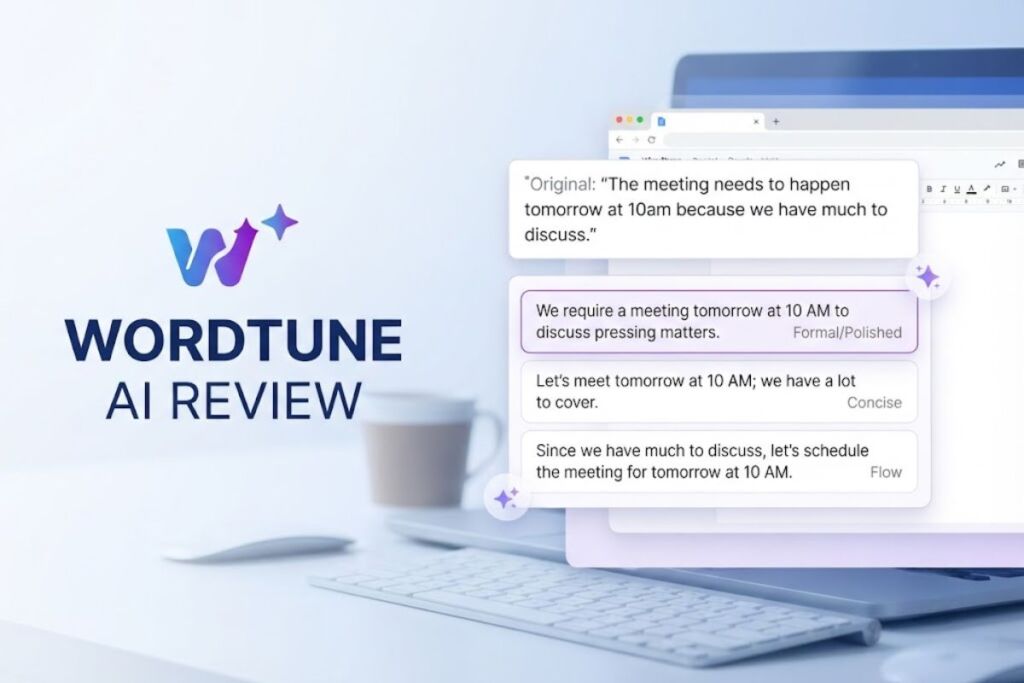
Wordtune is an AI writing assistant built by AI21 Labs that rewrites individual sentences into shorter, longer, more casual, or more formal versions instead of generating full drafts from scratch. It works as a browser extension, a standalone web editor, and a Word add-in, and it has delivered more than 782 million rewrite suggestions to over 10 million users as of August 2025.
What Is Wordtune?
Wordtune is a sentence-level AI rewriting tool that takes text a user has already written and reformulates it for tone, length, and clarity, rather than drafting original content. AI21 Labs, an Israeli AI company founded in 2017, released Wordtune in October 2020 as its first consumer-facing product. Unlike full-draft generators, Wordtune highlights one sentence at a time and returns multiple rewrite options the user selects from directly.
| Attribute | Value |
|---|---|
| Developer | AI21 Labs |
| Release Year | 2020 |
| Platforms | Chrome/Edge browser extension, standalone web editor, Microsoft Word add-in, iOS app |
| Core function | Sentence-level rewriting: tone shift, shortening, expansion |
| Integrations | Google Docs, Gmail, LinkedIn, Slack, Microsoft Word |
| Total user base | Over 10 million users |
| Rewrite suggestions delivered | More than 782 million, as of August 2025 |
| Free tier | 10 rewrites per day, 3 AI summaries per month |
| API access | Not available for Wordtune directly; AI21 Studio offers separate API access to AI21’s models |
Wordtune operates on the user’s existing draft rather than replacing the writing process itself, which distinguishes its workflow from tools built around generating content from a prompt.
What Are Wordtune’s Key Features?
Wordtune’s feature set centers on five rewrite actions plus a summarization and citation-generation layer.
- Rewrite sentences instantly: Highlights a sentence and returns multiple alternative phrasings that preserve the original meaning.
- Shift tone between casual and formal: Converts a sentence’s register with one click, without requiring a manual style guide.
- Shorten or expand text: Compresses a sentence to its core point or expands it with additional supporting detail.
- Summarize long documents with Wordtune Read: Condenses articles, PDFs, and YouTube video transcripts into key takeaways with source-linked citations.
- Generate supporting content with Wordtune Spices: Inserts statistics, counterarguments, or analogies directly into a draft, a feature AI21 Labs launched in January 2023.
- Correct spelling and grammar automatically: Flags and fixes basic errors as a background function available on every plan, including Free.
How Much Does Wordtune Cost?
Wordtune runs on three consumer tiers plus a custom Business plan, according to its official pricing page: Free at $0 per month, Advanced at $13.99 per month, and Unlimited at $19.99 per month, both paid tiers billed monthly, with roughly a 50% discount when billed annually.
| Plan | Monthly Price (Monthly Billing) | Monthly Price (Annual Billing) | Rewrite Allowance | Summary Allowance |
|---|---|---|---|---|
| Free | $0 | $0 | 10 rewrites/day | 3 summaries/month |
| Advanced | $13.99 | $6.99 | 30 rewrites/day | 15 summaries/month |
| Unlimited | $19.99 | $9.99 | Unlimited | Unlimited |
| Business | Custom | Custom | Unlimited (all Unlimited features) | Unlimited (all Unlimited features) |
The Unlimited plan adds vocabulary enhancements, fluency improvements, and premium support on top of every Advanced feature. The Business plan adds SAML SSO, centralized billing, and admin controls, and offers a 7-day free trial for accounts sized between 3 and 100 seats. Wordtune does not publish Business plan pricing; cost depends on seat count and requires contacting AI21 Labs’ sales team directly.
What Are the Pros and Cons of Wordtune?
Wordtune’s core strength is rewrite quality at the sentence level; its core limitation is the cost of unlocking that quality at scale.
Pros:
- Returns multiple rewrite options per sentence rather than a single replacement, giving the writer direct control over the final phrasing.
- Tone-shift and shorten/expand actions cover four distinct rewriting needs without switching tools.
- Wordtune Read adds document and video summarization with source citations inside the same platform used for rewriting.
- Integrates directly into Google Docs, Gmail, LinkedIn, and Slack through its browser extension, rather than requiring a separate app for each platform.
- No credit card required to use the Free tier’s 10 daily rewrites and 3 monthly summaries.
Cons:
- The Free plan’s 10-rewrites-per-day cap runs out quickly during a full editing pass on a long document.
- The jump from Free to Unlimited, needed to remove daily rewrite caps entirely, costs $19.99 per month on monthly billing.
- Wordtune does not perform full-document generation from a prompt; it requires existing text to rewrite.
- No public API is available for developers who want to embed Wordtune’s rewrite engine into their own applications, unlike AI21 Studio’s separate developer API.
How Does Wordtune Compare to Grammarly?
Wordtune and Grammarly both improve existing writing, but they solve different problems: Wordtune specializes in full-sentence rewriting and tone transformation, while Grammarly specializes in real-time grammar, spelling, and style flagging across the entire web.
| Factor | Wordtune | Grammarly |
|---|---|---|
| Primary function | Full-sentence rewriting with tone/length control | Real-time grammar, spelling, and style correction |
| Plagiarism detection | Not included | Included on Grammarly Premium |
| Summarization | Included via Wordtune Read | Not a core feature |
| Free tier limit | 10 rewrites/day, 3 summaries/month | Unlimited basic grammar and spelling checks |
| Entry-level paid price | $13.99/month (Advanced, monthly billing) | Premium plans priced separately by Grammarly |
| Platform integrations | Google Docs, Gmail, LinkedIn, Slack, Word | Broad cross-site browser extension plus Word add-in |
Writers who need to reword full sentences for tone or length should choose Wordtune. Writers who need continuous grammar and plagiarism checking across every site they type on get broader daily coverage from Grammarly. For a deeper side-by-side breakdown, see our dedicated comparison, Wordtune vs. Grammarly: Which AI Writing Tool Wins in 2026.
Who Should Use Wordtune?
Wordtune fits writers who already have a draft and need help rephrasing, shortening, or adjusting the tone of specific sentences.
- Non-native English speakers who need tone and phrasing adjustments on sentences they’ve already written, since Wordtune corrects grammar and style without requiring a full rewrite of the draft.
- Students and academics using Wordtune Read to summarize long research papers and articles before citing them in their own work.
- Professionals drafting emails and reports who need quick tone shifts between casual internal messages and formal external communication.
- Content marketers and copywriters who use Spices to insert supporting statistics or counterarguments directly into existing drafts.
- Teams needing centralized billing and SSO through the Business plan, once seat count and custom pricing are confirmed directly with AI21 Labs’ sales team.
Wordtune is a weaker fit for writers who need to generate full drafts from a blank page, since it operates exclusively on existing text, and for developers who need programmatic access, since no public Wordtune API exists.
What Are the Best Alternatives to Wordtune?
- Grammarly: A broader grammar and style checker with plagiarism detection, better suited to writers who need continuous correction across every site rather than sentence-level rewriting. See our full Grammarly review.
- QuillBot: A paraphrasing-focused tool with a dedicated summarizer and citation generator, positioned as a direct rewriting competitor to Wordtune.
- ProWritingAid: A deeper style-analysis tool aimed at long-form authors and editors who want detailed readability reports alongside rewriting suggestions.
Frequently Asked Questions
Is Wordtune free to use? Yes. Wordtune’s Free plan includes 10 rewrites per day, 3 AI summaries per month, and unlimited spelling and grammar corrections, with no credit card required.
How much does Wordtune Unlimited cost? Wordtune Unlimited costs $19.99 per month on monthly billing, dropping to $9.99 per month when billed annually, and removes all daily rewrite and summary caps.
Does Wordtune work in Google Docs and Gmail? Yes. Wordtune’s browser extension integrates directly with Google Docs, Gmail, LinkedIn, Slack, and most web-based text editors.
Does Wordtune offer an API for developers? No. Wordtune itself does not provide a public API. AI21 Labs offers a separate developer API called AI21 Studio for programmatic access to its underlying language models.
Wordtune’s 10-rewrites-per-day Free plan works for occasional sentence polishing, but any writer editing full-length drafts on a regular basis hits that cap within a single sitting, making the $13.99-to-$19.99-per-month paid tiers the realistic entry point for daily use.