
⏱ 9 Reading Time
- 01What Is Wondercraft?
- 02Step 1: Create a Wondercraft Account and Select a Plan
- 03Step 2: Turn Your Script or Topic Into Audio Content
- 04Step 3: Choose or Clone AI Voices for Each Speaker
- 05Step 4: Edit the Script and Fine-Tune Delivery
- 06Step 5: Add Music, Sound Effects, and Transitions
- 07Step 6: Export and Publish to Spotify and Apple Podcasts
- 08What Are the Pros and Cons of Building a Podcast With Wondercraft?
- 09How Does Wondercraft Compare to Murf.ai?
- 10Who Should Build a Podcast Entirely with AI Voices?
- 11What Are the Best Alternatives to Wondercraft?
- 12Frequently Asked Questions
- 13The Bottom Line
Wondercraft converts written scripts, blog posts, or topic prompts into fully produced podcast episodes using AI-generated voices, music, and sound effects, then publishes the finished episode directly to Spotify and Apple Podcasts without a microphone, studio, or editing software.
What Is Wondercraft?
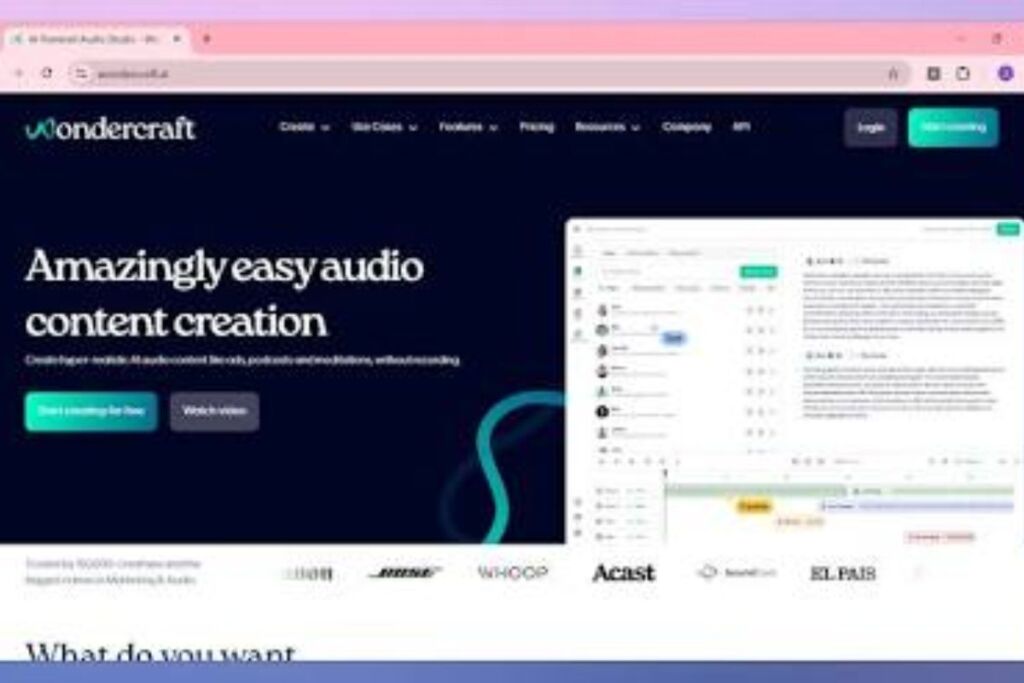
Wondercraft is a browser-based AI audio production platform that generates podcast scripts, synthetic voices, and mixed episodes from text input, then distributes the finished audio to podcast platforms through a built-in RSS feed. Wondercraft Limited, headquartered in London, United Kingdom, launched the platform in 2023 through Y Combinator, founded by Dimitris Nikolaou and Youssef Rizk, both former Palantir software engineers.
| Attribute | Value |
|---|---|
| Company | Wondercraft Limited (London, UK) |
| Founded | 2023 |
| Founders | Dimitris Nikolaou, Youssef Rizk |
| Free Tier | $0/mo, 150 credits |
| Paid Plans | Creator $25/mo ($21/mo billed annually), Pro $45/mo, Enterprise (custom) |
| Platforms | Web app (wondercraft.ai/studio), API |
| Key Feature | Text-to-podcast generation with voice cloning and direct Spotify/Apple Podcasts publishing |
<cite index=”9-1″>Wondercraft’s official pricing page lists a Free plan at $0 per month with 150 credits, a Creator plan at $25 per month ($21 per month billed annually), a Pro plan at $45 per month with selectable credit tiers, and a custom Enterprise plan.</cite> <cite index=”11-1″>Y Combinator confirms Wondercraft was founded in 2023 by Dimitris Nikolaou and Youssef Rizk and operates out of London.</cite> <cite index=”10-1″>Wondercraft has raised $3.5 million in total funding from investors including Will Ventures.</cite>
Step 1: Create a Wondercraft Account and Select a Plan
Sign up at wondercraft.ai/studio and start on the Free plan before upgrading, since the free tier grants 150 credits to test script generation, voice selection, and export before committing to a paid tier. The Free plan restricts users to limited AI models and 720p export resolution. The Creator plan at $25 per month unlocks the full voice library, one custom AI character, no watermark, full commercial rights, and API access, which matters for anyone planning to publish episodes commercially rather than test the platform.
Register with an email address, verify the account, and land directly in the Wondercraft studio interface. No credit card is required to start the Free plan, and no software installation is needed since Wondercraft runs entirely in the browser.
Step 2: Turn Your Script or Topic Into Audio Content
Paste a script, blog post, PDF, or topic prompt into the Wondercraft editor, and the platform’s language model drafts a structured podcast script with an intro, body segments, and outro in under one minute. <cite index=”20-1″>Wondercraft’s scriptwriting engine generates both the body of the podcast and segments like the intro and outro from the input content.</cite>
Three input methods exist inside the studio: paste raw text, upload a document, or type a topic and let the AI draft the script from scratch. A podcast host converting a 1,200-word blog post into a 10-minute episode types the article into the editor, selects “Generate Script,” and receives a formatted two-speaker dialogue script within seconds. Note that reviewer testing from SparkPod in February 2026 found <cite index=”5-1″>Wondercraft did not natively support uploading PDFs, DOCX files, or other documents to auto-generate scripts at the time of that review</cite>, while Wondercraft’s own product pages for PDF-to-podcast conversion describe direct PDF upload support — confirm current document-upload capability inside the studio before relying on it for a workflow.
Step 3: Choose or Clone AI Voices for Each Speaker
Assign a distinct AI voice to every speaker in the script from Wondercraft’s voice library, or clone a real voice from a short audio sample to narrate the episode in a recognizable tone. <cite index=”29-1″>Wondercraft’s voice generator offers over 200 voices across multiple languages, each built to reproduce authentic speaking patterns, inflections, and emotional tone.</cite> <cite index=”18-1″>Wondercraft’s voice cloning feature creates authentic, personalized audio content from user-submitted voice samples.</cite>
Open the voice panel next to each script line, filter by language or accent, and preview a voice before assigning it to a character. A two-host interview podcast requires two distinct voice profiles, one per speaker, selected from the library or cloned from each host’s own recording. Voice cloning consumes credits from the Creator plan’s one custom-character allowance; the Pro plan at $45 per month raises that to unlimited custom AI characters.
Step 4: Edit the Script and Fine-Tune Delivery
Adjust pacing, emphasis, and emotional tone directly in the line-by-line script editor before final rendering, since each script line renders as an independent audio clip that can be regenerated without re-rendering the entire episode. Highlight a word to add emphasis, insert a pause, or trigger a laugh, and Wondercraft re-renders only that clip.
Editing at the line level prevents a single mispronunciation from forcing a full re-render of a 20-minute episode. A host who wants a guest’s name emphasized in the introduction highlights that word, applies stress, and regenerates only that sentence rather than the full segment.
Step 5: Add Music, Sound Effects, and Transitions
Layer AI-generated background music, sound effects, and transition stingers onto the voice track using Wondercraft’s timeline editor, matching each audio bed to a specific segment of the script. <cite index=”7-1″>Wondercraft bundles avatar creation, voice personas, and music composition with sound design tools inside a timeline-style editor that handles trimming, stacking, and fades while preserving a brand kit for logos, fonts, and colors.</cite>
Drag a music track beneath the intro segment, set fade-in and fade-out points, and drop a sound effect at a specific timestamp inside the dialogue. A true-crime podcast producer adds a tension cue under a narrator’s cliffhanger line and fades the music out exactly as the next speaker begins.
Step 6: Export and Publish to Spotify and Apple Podcasts
Export the finished episode as an MP3 or WAV file, or publish it directly to Spotify and Apple Podcasts through Wondercraft’s built-in RSS feed without uploading to a separate hosting platform. <cite index=”20-1″>Wondercraft lets users publish podcasts directly to Spotify and Apple Podcasts, eliminating the need for third-party hosting services, and generates timestamped segments and a full episode transcript with one click.</cite>
Click “Publish,” select the target platforms, and Wondercraft pushes the episode along with auto-generated show notes and timestamps. A solo creator launching a weekly news-recap podcast exports the finished MP3, connects a Spotify for Podcasters account inside Wondercraft, and the episode appears on Spotify within minutes without a separate hosting subscription.
What Are the Pros and Cons of Building a Podcast With Wondercraft?
Wondercraft removes recording equipment and editing software from podcast production entirely, but the platform’s credit-based pricing and voice-cloning limits restrict output volume on lower-tier plans. <cite index=”21-1″>Wondercraft’s Creator plan includes one voice clone, three custom voices, and access to a library exceeding 300 voices across 30 languages.</cite>
Pros:
- Generate a complete episode script, voice track, and mix without a microphone or DAW
- Publish directly to Spotify and Apple Podcasts from inside the platform
- Clone a real voice for brand-consistent narration across episodes
- Edit individual script lines without re-rendering the full episode
Cons:
- Free plan caps output at 150 credits and 720p-equivalent quality limits
- Custom AI character allowance is limited to one on the $25/mo Creator plan
- Document upload support for scripting varies by review and requires verification before use
- Team collaboration is capped at three users even on the $45/mo Pro plan
How Does Wondercraft Compare to Murf.ai?
Wondercraft builds complete podcast episodes from script to publish-ready audio, while Murf.ai focuses on standalone voiceover generation without podcast hosting or distribution built in. <cite index=”22-1″>Murf is voiceover-focused while Wondercraft is podcast-first, with Wondercraft offering direct publishing workflows in addition to voice generation.</cite>
| Attribute | Wondercraft | Murf.ai |
|---|---|---|
| Primary Use Case | Full podcast production and publishing | Voiceover and narration generation |
| Direct Podcast Publishing | Yes, Spotify and Apple Podcasts | No, export only |
| Voice Cloning | Yes, included from Creator plan ($25/mo) | Limited to higher-tier plans |
| Script Generation | Built-in AI scriptwriter | Not included |
Who Should Build a Podcast Entirely with AI Voices?
Solo creators, marketing teams producing branded audio content, and course instructors converting written material into audio benefit most from an all-AI-voice podcast workflow, while narrative audio dramas requiring nuanced human performance benefit less. A newsletter writer repurposing weekly written content into an audio companion avoids hiring a voice actor by using Wondercraft’s text-to-podcast conversion. A B2B marketing team producing a recurring interview-style show scripts both host and guest dialogue and assigns distinct cloned voices to maintain brand consistency across 50-plus episodes per year.
Enterprise teams needing SSO, SOC2 compliance, and indemnity protection on generated audio require the custom Enterprise plan rather than the Creator or Pro tiers.
What Are the Best Alternatives to Wondercraft?
Murf.ai, Descript, and Podcastle serve as the three closest alternatives to Wondercraft for AI-assisted podcast production, each with a different primary strength.
- Murf.ai specializes in standalone AI voiceover generation for narration and ads rather than full podcast production. Read the full Murf.ai Review.
- Descript combines AI voice cloning with a text-based video and audio editor built around transcript-driven editing. Read the full Descript Review.
- Podcastle offers AI voice generation alongside live human recording and remote guest interviews in one studio. Read the full Podcastle Review.
Frequently Asked Questions
Does Wondercraft require any recording equipment?
No. Wondercraft generates the entire voice track from text input, so no microphone, audio interface, or recording software is required at any stage of production.
Can Wondercraft publish an episode directly to Spotify?
Yes. <cite index=”20-1″>Wondercraft generates an RSS feed and publishes episodes directly to Spotify, Apple Podcasts, and other platforms with one click, eliminating the need for a separate hosting service.</cite>
How many credits does a typical 10-minute episode use?
Credit consumption scales with script length, voice count, and edits, since <cite index=”9-1″>Wondercraft defines a credit as the unit used to generate AI content</cite>. Estimate usage by testing a short script on the 150-credit Free plan before committing to a paid tier.
Does Wondercraft support cloning a real human voice?
Yes. <cite index=”18-1″>Wondercraft’s voice cloning feature builds a personalized voice model from a submitted audio sample</cite>, available from the Creator plan at $25 per month with one custom character included.
The Bottom Line
Wondercraft’s $25-per-month Creator plan delivers script generation, voice cloning, a 300-plus voice library, and direct Spotify and Apple Podcasts publishing in a single subscription, undercutting the combined cost of separate scriptwriting, voice-actor, and podcast-hosting tools for any creator producing under 1,000 credits of audio per month.