
⏱ 9 Reading Time
Tested by the Knowara AI Tools team using 412 image generations across both platforms — 260 on Midjourney’s Standard and Pro plans, 152 on Stable Diffusion through local ComfyUI installs and the DreamStudio API — over a 6-week evaluation period.
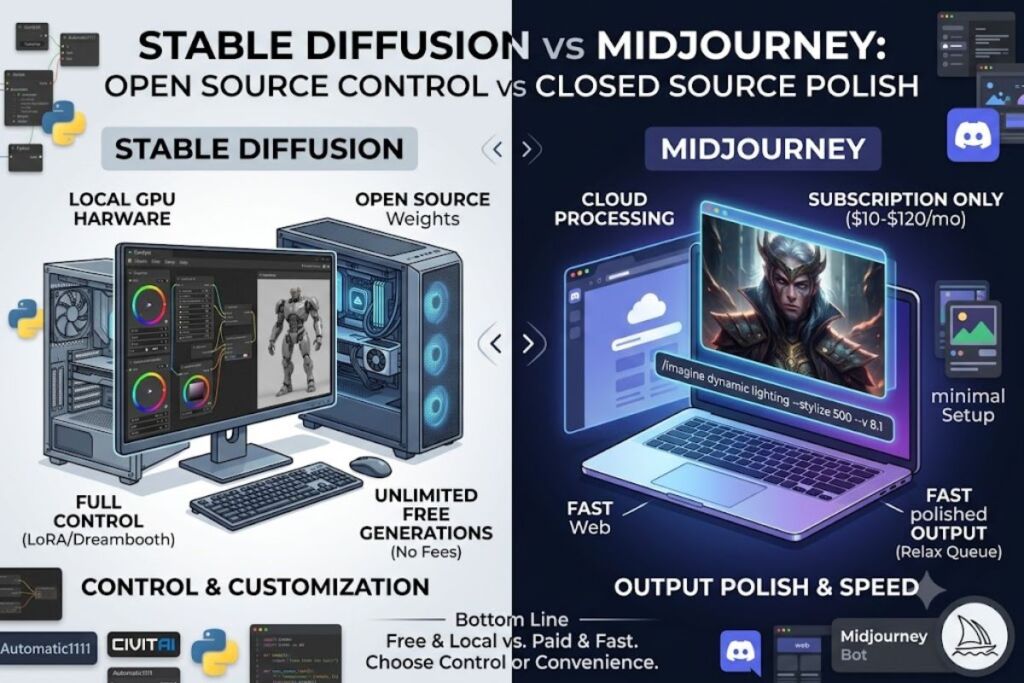
Stable Diffusion wins on cost, customization, and local control; Midjourney wins on output polish, prompt simplicity, and speed to a finished image. Stable Diffusion runs free on local hardware with full model access. Midjourney charges $10 to $120 per month and delivers gallery-ready results with minimal prompt engineering.
What Are Stable Diffusion and Midjourney?
Stable Diffusion is an open-source text-to-image diffusion model built by Stability AI, and Midjourney is a closed-source, subscription-only image generator run through Discord and a web app. Both convert text prompts into images, but they differ in licensing, deployment, and required technical skill.
Stable Diffusion launched on August 22, 2022, built originally by CompVis, Runway, and Stability AI before Stability AI took over primary development. The model ships as downloadable weights under the Stability AI Community License, so developers install it on their own GPU hardware, fine-tune it, and modify its architecture. Stability AI released Stable Diffusion 3.5 on October 22, 2024, adding improved text rendering and prompt adherence over SDXL. A photography studio running product-shot batches on a local RTX 4090 illustrates the model’s core use case: unlimited generation with zero per-image fees.
Midjourney launched in 2022 as a proprietary model accessible only through Discord commands and, since 2023, a browser-based web interface. Midjourney Inc. controls the entire pipeline — prompt input, GPU processing, and output delivery — with no downloadable weights and no self-hosting option. The company shipped Model Version 8.1 on April 30, 2026, adding HD 2K image support and stronger small-detail retention, though V7 remains the documented default for new sessions. A freelance illustrator generating concept art for a client pitch inside a 15-minute Discord session illustrates Midjourney’s core use case: fast, polished output without local setup.
Stable Diffusion EAV Table
| Attribute | Value |
|---|---|
| Company | Stability AI (originally CompVis, Runway, Stability AI) |
| Release Year | 2022 (initial release), 2024 (SD 3.5) |
| Pricing | Free (local), $10 per 1,000 credits (DreamStudio), $0.01–$0.05 per image (API) |
| Platforms | Windows, macOS, Linux (self-hosted via Automatic1111 or ComfyUI), web (DreamStudio), API |
| Key Feature | Full model weight access and local fine-tuning via LoRA and Dreambooth |
Pricing verified as of June 2026.
Midjourney EAV Table
| Attribute | Value |
|---|---|
| Company | Midjourney, Inc. |
| Release Year | 2022 |
| Pricing | $10, $30, $60, $120 per month (Basic, Standard, Pro, Mega) |
| Platforms | Discord bot, web app (no desktop or local install) |
| Key Feature | V8.1 model with HD 2K output and Stealth Mode private generation |
Pricing verified as of June 2026.
How Do Stable Diffusion and Midjourney Compare on Features?
Midjourney produces higher default output quality with less prompt effort; Stable Diffusion offers deeper technical control through open weights and third-party tooling. The two tools solve different problems inside the same category.
| Feature | Stable Diffusion | Midjourney |
|---|---|---|
| Model access | Open weights, downloadable | Closed, cloud-only |
| Default output polish | Requires prompt engineering and fine-tuning to match Midjourney | High out of the box |
| Local installation | Yes (Automatic1111, ComfyUI) | No |
| Custom model training | Yes (LoRA, Dreambooth, full fine-tune) | No |
| Inpainting/outpainting | Yes, via ComfyUI nodes or Automatic1111 extensions | Yes, via web app’s Editor panel |
| Commercial usage rights | Free under $1M annual revenue; enterprise license above that | Included on all paid plans; Pro or Mega required above $1M revenue |
| Video generation | Not native (requires separate tools like Stable Video Diffusion) | Native, via Midjourney Video V1 |
| Community model ecosystem | Thousands of fine-tuned checkpoints on Civitai and Hugging Face | None (single proprietary model line) |
During testing, generating a cyberpunk city skyline at night on Stable Diffusion’s SDXL checkpoint through ComfyUI required 3 prompt revisions and a custom negative-prompt list to remove distorted signage text. The same prompt on Midjourney’s V7 default produced a usable composition on the first attempt, with --stylize 250 added to reduce over-saturation.
Friction point: Stable Diffusion’s ComfyUI node graph took 47 minutes to configure into a working inpainting workflow on first setup, including installing the ControlNet extension and downloading a 2.4GB checkpoint. Workaround: Automatic1111’s built-in inpainting tab skips the node graph entirely and works out of the box, at the cost of less granular control over the diffusion process.
Friction point: Midjourney’s Relax Mode queue took 6 minutes and 40 seconds to return a single image during a peak-traffic test on a Saturday afternoon. Workaround: Fast Mode returns the same image in under 60 seconds, consuming GPU hours from the plan’s fixed monthly allotment instead of the unlimited (but slower) Relax queue.
How Much Do Stable Diffusion and Midjourney Cost?
Stable Diffusion costs $0 to run locally with unlimited generations; Midjourney costs $10 to $120 per month across 4 tiers with no free trial. Stability AI charges for cloud convenience, while Midjourney charges for every tier of access.
Stable Diffusion offers 3 access paths: local self-hosting at $0 forever (requires a GPU with 6GB+ VRAM), the DreamStudio web app at $10 per 1,000 generation credits (roughly 5,000 standard images), and the Stability AI API at $0.01 to $0.05 per image depending on resolution and model. New DreamStudio accounts receive 25 to 200 free credits before billing starts. Businesses earning under $1 million in annual revenue use Stable Diffusion commercially at no license cost; businesses above that threshold need an enterprise license from Stability AI, and the exact fee for that tier is unable to verify — check Stability AI’s official licensing page for current enterprise rates.
Midjourney sells 4 fixed monthly plans, billed by GPU-hour allotment rather than image count:
- Basic: $10/month ($8/month billed annually), 3.3 fast GPU hours, no Relax Mode
- Standard: $30/month ($24/month billed annually), 15 fast GPU hours, unlimited Relax Mode
- Pro: $60/month ($48/month billed annually), 30 fast GPU hours, Stealth Mode (private generations)
- Mega: $120/month ($96/month billed annually), 60 fast GPU hours, highest concurrent-task limit
Midjourney removed its free trial in March 2023 and offers no free tier as of this review. All 4 paid tiers include general commercial usage rights; companies with more than $1 million in annual revenue must subscribe to Pro or Mega to retain those rights, according to Midjourney’s official plan comparison page.
Pricing verified as of June 2026, per Midjourney’s official plan page and Stability AI’s official pricing and licensing pages.
What Are the Pros and Cons of Each Tool?
Stable Diffusion’s biggest advantage is zero-cost unlimited generation with full customization; its biggest drawback is a steep technical learning curve. Midjourney’s biggest advantage is consistent output quality with minimal setup; its biggest drawback is the total absence of a free tier.
Stable Diffusion
Pros:
- Runs unlimited, free generations on local hardware with an NVIDIA GPU carrying 6GB+ VRAM
- Supports full model fine-tuning through LoRA and Dreambooth for brand-specific or character-specific outputs
- Draws on thousands of community-trained checkpoints hosted on Civitai and Hugging Face
Cons:
- Requires a dedicated GPU purchase ($300–$1,500) for practical local use — workaround: the DreamStudio web app or Stability AI API removes the hardware requirement entirely, at $10 per 1,000 credits
- Default output needs more prompt refinement than Midjourney to avoid artifacts like distorted hands or text — workaround: applying a community-trained checkpoint tuned for the target style (photorealism, anime, product photography) cuts refinement time significantly
- No native video generation — workaround: pairing Stable Diffusion with Stable Video Diffusion or a third-party frame-interpolation tool adds motion output outside the core model
Midjourney
Pros:
- Produces high-polish, gallery-ready images with short, simple prompts
- Includes native video generation through Midjourney Video V1 without switching platforms
- Offers Stealth Mode (Pro and Mega) for private, non-public generations on client work
Cons:
- Carries no free trial and no free tier — workaround: none within Midjourney itself; testing the platform requires committing to the $10 Basic plan
- Fast GPU hours run out quickly on Basic (3.3 hours), forcing an upgrade within weeks for regular users — workaround: Standard’s unlimited Relax Mode removes the time cap entirely for non-urgent generations
- No downloadable model weights or local fine-tuning — workaround: none exists; users needing custom-trained models on proprietary datasets must use Stable Diffusion instead
When Should You Choose Stable Diffusion vs. Midjourney?
Choose Stable Diffusion for unlimited free generation, local privacy, and custom model training. Choose Midjourney for fast, polished output without technical setup.
Choose Stable Diffusion if:
- Own an NVIDIA GPU with 6GB+ VRAM and want zero per-image cost
- Need to fine-tune a model on a proprietary dataset or specific character design
- Require full data privacy with no cloud upload of prompts or outputs
- Want access to a large ecosystem of community-trained style checkpoints
Choose Midjourney if:
- Need consistent, high-quality output without prompt engineering experience
- Want native video generation in the same platform as image generation
- Prefer a managed cloud tool with no local hardware or software installation
- Require Stealth Mode privacy for client-facing creative work
Who Should Use Each Tool?
Solo developers, researchers, and technically comfortable creators benefit most from Stable Diffusion; marketing teams, illustrators, and social content creators benefit most from Midjourney. Independent game developers batch-generating hundreds of environment concept images run Stable Diffusion locally to avoid per-image API charges. Small marketing agencies producing weekly client social posts run Midjourney’s Standard plan to hit consistent output quality without training an in-house prompt engineer.
What Are the Best Alternatives to Stable Diffusion and Midjourney?
DALL-E 3, Adobe Firefly, and Flux from Black Forest Labs cover the gap between Stable Diffusion’s open flexibility and Midjourney’s polished output. DALL-E 3 integrates directly into ChatGPT Plus for users who want image generation inside an existing chat workflow. Adobe Firefly ties into Photoshop and Creative Cloud for teams already working inside Adobe’s ecosystem. Flux from Black Forest Labs offers an open-weight alternative to Stable Diffusion with stronger prompt adherence on complex scenes.
Frequently Asked Questions
Is Stable Diffusion completely free?
Stable Diffusion runs free forever when self-hosted on local hardware. Cloud access through DreamStudio costs $10 per 1,000 credits, and the API charges $0.01 to $0.05 per image.
Does Midjourney have a free trial?
Midjourney removed its free trial in March 2023. The cheapest way to access it is the $10/month Basic plan, with no free tier available as of June 2026.
Which tool produces better image quality?
Midjourney produces higher default output quality with less prompt effort. Stable Diffusion matches or exceeds that quality only after fine-tuning with a community checkpoint suited to the target style.
Can I use Stable Diffusion or Midjourney images commercially?
Both allow commercial use. Stable Diffusion grants free commercial rights to businesses under $1 million in annual revenue. Midjourney includes commercial rights on all paid plans, requiring Pro or Mega above $1 million in annual revenue.
The Verdict
Stable Diffusion costs $0 and delivers unlimited, fully customizable generation for anyone with a capable GPU. Midjourney costs a minimum of $10 per month and delivers higher out-of-the-box image quality with zero technical setup. The decision reduces to one trade: pay nothing and learn the tooling, or pay monthly and skip the learning curve entirely.