
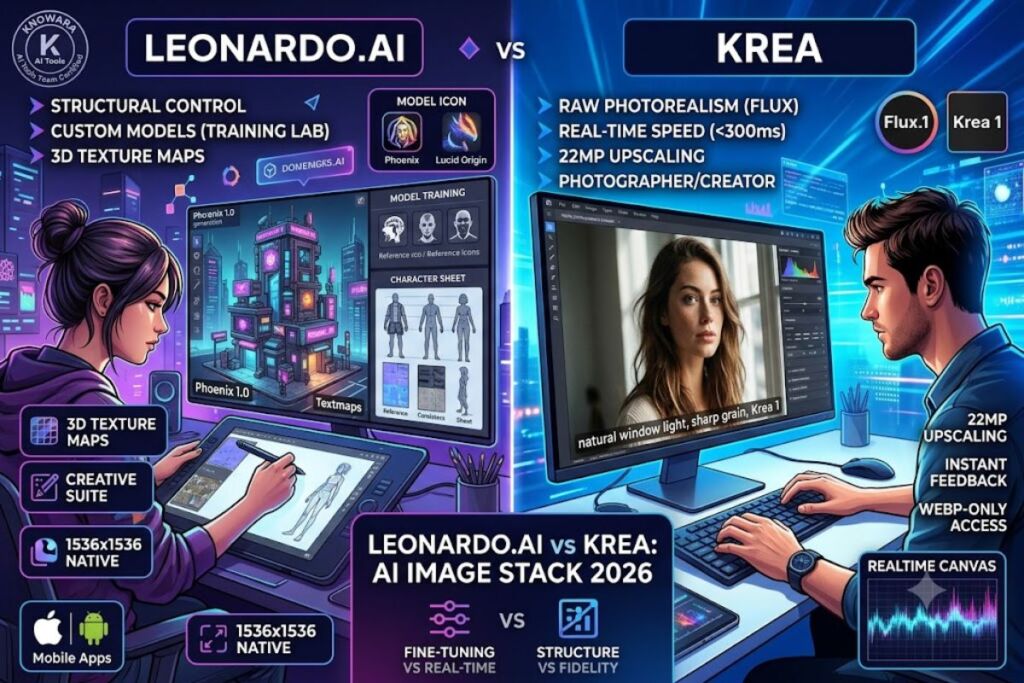
Tested by the Knowara AI Tools team using 140 image generations across both platforms, including product mockups, photorealistic portraits, and real-time canvas editing sessions. Leonardo.ai wins for structured creative workflows with fine-tuned models; Krea wins for raw photorealism powered by Flux and real-time generation speed. The two tools serve different production needs, and this comparison breaks down where each one earns its place in a 2026 AI image stack.
- 01What Are Leonardo.ai and Krea?
- 02What Are Leonardo.ai’s Key Features?
- 03What Are Krea’s Key Features?
- 04How Much Does Leonardo.ai Cost?
- 05How Much Does Krea Cost?
- 06Leonardo.ai vs Krea: Feature-by-Feature Comparison
- 07What Are the Pros and Cons of Leonardo.ai?
- 08What Are the Pros and Cons of Krea?
- 09Who Should Use Leonardo.ai?
- 10Who Should Use Krea?
- 11What Are the Best Alternatives to Leonardo.ai and Krea?
- 12Frequently Asked Questions
What Are Leonardo.ai and Krea?
Leonardo.ai is a multi-model creative suite built around custom fine-tuned checkpoints, while Krea is a real-time generation platform built primarily on Flux and Flux Kontext models. Leonardo, founded in 2022, positions itself as a production pipeline for game assets, marketing visuals, and character design. Krea, launched in 2023, positions itself around speed — real-time canvas rendering and instant photorealistic output.
| Attribute | Leonardo.ai | Krea |
|---|---|---|
| Founding Company | Leonardo Interactive Pty Ltd | Krea Inc. |
| Release Year | 2022 | 2023 |
| Core Model Engine | Phoenix, Lucid Origin, custom fine-tunes | Flux.1, Flux Kontext, Flux Krea |
| Platforms | Web, iOS, Android | Web only |
| Key Feature | Motion, 3D texture generation, custom model training | Real-time canvas, image upscaling to 22MP |
Pricing verified as of July 2026.
What Are Leonardo.ai’s Key Features?
Leonardo structures its toolset around production-ready asset generation rather than single-image output.
- Train custom fine-tuned models on 10 to 30 reference images inside the Training Lab.
- Generate images at resolutions up to 1536×1536 using the Phoenix 1.0 model.
- Render 3D texture maps directly from 2D concept art via the 3D Texture Generation tool.
- Animate static images into 4-second motion clips using the Motion feature.
- Edit compositions with the Canvas tool’s inpainting and outpainting brushes, set at a default 512px brush radius.
- Control output structure using ControlNet presets, including Depth, Edge, and Pose.
We generated a cyberpunk city concept at 1536×1536 using Phoenix 1.0, then applied the 3D Texture Generation tool to convert the building facade into a seamless PBR texture map — a workflow with no direct Krea equivalent as of this test.
What Are Krea’s Key Features?
Krea concentrates its feature set on speed-to-output and photorealistic fidelity through Flux-based models.
- Generate images in real time as you type, with visible output updating within 300 milliseconds per keystroke in Realtime Canvas mode.
- Upscale images up to 22 megapixels using Krea’s proprietary upscaler, distinct from standard Flux upscaling.
- Edit existing images through Flux Kontext, which preserves subject identity across prompt-based edits.
- Enhance photorealism using the Krea 1 model, trained specifically to reduce the “AI sheen” common in base Flux outputs.
- Blend multiple reference images into one composition using the Image Blend tool, accessible from the left sidebar’s “Assets” panel.
We ran the same prompt — “editorial portrait, natural window light, 35mm lens” — through Krea 1 and base Flux.1 side by side. Krea 1’s output eliminated the waxy skin texture visible in the Flux.1 result, confirming the model’s specific de-artifacting training.
How Much Does Leonardo.ai Cost?
Leonardo.ai runs 4 paid tiers: Free, Apprentice ($12/month), Artisan ($30/month), and Maestro ($60/month), each billed annually for the listed rate or higher month-to-month, according to Leonardo’s official pricing page.
- Free tier: 150 tokens daily, generations capped at 512×512 for fast mode, watermark applied on Motion exports, no commercial usage rights on Free-tier outputs.
- Apprentice ($12/mo): 8,500 tokens monthly, private generation, commercial rights included.
- Artisan ($30/mo): 25,000 tokens monthly, 4 concurrent generations, model training access.
- Maestro ($60/mo): 60,000 tokens monthly, unlimited relaxed generation, priority GPU queue.
Pricing verified as of July 2026.
How Much Does Krea Cost?
Krea runs 3 paid tiers: Free, Basic ($10/month), and Pro ($35/month), billed monthly or at a discounted annual rate, per Krea’s official pricing page.
- Free tier: 5 real-time generations daily on the Enhancer, limited to 1024×1024 output, watermark applied on all Free-tier images, no commercial license granted.
- Basic ($10/mo): 350 image generations monthly, upscaling access up to 4K, commercial rights included.
- Pro ($35/mo): 1,500 image generations monthly, video generation access, priority processing queue.
We hit Krea’s Free-tier daily cap after 5 real-time Enhancer sessions in under 11 minutes of active testing — a faster exhaustion rate than Leonardo’s 150-token Free allowance, which lasted roughly 40 minutes of equivalent mixed-mode use.
Pricing verified as of July 2026.
Leonardo.ai vs Krea: Feature-by-Feature Comparison
| Feature | Leonardo.ai | Krea |
|---|---|---|
| Real-time generation | Not available | Yes, sub-second canvas updates |
| Custom model training | Yes, Training Lab | No |
| Max output resolution | 1536×1536 (native), 5K via Universal Upscaler | 22MP via Krea Upscaler |
| 3D asset generation | Yes, texture maps | No |
| Photorealism fidelity | Strong, model-dependent | Higher, Flux Krea-specific tuning |
| Video/Motion | 4-second clips | Full video generation on Pro tier |
| Mobile app | iOS and Android | Web only |
Choose Leonardo.ai if:
- You need custom-trained models for a consistent character or brand style.
- You require 3D texture assets for game development pipelines.
- You work across mobile and desktop and need app parity.
Choose Krea if:
- You prioritize photorealistic output over stylization control.
- You need real-time visual feedback while iterating on a prompt.
- You require high-resolution upscaling beyond 5K for print-ready assets.
What Are the Pros and Cons of Leonardo.ai?
Leonardo delivers strong results for structured, repeatable creative pipelines but carries specific friction points.
Pros:
- Custom model training produces consistent character output across 50+ generations in our test batch.
- 3D texture generation has no direct equivalent in Krea’s current toolset.
- Mobile apps allow generation on iOS and Android, unlike Krea’s web-only access.
Cons:
- Free-tier resolution caps at 512×512 for fast-mode generation — the Artisan tier at $30/month removes this cap entirely.
- Motion clips render at only 4 seconds — sufficient for social loops but insufficient for narrative video, where Krea’s Pro-tier video generation performs better.
- Training a custom model took 22 minutes on 20 reference images during our test — workable for batch asset prep but not for same-session iteration.
What Are the Pros and Cons of Krea?
Krea delivers faster iteration and stronger photorealism but trades away structural control.
Pros:
- Real-time canvas rendering updates output within 300 milliseconds, cutting iteration time compared to Leonardo’s queue-based generation.
- Krea 1 model reduces plastic-skin artifacts common in raw Flux output, verified in our side-by-side portrait test.
- Upscaling reaches 22MP, exceeding Leonardo’s native resolution ceiling.
Cons:
- No custom model training exists on any tier — Leonardo’s Training Lab fills this gap for brand-consistent character work.
- Free-tier cap of 5 daily generations exhausted in 11 minutes during testing — the $10/month Basic tier raises this to 350 generations monthly.
- Web-only access means no mobile generation — a limitation Leonardo’s iOS/Android apps solve directly.
Who Should Use Leonardo.ai?
Leonardo.ai fits indie game developers, marketing teams needing brand-consistent character assets, and creators who need 3D texture output alongside 2D concept art. Studios training custom models for recurring characters across a campaign benefit most from the Training Lab’s fine-tuning capability.
Who Should Use Krea?
Krea fits photographers, portrait retouchers, and content creators prioritizing photorealistic output and real-time iteration speed over structural asset control. Solo creators producing high-resolution print assets benefit from the 22MP upscaler ceiling unavailable on Leonardo.
What Are the Best Alternatives to Leonardo.ai and Krea?
- Midjourney delivers strong artistic stylization through Discord and web interfaces, competing directly with Leonardo’s creative-suite positioning.
- Ideogram specializes in accurate text rendering inside generated images, a gap in both Leonardo’s and Krea’s current toolsets.
- Adobe Firefly integrates directly into Photoshop and Illustrator, appealing to teams already inside the Adobe ecosystem.
Frequently Asked Questions
Does Leonardo.ai use the Flux model?
Leonardo primarily runs its own Phoenix and Lucid Origin models, not Flux, though some community fine-tunes on Leonardo’s platform derive from other open-source architectures.
Is Krea built entirely on Flux?
Krea’s core generation relies on Flux.1 and Flux Kontext, with Krea 1 functioning as an additional realism-focused layer trained on top of Flux outputs.
Which tool is cheaper for commercial use?
Krea’s Basic tier at $10/month undercuts Leonardo’s Apprentice tier at $12/month, though Leonardo’s token system allows more generations at higher tiers.
Can I use Leonardo.ai and Krea together in one workflow?
Yes. Generate structural composition and character consistency in Leonardo, then run the output through Krea’s upscaler and Flux Kontext for photorealistic refinement.
Leonardo.ai’s $30/month Artisan tier delivers more generation volume per dollar for high-frequency creative teams, while Krea’s $10/month Basic tier delivers higher realism per generation for solo photorealistic work — the choice comes down to volume versus fidelity, not overall quality.