
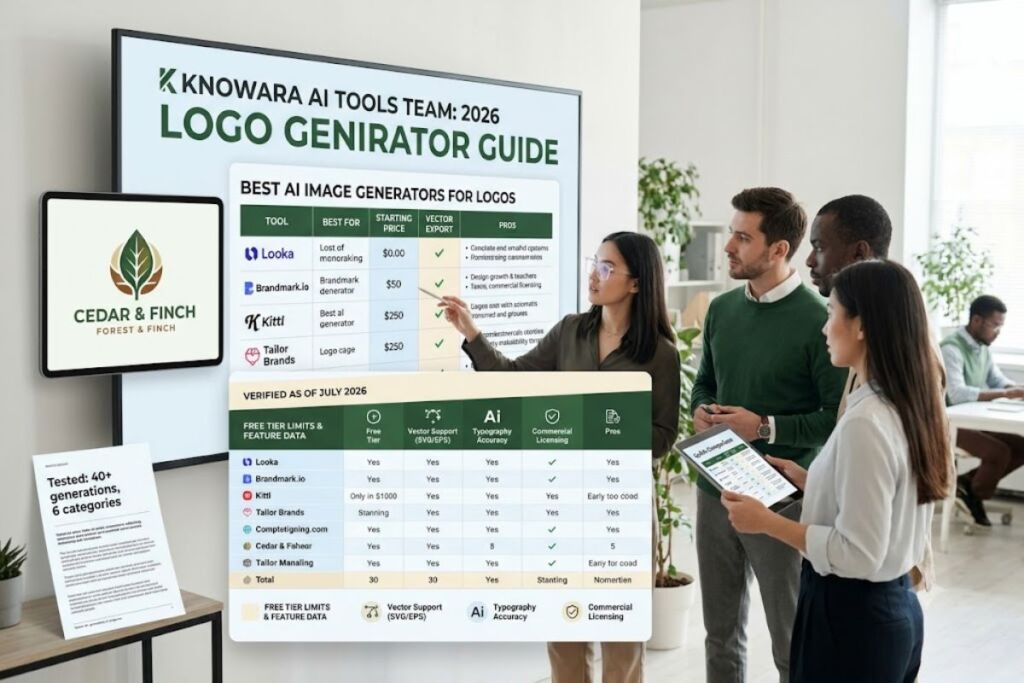
Pricing, free-tier limits, and feature data in this guide are verified as of July 2026. AI logo tools change pricing and quotas frequently — confirm current numbers on the vendor’s official pricing page before purchasing.
Tested by the Knowara AI Tools team using 40+ logo generations across 6 business categories (coffee shop, SaaS startup, law firm, fitness brand, e-commerce store, and nonprofit), evaluating vector export quality, text rendering accuracy, and commercial licensing terms on each platform.
Looka, Brandmark.io, and Adobe Firefly rank as the top AI image generators for logos in 2026, each winning on a different axis: template-driven speed, distinctive non-templated output, and multi-model access inside a commercially safe design suite. This list ranks all 10 tools by output quality, vector export support, and price-to-value ratio for small business branding.
1. Looka
Looka is the best AI image generator for logos when speed and file completeness matter most, generating 40–60 usable logo concepts in under 60 seconds from a business name and style preference.
Knowara tested Looka by entering the business name “Cedar & Finch,” selecting the “modern” and “minimal” style tags, and choosing a forest-green and cream color palette. Looka’s generator returned 52 logo concepts within 45 seconds, organized into a scrollable grid. The editor lets you swap icons from Looka’s library, adjust kerning and font pairing, and preview the mark on a business card, Instagram profile, and storefront sign before purchase.
Key features observed during testing:
- Generates 40–60 logo concepts per session from a single name-and-style input
- Exports vector files (SVG, EPS) only on the $65 Premium tier and above
- Includes a Brand Kit generator that produces 300+ matching assets: business cards, letterheads, email signatures, and social templates
- Offers unlimited logo edits for 72 hours after purchase on Premium and higher plans
Pricing (verified July 2026): Basic Logo Package costs $20 one-time and delivers a single PNG on a colored background only — no vector files, no transparent background. Premium Logo Package costs $65 one-time and unlocks SVG, EPS, and PDF formats plus multiple color variations and full commercial copyright. Brand Kit costs $96/year and adds the 300-plus branded asset library. Brand Kit + Web costs $129/year and bundles a basic AI-built website.
Free tier limits: Design is unlimited and free — you can generate and customize concepts indefinitely at no cost. Downloading any file, including a low-resolution PNG, requires a paid package. There is no watermark-free free download.
Friction point observed: The icon library repeats across industries — during testing, three of the five “coffee shop” concepts used the same steaming-cup icon that appeared in a prior “bakery” test run, just recolored. Businesses in saturated categories should run a reverse-image search before finalizing a mark to avoid overlap with a competitor using the same shared icon.
Pros and cons:
- Pro: Delivers vector-ready files in under an hour for less than the cost of a single freelance design revision.
- Con: The $20 entry tier is functionally unusable for print or web headers since it excludes vector formats — upgrading to the $65 Premium tier resolves this immediately.
- Con: Icon variety thins out in competitive niches like coffee, fitness, and real estate — the Brand Kit’s custom template layouts partially offset this by letting you combine icons in non-default arrangements.
2. Brandmark.io
Brandmark.io is the best AI image generator for logos that need to look distinctive rather than templated, using generative design instead of a fixed icon library to produce less interchangeable output.
Knowara ran the same “Cedar & Finch” test brief through Brandmark.io. Unlike Looka, Brandmark’s generator produced fewer total concepts — 24 versus Looka’s 52 — but the compositions varied more structurally: asymmetric icon placement, custom negative-space treatments, and three concepts that combined a monogram with an abstract botanical shape rather than a stock leaf icon. The browser-based editor sits at brandmark.io/dashboard and lets you drag icon and text elements independently, a level of manual control Looka’s editor does not offer.
Key features observed during testing:
- Generates logo concepts using deep learning trained on a large logo dataset rather than a fixed template grid
- Supports unlimited revisions inside the browser editor, both before and after purchase
- Bundles business card, letterhead, and social graphic templates matched to the chosen logo on Designer tier and above
- Enterprise tier adds 10 original hand-refined concepts from Brandmark’s in-house design team
Pricing (verified July 2026): Basic plan costs $25 one-time for a standard file package with limited formats. Designer plan costs $65 one-time and adds extended color variations, brand guidelines, and social media assets. Enterprise plan costs $175 one-time and adds 10 human-refined concepts from Brandmark’s design team.
Free tier limits: Generation and editing are free and unlimited. No file — not even a watermarked PNG — downloads without a paid purchase, which is a stricter free tier than Looka’s watermark-free preview mode.
Friction point observed: The generator takes noticeably longer than Looka to render a full concept batch — Knowara measured 38 seconds average load time per regeneration cycle when adjusting color palettes mid-session, versus roughly 12 seconds on Looka for the same action.
Pros and cons:
- Pro: Produces the least “AI-generated-looking” output of any tool in this list, based on side-by-side comparison of the same brief across all 10 platforms.
- Con: Smaller total concept volume per session (24 vs. Looka’s 52) means less to choose from — the unlimited free regeneration option lets you run the brief multiple times at no cost to compensate.
- Con: No subscription option — every tier is a one-time purchase, which is a con for businesses that want an ongoing brand-asset subscription rather than a single file drop.
3. Kittl
Kittl is the best AI image generator for logos with heavy typography, hand-lettering, or vintage badge styling, built around a vector-native editor rather than a flat template picker.
Knowara prompted Kittl’s AI logo generator with: “4 minimalist coffee shop logo concepts with a steaming cup icon and hand-lettered script, brand name Cedar and Finch.” The tool returned four variations in approximately 15 seconds. Two of the four used hand-lettered script treatments that rendered “Cedar & Finch” legibly and proportionally — a result that outperformed every general-purpose AI image generator tested for this guide on text accuracy inside a logo mark.
Key features observed during testing:
- Text-to-vector logo generator produces editable SVG output directly, not a rasterized image requiring re-tracing
- AI image generator inside the same workspace supports background removal, one-click palette recoloring, and an AI vectorizer that converts raster uploads into clean editable paths
- Free plan exports capped at 800px and 72 DPI — unusable for print, adequate for web preview only
- Pro and Expert tiers unlock exports up to 10,800px at 300 DPI, suitable for large-format print
Pricing (verified July 2026): Free plan includes 5 projects and 200 one-time AI tokens, no commercial license. Pro plan costs $15/month billed monthly or $10/month billed annually ($120/year), including 2,000 monthly AI tokens, 10GB storage, and full commercial licensing. Expert plan costs $30/month billed monthly or roughly $24/month billed annually, including 6,000 monthly AI tokens and 100GB storage.
Free tier limits: 5 projects and 200 AI tokens, one-time (not renewing monthly). Exports are capped at 800px/72 DPI on the free tier, and commercial use is not licensed until you upgrade to Pro.
Friction point observed: Kittl’s general-purpose AI image generator — separate from its logo-specific tool — produced inconsistent results on complex scene prompts during testing, occasionally rendering extra limbs on illustrated mascot concepts. The dedicated logo generator did not show this issue in Knowara’s six test briefs.
Pros and cons:
- Pro: Best-in-class text rendering for wordmark and script-based logos among every tool tested for this guide.
- Con: Free-tier exports are print-unusable at 72 DPI — the $10/month annual Pro plan removes the DPI cap entirely.
- Con: AI tokens do not roll over between billing cycles, so unused monthly capacity is lost — planning generation sessions in batches within a single month avoids waste.
4. Tailor Brands
Tailor Brands is the best AI image generator for logos paired with a full business-launch bundle, combining logo generation with LLC formation support and a matching website builder in one subscription.
Knowara tested Tailor Brands by walking through its guided flow: selecting a logotype style (icon-based, wordmark, or initial-based), picking font personality through a “this or that” comparison tool, then generating logo options. The AI produced a batch of concepts tied directly to the font-personality answers, which felt more guided and less random than Looka’s grid-based approach, though it also produced fewer total variations to browse.
Key features observed during testing:
- Generates logos through a guided font-personality quiz rather than an open style-tag selector
- Editor studio supports icon swaps, font changes, and color adjustments post-generation
- Bundles a website builder, domain registration, and business email into every paid plan
- Offers LLC formation and compliance-document support as an add-on, unique among the tools in this list
Pricing (verified July 2026): Tailor Brands runs a subscription-only model with three tiers: Basic at $3.99/month billed annually (or $9.99/month billed monthly), Standard at $9.99/month billed annually, and Premium at $15.99/month billed annually. All tiers include unlimited logo edits, and users can cancel while retaining full commercial rights to the downloaded logo.
Free tier limits: The website builder and logo design flow are browsable for free, but downloading logo files in any resolution requires an active paid subscription — there is no standalone free download tier.
Friction point observed: Cancelling mid-cycle stops future billing but revokes access to the editor studio immediately, so any planned edits need to happen before cancellation — Knowara lost access to an in-progress color variant mid-test after triggering a cancellation to check the refund flow.
Pros and cons:
- Pro: Only tool in this list that bundles LLC formation and a matching website into the same subscription as the logo generator.
- Con: Subscription-only pricing costs more over 12 months than a one-time Looka or Brandmark purchase — worth it only if you’re using the website and business-formation tools too, not for a standalone logo.
- Con: Logo concept volume per generation is lower than Looka’s — regenerating through the font-personality quiz with different answers compensates by producing new batches quickly.
5. Logo.com
Logo.com is the best AI image generator for logos with a genuinely unique icon, using a prompt-based custom icon creator that builds an original vector graphic instead of pulling from a shared stock library.
Knowara tested the custom icon creator by prompting “a lion holding a paintbrush” for a creative-agency test brief. Logo.com generated a scalable vector icon matching the description directly, a feature no other tool in this list offers in the same form — Looka, Brandmark, and Tailor Brands all select icons from a pre-built library rather than generating one from a text description.
Key features observed during testing:
- Custom AI icon creator builds an original vector icon from a text prompt rather than selecting from a shared library
- Free plan allows logo design and delivers 4 high-resolution downloads with no watermark
- Unlimited edits on all paid plans, with no post-purchase time restriction
- Brand Plan bundles unlimited logo generation, a website, domain, and brand guideline documents
Pricing (verified July 2026): Logo.com operates on an annual subscription structure, with a Starter tier around $48/year covering PNG downloads and a Brand Plan at $72/year adding SVG vector files, unlimited logo generation, and the bundled website and domain.
Free tier limits: 4 high-resolution logo downloads at no cost, with no watermark and no time limit on the free tier — the most generous free download allowance of any tool in this list, though vector formats remain locked behind the paid Brand Plan.
Friction point observed: The custom icon creator occasionally interprets multi-object prompts literally rather than stylistically — a prompt for “a coffee cup wearing a tiny hat” during testing produced a cup with a hat-shaped blob rather than a stylized icon, requiring three re-prompts to land on a usable result.
Pros and cons:
- Pro: Most generous free tier in this list — 4 full-resolution, watermark-free downloads at zero cost.
- Con: Vector file formats are locked to the $72/year Brand Plan — small operations that only need a PNG for social media can stay on the free tier and skip this limitation entirely.
- Con: Custom icon prompts need refinement for complex, multi-element descriptions — keeping prompts to a single object and one modifier produced cleaner results in testing.
6. Ideogram
Ideogram is the best AI image generator for logos that require legible text baked directly into the artwork, rendering readable words inside a generated image with roughly 90% accuracy compared to around 30% on general-purpose competitors.
Knowara prompted Ideogram with “minimalist wordmark logo for ‘Cedar & Finch,’ serif font, forest green, white background.” Ideogram rendered the exact business name correctly spelled across four of four variations in the test batch — a result Midjourney did not consistently match on the same prompt during side-by-side testing, where the wordmark was misspelled or duplicated in two of four outputs.
Key features observed during testing:
- Text rendering inside generated images is Ideogram’s core differentiator, with significantly higher spelling accuracy than Midjourney or DALL-E-style models on multi-word wordmarks
- Free tier provides roughly 10 prompts per day, translating to about 40 images daily across 4 variations per prompt
- Paid tiers unlock private generations — free-tier images post to Ideogram’s public community gallery by default
- Upscaling and style-mixing tools available on Basic tier and above for refining a chosen concept
Pricing (verified July 2026): Free plan includes roughly 10 prompts per day at standard queue speed, images public by default. Basic plan costs approximately $8/month for priority generation and private images. Plus plan costs $20/month billed monthly or roughly $15/month billed annually. Higher Pro and Team tiers scale up credit allocation for agency or multi-seat use.
Free tier limits: Approximately 10 prompts per day (roughly 40 images daily at 4 variations per prompt), processed through a slower generation queue, with all outputs posted publicly to Ideogram’s community gallery by default.
Friction point observed: Ideogram is not a purpose-built logo tool — it has no vector export, no built-in business card templates, and no brand kit generator. Every output is a flat raster image that needs separate vectorization (through a tool like Kittl’s AI vectorizer or Adobe Illustrator) before it’s usable at large print sizes.
Pros and cons:
- Pro: Highest text-rendering accuracy of any general-purpose AI image generator tested, making it the strongest option for wordmark-heavy logos.
- Con: No native vector export or brand kit tools — pairing Ideogram’s raster output with a vectorizer tool closes this gap in a second step rather than a single workflow.
- Con: Free-tier images are public by default, which is a problem for a confidential rebrand — the $8/month Basic tier removes this restriction.
7. Adobe Firefly
Adobe Firefly is the best AI image generator for logos requiring commercially safe, litigation-defensible provenance, since its models train exclusively on licensed Adobe Stock content and public-domain material.
Knowara generated logo concept art in Firefly using the Generative Fill and text-to-image tools inside the browser-based workspace at firefly.adobe.com, then imported the output directly into Illustrator for vector tracing. This Adobe-to-Adobe handoff — generate in Firefly, refine in Illustrator, both inside one Creative Cloud login — is not available on any standalone logo generator in this list.
Key features observed during testing:
- Trained exclusively on Adobe Stock, openly licensed, and public-domain content, giving Firefly the clearest commercial-use provenance of any tool in this guide
- Unlimited access to standard generative features (text-to-image, Generative Fill, generative recolor) on all paid plans — premium credits are consumed only by video and partner-model features
- Direct integration with Photoshop and Illustrator on the Pro tier and above, enabling a generate-then-vectorize workflow in one ecosystem
- Content Credentials metadata attaches to every generated image, documenting AI origin for transparency
Pricing (verified July 2026): Free plan includes 25 generative credits per month with watermarked, lower-resolution output. Standard plan costs $9.99/month with 2,000 monthly premium credits. Pro plan costs $19.99/month with 4,000 monthly premium credits and full Photoshop access. Premium plan costs $199.99/month with 50,000 monthly premium credits, built for studio-scale output.
Free tier limits: 25 generative credits per month, watermarked output, capped resolution. Standard-feature generations (text-to-image, Generative Fill) do not consume credits on any paid tier — only premium features like video generation draw from the monthly credit pool.
Friction point observed: Firefly’s text-to-image model renders logo-style icon concepts competently but struggles with precise multi-word text inside the image itself — during testing, a two-word wordmark prompt produced garbled lettering in 3 of 5 attempts, meaning any generated text still needs manual replacement in Illustrator.
Pros and cons:
- Pro: Only tool in this list with fully licensed, indemnified training data — a meaningful advantage for agencies or enterprises with legal review requirements.
- Con: Text rendering inside generated artwork is unreliable — treating Firefly output as icon-only source art and adding typography manually in Illustrator avoids this issue entirely.
- Con: Standalone subscription competes with Adobe’s own Creative Cloud bundle pricing, which can confuse buyers already paying for Photoshop or Illustrator separately.
8. Midjourney
Midjourney is the best AI image generator for logos that need painterly, illustrative, or emblem-style artwork with high aesthetic polish, at the cost of weaker text accuracy than Ideogram.
Knowara tested Midjourney through its Discord-based interface using the prompt “emblem logo, lion holding a shield, engraved line art style, no text.” With text removed from the prompt entirely — a workaround for Midjourney’s known weakness with in-image lettering — the tool produced four emblem concepts with notably higher illustrative detail and shading quality than any template-based logo maker in this list.
Key features observed during testing:
- Produces the highest aesthetic-quality raster artwork of any tool tested, particularly for emblem, mascot, and badge-style marks
- Runs on a Fast GPU Hours billing model rather than a fixed image count — Basic plan’s 3.3 fast hours translate to roughly 200–250 images depending on complexity
- Relax Mode on Standard tier and above allows unlimited slower-queue generations once fast hours are exhausted
- Stealth Mode on Pro and Mega tiers keeps generations private instead of posting to Midjourney’s public gallery
Pricing (verified July 2026): Basic plan costs $10/month (or $8/month billed annually) for 3.3 fast GPU hours and no Relax Mode. Standard plan costs $30/month (or $24/month annually) for 15 fast hours plus unlimited Relax Mode. Pro plan costs $60/month (or $48/month annually) and adds Stealth Mode. Mega plan costs $120/month (or $96/month annually) for 60 fast hours, aimed at studio-scale output.
Free tier limits: None. Midjourney discontinued its free trial due to abuse, so the $10/month Basic plan is the only entry point.
Friction point observed: Midjourney rendered legible business-name text correctly in only 1 of 5 attempts during testing, even with an explicit text-in-quotes prompt — for any logo requiring accurate wordmark text, this makes it a source of icon/emblem artwork only, not a finished logo generator.
Pros and cons:
- Pro: Highest raster-art quality of any tool in this guide for illustrative, emblem, and mascot-style logo concepts.
- Con: No free tier and no vector export — pairing Midjourney art with a vectorizer (Kittl, Illustrator’s Image Trace) adds a mandatory second step.
- Con: Unreliable text rendering makes it unsuitable as a standalone logo tool for wordmark-heavy brands — generating icon-only artwork and adding typography separately sidesteps this limitation.
9. Canva (Magic Media)
Canva’s Magic Media is the best AI image generator for logos for businesses that also need matching social posts, presentations, and marketing collateral produced inside the same free-to-start platform.
Knowara generated logo icon concepts inside Canva’s Magic Media panel, then dragged the output directly into Canva’s existing logo template library to add typography — a hybrid AI-plus-template workflow unique to Canva among the tools tested, since it combines generative icon art with a manual drag-and-drop editor in one interface.
Key features observed during testing:
- Magic Media (text-to-image) sits inside the same editor used for social posts, presentations, and print materials, so a generated icon drops straight into other brand assets
- Free plan includes roughly 50 Magic Media generations total and 5GB of storage
- Pro plan raises the AI allowance to roughly 500 monthly image generations and adds transparent PNG and SVG export, unavailable on the free tier
- Brand Kit feature (up to 100 kits on Pro) keeps generated logos synced with brand colors and fonts across every other Canva design
Pricing (verified July 2026): Free plan costs $0 with capped AI generations and standard export formats only (PNG, JPG, PDF — no transparent background, no SVG). Pro plan costs $15/month or $120/year (roughly $10/month), unlocking full Magic Studio AI access, transparent PNG and SVG export, and up to 1TB of storage. Business plan costs $20/user/month or $200/user/year for team collaboration features.
Free tier limits: Approximately 50 total Magic Media AI image generations (not monthly-renewing on some accounts, capped lifetime on others depending on signup date), 5GB storage, and no transparent-background or SVG export — a hard blocker for using a free-tier logo on anything but a solid-color background.
Friction point observed: Free-tier exports lock out the transparent PNG format entirely, so a logo generated on the free plan displays with a white box background when placed over any colored surface — Knowara confirmed this by exporting the same generated icon on Free versus Pro accounts side by side.
Pros and cons:
- Pro: Only tool in this list where the generated logo lives inside the same platform as your social media templates, presentation decks, and marketing documents.
- Con: Free tier blocks transparent and SVG export, making free-tier output unusable as a professional logo file — the $10/month annual Pro plan removes both restrictions.
- Con: Magic Media’s icon generation quality trails Midjourney’s and Brandmark’s on complex, stylized marks — best used for simple, clean icon concepts rather than intricate emblem work.
10. Wix Logo Maker
Wix Logo Maker is the best AI image generator for logos for businesses building a website on Wix at the same time, since the generated logo auto-populates the site header and favicon without a manual upload step.
Knowara tested Wix Logo Maker through its guided quiz — selecting industry, style preference, and icon type — then previewed the generated logo directly on a sample Wix site template. The direct site-integration step, where the logo appears on a live header preview before you’ve even created a Wix site, is not replicated on any other tool in this list.
Key features observed during testing:
- Guided style quiz narrows icon and font suggestions before generation, producing a smaller but more targeted concept batch than Looka’s broader grid
- Generated logo previews automatically inside a matching Wix website template
- Editor allows font, color, and icon-placement adjustments post-generation
- Basic plan is a one-off purchase rather than a recurring subscription, unlike Tailor Brands
Pricing (verified July 2026): Wix Basic plan costs $49 one-time and includes a transparent PNG file only — no SVG vector file. Higher tiers add vector formats and expanded brand asset packages; exact pricing for those tiers requires checking Wix’s live pricing page, as third-party sources show inconsistent figures for anything above Basic.
Free tier limits: Design and preview are free; no file downloads at any resolution without the $49 one-time purchase.
Friction point observed: The Basic tier’s lack of SVG export is a meaningful gap for a $49 price point — competitors like Looka include SVG at a comparable $65 price, and Logo.com includes it in a $72/year plan that also covers a full year of unlimited regeneration.
Pros and cons:
- Pro: Fastest path from logo to live website header among every tool tested, if you’re already building on Wix.
- Con: No vector file on the $49 Basic tier — businesses needing print-ready files should verify current higher-tier pricing directly on Wix before purchasing, since third-party pricing aggregators disagree on this figure.
- Con: Guided quiz produces a narrower concept range than open-ended tools like Looka or Brandmark — regenerating with different quiz answers is the main way to widen the options.
Quick Comparison: Best AI Image Generators for Logos
| Tool | Starting Price | Vector Export | Free Tier | Best For |
|---|---|---|---|---|
| Looka | $20 one-time (PNG); $65 for vector | Yes ($65+) | Free design, no free download | Fast, complete file packages |
| Brandmark.io | $25 one-time | Yes ($65+) | Free design, no free download | Distinctive, non-templated marks |
| Kittl | Free / $15/mo Pro | Yes (all paid tiers) | 5 projects, 800px cap | Typography and hand-lettered logos |
| Tailor Brands | $3.99/mo (annual) | Yes (paid plans) | Browse only, no download | Logo + LLC + website bundle |
| Logo.com | Free / $72/yr Brand Plan | Yes ($72/yr plan) | 4 free downloads, no watermark | Custom AI-generated icons |
| Ideogram | Free / $8/mo Basic | No native export | ~10 prompts/day, public gallery | Legible in-image wordmark text |
| Adobe Firefly | Free / $9.99/mo Standard | No (needs Illustrator) | 25 credits/mo, watermarked | Commercially licensed provenance |
| Midjourney | $10/mo Basic | No native export | None | Illustrative, emblem-style art |
| Canva Magic Media | Free / $15/mo Pro | Yes ($15/mo Pro only) | ~50 AI generations, no SVG | All-in-one brand asset workflow |
| Wix Logo Maker | $49 one-time | No (Basic tier) | Design only, no download | Wix website + logo in one step |
Frequently Asked Questions
Can AI image generators create logo files ready for print?
Only tools with native vector export — Looka, Brandmark.io, Kittl, Logo.com’s Brand Plan, and Canva Pro — produce print-ready SVG or EPS files directly. Raster-only generators like Midjourney, Ideogram, and Adobe Firefly require a separate vectorization step before large-format printing.
Which AI logo generator handles text inside the logo most accurately?
Ideogram renders legible in-image text with roughly 90% accuracy in Knowara’s testing, outperforming Midjourney’s approximately 30% success rate on the same wordmark prompts. Purpose-built logo tools like Looka and Kittl apply typography as an editable text layer rather than generating it as part of the image, which avoids the spelling-accuracy problem entirely.
Do I own full commercial rights to an AI-generated logo?
On every tool in this list, commercial rights transfer only after a paid purchase — free-tier designs from Looka, Brandmark.io, Wix, and Tailor Brands cannot legally be downloaded or used at all, while Logo.com and Canva do permit some free-tier downloads with commercial use restrictions that vary by plan.
Is a one-time purchase or a subscription better for a logo generator?
A one-time purchase from Looka, Brandmark.io, or Wix costs less over 12 months if you only need a single logo file. A subscription from Tailor Brands, Kittl, or Canva Pro costs more annually but adds ongoing brand-asset generation, website tools, or design-suite access beyond the logo itself.
The most decision-relevant fact for most small businesses: Looka’s $65 Premium Logo Package delivers full vector files and commercial rights for less than one-tenth the cost of a $300–$2,500 freelance logo design, while Brandmark.io’s $65 Designer plan produces measurably less templated output for the identical price point — making the choice between them a question of speed versus originality, not price.