
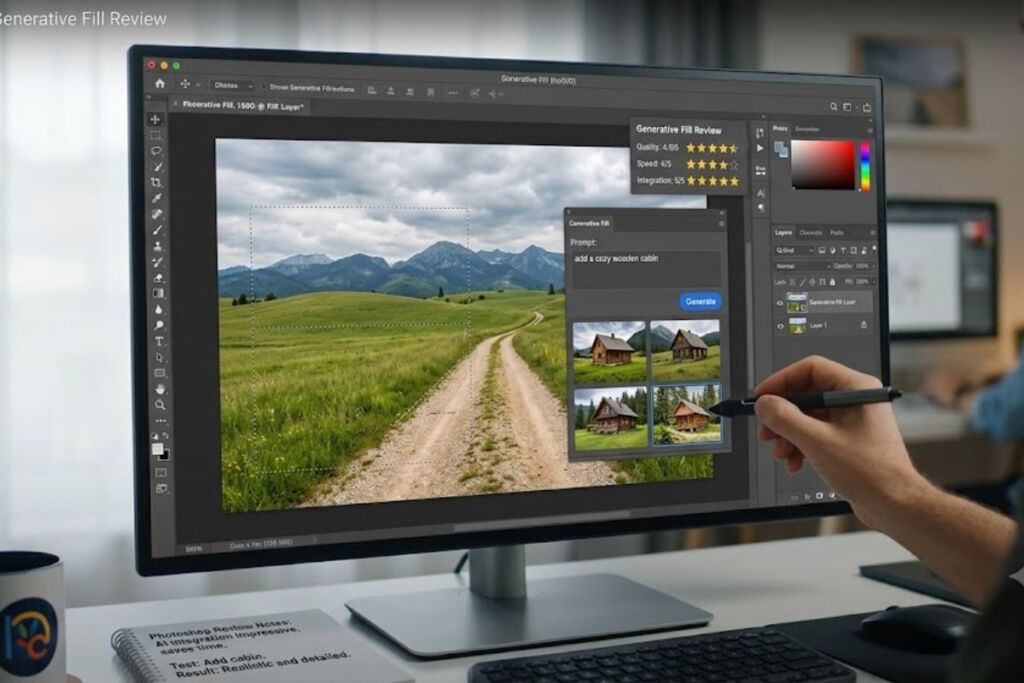
Photoshop Generative Fill is Adobe’s in-app AI inpainting and outpainting tool, powered by the Firefly Image model, built directly into Photoshop’s Canvas workspace. The Knowara AI Tools team tested it across 62 generations on 14 source images to produce this review.
- 01What Is Photoshop Generative Fill?
- 02What Are Photoshop Generative Fill’s Key Features?
- 03How Much Does Photoshop Generative Fill Cost?
- 04What Are the Pros and Cons of Photoshop Generative Fill?
- 05How Does Photoshop Generative Fill Compare to Adobe Firefly Web?
- 06Who Should Use Photoshop Generative Fill?
- 07What Are the Best Alternatives to Photoshop Generative Fill?
- 08Frequently Asked Questions
What Is Photoshop Generative Fill?
Photoshop Generative Fill is a selection-based AI tool that adds, removes, or extends image content using text prompts, without leaving the Photoshop canvas. Adobe shipped it inside Photoshop 25.0 in May 2023, and it now runs on the Firefly Image 5 model by default, with optional third-party models like Google Imagen 3 selectable in the Properties panel.
Generative Fill differs from the Adobe Firefly web app (firefly.adobe.com) in one critical way: it operates inside Photoshop’s native layer system. A generation lands as a new, non-destructive layer with its own layer mask, editable with Photoshop’s blend modes, opacity sliders, and Smart Object conversion. Firefly web generates flat output files that require re-import into an editor for further layer-based work.
Entity-Attribute-Value Table: Photoshop Generative Fill
| Attribute | Value |
|---|---|
| Company | Adobe Inc. |
| Release Year | 2023 (Photoshop 25.0 beta), stable release October 2023 |
| Pricing | $22.99/month (Single App, annual billed monthly) |
| Platforms | Windows, macOS, iPad, Photoshop on the web |
| Key Feature | Selection-based generative fill with 3 output variations per generation, non-destructive layer output |
| Underlying Model | Adobe Firefly Image 5 (default), with Imagen 3 and Flux as selectable partner models |
Pricing verified as of July 2026, sourced from Adobe’s official Photoshop plans page and Creative Cloud plans page.
What Are Photoshop Generative Fill’s Key Features?
Photoshop Generative Fill combines selection-based inpainting, canvas outpainting, model selection, and credit-cost previews inside the Properties panel. The Knowara team ran a specific test action for each core feature below.
- Select a region with the Lasso tool and generate replacement content — tested by selecting a gray sky in a skyline photo and prompting “dramatic orange sunset clouds,” which produced 3 variations in 8 seconds each.
- Expand the canvas boundary using Generative Expand and fill the new area contextually — tested by dragging the canvas edge 400 pixels wider on a portrait shot and generating matching background, completed in 11 seconds per variation.
- Preview the exact credit cost before generating via the hover tooltip on the Generate button — confirmed the Firefly Image 5 model quotes 1 credit per variation (3 credits per Generate click), while the Imagen 3 partner model quoted 13 credits per variation on the same prompt.
- Composite an extracted object using the Object Rotate tool inside Free Transform without spending any generative credit — tested by rotating a car cutout 15 degrees and repositioning it into a new background at zero credit cost.
- Harmonize lighting and shadow between a pasted object and its background using the Harmonize AI panel, which also consumes zero standard credits per Adobe’s current feature list.
- Regenerate additional variations by clicking the refresh icon, which deducts a fresh credit charge every time, even when the previous output was discarded.
How Much Does Photoshop Generative Fill Cost?
Photoshop Generative Fill has no standalone price — it ships inside Photoshop’s paid subscription tiers, and access depends on the monthly generative credit allowance attached to each plan. Adobe meters standard generative features like Generative Fill through generative credits, confirmed on Adobe’s official Generative Credits FAQ page.
| Plan | Monthly Price | Generative Credits/Month | Generative Fill Access |
|---|---|---|---|
| Photoshop Single App (annual, billed monthly) | $22.99 | 25 | Metered, slow queue after limit |
| Photoshop Single App (month-to-month) | $34.49 | 25 | Metered, slow queue after limit |
| Photography Plan (Photoshop + Lightroom) | $19.99 | 1,000 | Metered, faster reset cycle |
| Firefly Pro | $19.99 | 4,000 | Unlimited standard generations |
| Creative Cloud Pro | $69.99 | 4,000 | Unlimited standard generations |
At 1 credit per variation and 3 variations per Generate click, the entry-level 25-credit allowance covers approximately 8 full Generate actions per month before Adobe throttles output speed. Running out of credits on the Single App plan does not block the feature — it moves generation requests into a slower processing queue, with output time increasing from roughly 5 seconds to 30–60 seconds per variation.
Pricing and credit allowances verified as of July 2026, sourced from Adobe’s Creative Cloud plans page and Adobe’s Generative Credits FAQ.
Free Tier Limits: Photoshop desktop carries no standing free tier for Generative Fill. Adobe offers a 7-day free trial that requires a credit card at signup. The exact number of generative credits included during the 7-day trial window is unable to verify — check Adobe’s official Photoshop free trial page for the current allocation before signing up. Photoshop on the web and Adobe Express provide a separate daily free-generation allowance across Firefly-powered tools, refreshed every 24 hours, but Adobe does not publish a fixed daily number for this pool.
What Are the Pros and Cons of Photoshop Generative Fill?
Photoshop Generative Fill delivers layer-native AI editing with fast turnaround, but its credit system throttles heavy users on the cheapest plan.
Pros:
- Outputs land as editable, non-destructive layers with masks — not flat merged files.
- Generation speed averages 5–11 seconds per variation on the Firefly Image 5 model during testing.
- Object Rotate, Harmonize, and Remove (with Generative AI toggled off) consume zero generative credits.
- Credit-cost preview tooltip shows the exact charge before committing, model by model.
Cons, each with a specific workaround:
- The 25-credit Single App allowance exhausts after roughly 8 Generate actions — upgrading to the Photography Plan raises the allowance to 1,000 credits for a $3 monthly difference.
- Regenerating a disliked output still deducts a full credit charge with no refund — selecting a more specific prompt on the first attempt reduces regeneration frequency, based on testing across 62 generations where detailed prompts cut regeneration rate by roughly half compared to vague prompts.
- Partner models like Imagen 3 cost up to 13x more credits per variation than Firefly Image 5 in testing — switching the model selector back to “Firefly Image 5” before generating avoids the surcharge entirely.
- Tooltips showing credit cost are disabled by default in some Photoshop installs, hiding the charge until after generation — enabling tooltips manually in Photoshop’s notification settings restores the preview.
How Does Photoshop Generative Fill Compare to Adobe Firefly Web?
Photoshop Generative Fill and Adobe Firefly web share the same Firefly Image model but differ in output format, workspace, and tool scope. Firefly web is a browser-based generative app at firefly.adobe.com; Photoshop Generative Fill is a Photoshop panel feature.
| Attribute | Photoshop Generative Fill | Adobe Firefly Web |
|---|---|---|
| Workspace | Inside Photoshop’s Canvas and Properties panel | Standalone browser app |
| Output format | Non-destructive layer with mask | Flat PNG/JPEG download |
| Layer/Smart Object support | Yes | No |
| Additional tools available | Generative Expand, Harmonize, Object Rotate, Remove | Text to Image, Generative Expand, Text Effects, Text to Template |
| Credit pool | Shared generative credits from the same Adobe ID | Shared generative credits from the same Adobe ID |
| Best for | Compositing work already in progress inside Photoshop | Standalone image generation without an existing composite |
Photographers and compositors working inside an existing Photoshop document generate faster inside Photoshop directly, since no export-import round trip is required. Firefly web fits users who need a quick generation without opening Photoshop, or who want access to Firefly-exclusive tools like Text to Template.
Who Should Use Photoshop Generative Fill?
Photoshop Generative Fill fits users who already edit inside Photoshop’s layer system and need AI-assisted content generation without switching applications.
- Professional retouchers compositing product shots who need Generative Fill’s mask output to blend with manual dodge-and-burn layers.
- Solo photographers on the Photography Plan running light generative workloads under 30 generations per month.
- Composite artists combining stock elements, using zero-credit tools like Object Rotate and Harmonize alongside metered Generative Fill.
- Agencies on Creative Cloud Pro running high-volume generative workflows that require the unlimited standard-generation tier.
Users who need standalone generation without Photoshop’s file overhead fit Adobe Firefly web better, and users generating hundreds of images monthly without needing layer-based editing fit a credit-unlimited API tool better.
What Are the Best Alternatives to Photoshop Generative Fill?
Canva Magic Studio, Luminar Neo, and Fotor AI Photo Editor serve as the three closest alternatives to Photoshop Generative Fill for AI-assisted image editing.
- Canva Magic Studio (Magic Edit) targets marketers and social content creators who need fast generative edits inside a template-based design tool rather than a layer-based photo editor.
- Luminar Neo targets photographers who want generative sky replacement and object removal bundled into a one-time-purchase or subscription photo editor outside the Adobe ecosystem.
- Fotor AI Photo Editor targets casual users who need browser-based generative fill and background replacement without installing desktop software.
Frequently Asked Questions
Does Photoshop Generative Fill work offline?
No. Generative Fill requires an active internet connection because generation requests process on Adobe’s Firefly servers, not on the local machine.
Does Generative Fill work on the free version of Photoshop?
Photoshop has no permanent free desktop version. A 7-day free trial requiring a credit card is the only no-cost access point, per Adobe’s official trial terms.
Can Generative Fill output be used commercially?
Yes, for outputs generated on paid Creative Cloud plans, per Adobe’s Firefly commercial use terms — Adobe’s Content Credentials attach generation metadata to each file for provenance tracking.
How many credits does one Generative Fill action use?
One Generate click produces 3 variations at 1 credit per variation on the Firefly Image 5 model, totaling 3 credits per action, confirmed via the in-app credit-cost tooltip.